Area Protection
🟡 Updated this year⚠️ Install Order · 2 steps
Install in this order, then this mod last — most mods fail to load without their framework and dependencies in place.
🖼️ Gallery (1 images)
🔍 Analysis
- 👍 0.1% endorsement rate
- 🏆 #65 of 217 datapack mods in this game by downloads
📋 About This Mod
If you don't want to read all this, you can just go in game and do /function, the commands will automatically be highlighted
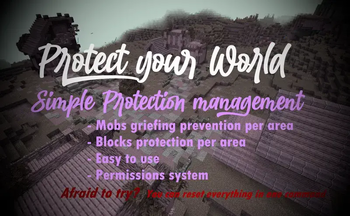
# FAQ: Q: How to protect an area? A: With one command that you can find below. It will claim a 30 blocks radius area, and you can use the command as much as you want for each 30 blocks radius you want to claim! It can also easily be unclaimed.
Q: How does the protection work, what does it protect? A: Once entering a protected area, mobs with griefable abilities will be killed (creeper, ravager, enderman, ender dragon, wither, phantom, warden) along with their loots. TNT & minecart tnt are disabled in a protected area.
Armor stands, item frames & glowing item frames, painting, are automatically set to invincible in a protected area. They are switching back to destroyable once the area get unclaimed. Q: Will the datapack change something in my world if I install it? A: It will only change the gamerule sendCommandFeedback to false to prevent the spam of the gamemode change message in the chat. Nothing else is changed
Q: If I uninstall the datapack, will the protections be gone? A: Yes, but they will be saved in case you reinstall the datapack later, unless you run /function area_protection:reset_all.
Q: If I use this as a mod in singleplayer and then upload the world on my server, will the areas I protected still be protected? A: No, unless you install the datapack or the mod on the server!
The datapack only uses tags, not teams, so if your world has teams enabled, the datapack is compatible with it.
# How to use:
Simply run the first command to protect an area! If you don't want to read all this, you can just go in game and do /function, the commands will automatically be highlighted
/function area_protection:protect_this ----> Set a 30 blocks spherical protection around you.
/function area_protection:reset_this -----> Remove the protection(s) applied at your position up to 40 blocks around you.
/function area_protection:reset_all ------> Remove all the protections of your world (No undo).
/function area_protection:view_protection_borders -----> Allows you to briefly see with particles the spherical protection of the area you are in.
/function area_protection:get_admin_permission_level ----> Allows you to bypass protection. A message will notify you when you are in a protected area, and you will be set in creative mode when running the command.
/function area_protection:get_player_permission_level ------> Reset your permission to default: You can't bypass protection
Wish to give a player permission to build in every protected area, but not wanting to op him? Just do /execute as "name of the player" run function area_protection:get_admin_permission_level. He will be set in creative mode and will be able to build in every protected area.
📊 Mod Details
- Game
- Minecraft Mods
- Author
- ThirtyFangs
- Version
- 1.0+mod
- Downloads
- 3,679
- Endorsements
- 4
- Category
- datapack
- Created
- 9/4/2025
- Updated
- 2/2/2026
- Game Versions
- 1.21.9, 1.21.10, 1.21.11, 26.1-snapshot-5, 26.1
- Tags
- utility
🔧 How to Install Minecraft Mods Mods
Download from Modrinth. Use Prism Launcher or drop into your mods folder.
📖 Full step-by-step install guide for Minecraft Mods →
Visit the official mod page for specific installation instructions for this mod.
🎮 Need cheat codes or console commands? Check ur gaming wiki for Minecraft Mods commands, item IDs, and more.
❓ Frequently Asked Questions
Which Minecraft Mods versions does Area Protection support?
The author lists 1.21.9, 1.21.10, 1.21.11, 26.1-snapshot-5, 26.1, 26.1.1. Other versions may work but are untested by the author.
What is the latest version of Area Protection?
Version 1.0+mod, published 2026-02-02 with 3,679 downloads recorded at the source.
Keep browsing — more Minecraft Mods mods await