Advanced Skills: Remastered
🟠 Updated over a year ago⚠️ Install Order · 2 steps
Install in this order, then this mod last — most mods fail to load without their framework and dependencies in place.
🖼️ Gallery (6 images)
🔍 Analysis
- 👍 0.0% endorsement rate
- 🏆 #916 of 1032 fabric mods in this game by downloads
📋 About This Mod
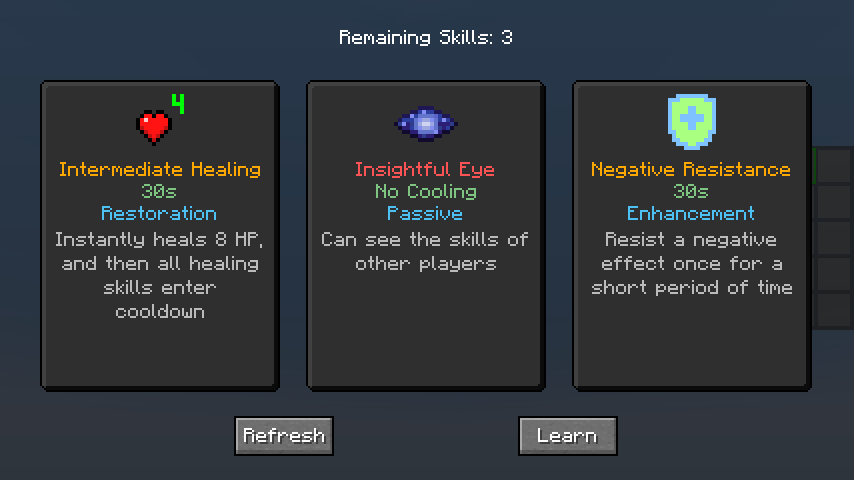
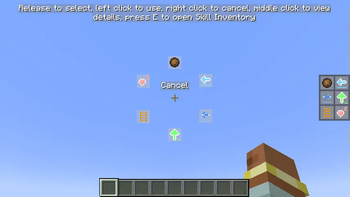
### **Required Mods:** 1. `Fabric Language Kotlin` / `Kotlin for Forge` 2. `Architectury API` --- ### **Gameplay Introduction:** 1. Players can gain **Skill Experience** alongside **Vanilla Experience** (viewable in the skill list screen). Every few levels, they can randomly choose to learn a new skill. 2. Open the skill list with the hotkey (**K** by default), equip skills to the skill slots, and press the corresponding hotkey to use the skill. Alternatively, hold the **Quick Cast** hotkey (**R** by default) and move the mouse to select or use the skill. When a skill is selected, pressing the **Quick Cast** hotkey again will instantly release the skill. 3. Players start with 6 skill slots: - 3 **Active** slots - 1 **Generic** slot - 2 **Passive** slots Except for the Generic slot, other slots can only equip corresponding types of skills. A maximum of 10 skill slots can be active at once. 4. Players can modify the number of skill slots and the types of skills in each slot via commands. 5. Using skills does not consume any resources, but most skills have a cooldown after use (Can be modified by command). 6. Some skills are continuous and require holding down the button to charge up. However, if the skill is cast using **Quick Cast**, no need to hold the button—it will persist until it ends, unless manually interrupted by using the skill again. --- ### **Sample Skills:** - **Reflective Skills**: Skills that have a certain chance of reflecting the first incoming damage within a specific time. Different types of reflective effects exist. - **Movement Skills**: Includes various movement abilities, such as dashing, teleporting, dodging, jumping, grappling, etc. - **Control Skills**: Includes various control abilities, such as immobilizing, slowing, silencing, etc. - **Passive Skills**: All skills that are not passive are considered active. Passive skills include self-healing, passive effects, wall climbing, invisibility, and more. - **Enhancement Skills**: Various enhancement skills, such as X-ray vision, water bypassing, and resistance to negative effects. - **Summoning Skills**: Includes summoning duplicates, mounts, minions, etc. - **Healing Skills**: Different healing skills restore varying amounts of health. - **Destructive Skills**: Includes fireballs, TNT, meteorites, etc. --- ### **Enhancement System:** When drawing skills, there is a chance to get enhancements for learned skills. Enhancements can improve skill values or provide additional effects. Different types of enhancements have different effects, which can increase the skill's damage, speed, range, duration, and more. --- ### **Command Overview:** <details> <summary> /skills (Click to expand) </summary> - `equip ` - Equip a skill to a skill slot - `unequip ` - Unequip the skill from the specified slot - `list` - List all learned skills - `learn ` - Learn a new skill - `learn-all` - Learn all skills - `forget ` - Forget a skill - `forget-all` - Forget all skills - `reset` - Reset all skill data - `reset-cooldown` - Reset all skills' cooldowns - `slot` - `add ` - Add a new skill slot - `remove ` - Remove a skill slot - `reset` - Reset to default skill slots - `slots` - Query default skill slot numbers - `active` - Query default active skill slot number - `` - Set default active skill slot number - `generic` - Query default generic skill slot number - `` - Set default generic skill slot number - `passive` - Query default passive skill slot number - `` - Set default passive skill slot number - `reset` - Reset to default skill slot numbers - `xp` - `add ` - Add skill experience/levels - `set ` - Set skill experience/levels - `query ` - Query current skill experience/levels - `multiplier` - `get ` - Get local/global skill experience multiplier - `set ` - Set local/global skill experience multiplier - `reset ` - Reset local/global skill experience multiplier - `reset` - Reset skill experience and levels - `cooldown` - Query global skill cooldown multiplier - `reset ` - Reset local/global skill cooldown multiplier - `get ` - Get local/global skill cooldown multiplier - `set ` - Set local/global skill cooldown multiplier - `blacklist` - `add ` - Add skill to local/global blacklist - `remove ` - Remove skill from local/global blacklist - `list ` - List local/global blacklisted skills - `clear ` - Clear local/global skill blacklist - `enhance ` - ` ` - Enhance skill to specified level - `all` - Enhance all skills to maximum level - `de-enhance ` - Remove skill enhancement
### Required Mods:
1. `Fabric Language Kotlin` / `Kotlin for Forge` 2. `Architectury API`
### Gameplay Introduction:
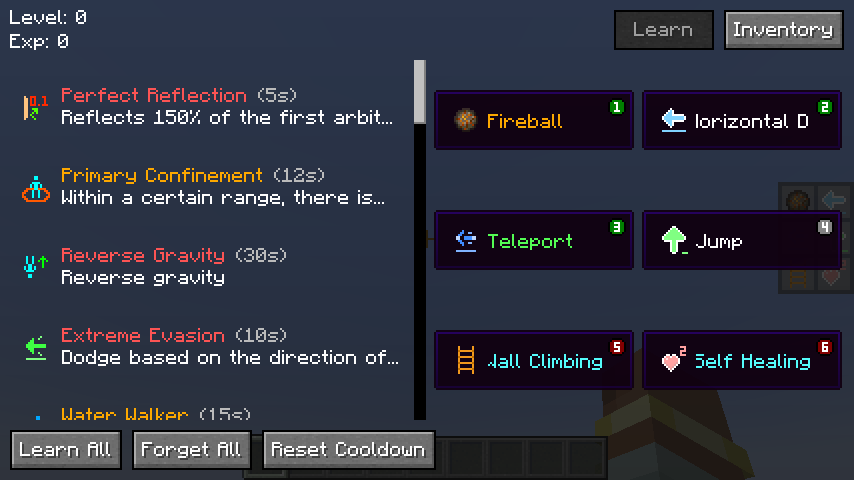
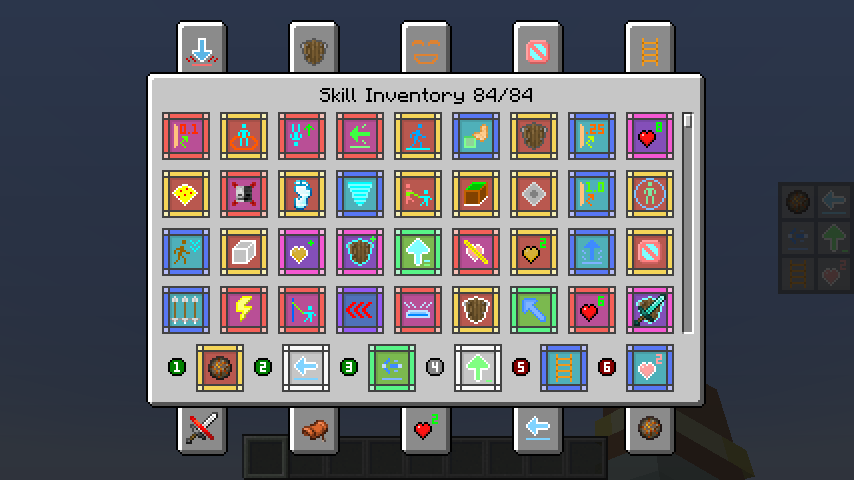
1. Players can gain Skill Experience alongside Vanilla Experience (viewable in the skill list screen). Every few levels, they can randomly choose to learn a new skill. 2. Open the skill list with the hotkey (K by default), equip skills to the skill slots, and press the corresponding hotkey to use the skill. Alternatively, hold the Quick Cast hotkey (R by default) and move the mouse to select or use the skill. When a skill is selected, pressing the Quick Cast hotkey again will instantly release the skill. 3. Players start with 6 skill slots: - 3 Active slots - 1 Generic slot - 2 Passive slots
Except for the Generic slot, other slots can only equip corresponding types of skills. A maximum of 10 skill slots can be active at once. 4. Players can modify the number of skill slots and the types of skills in each slot via commands. 5. Using skills does not consume any resources, but most skills have a cooldown after use (Can be modified by command). 6. Some skills are continuous and require holding down the button to charge up. However, if the skill is cast using Quick Cast, no need to hold the button—it will persist until it ends, unless manually interrupted by using the skill again.
### Sample Skills:
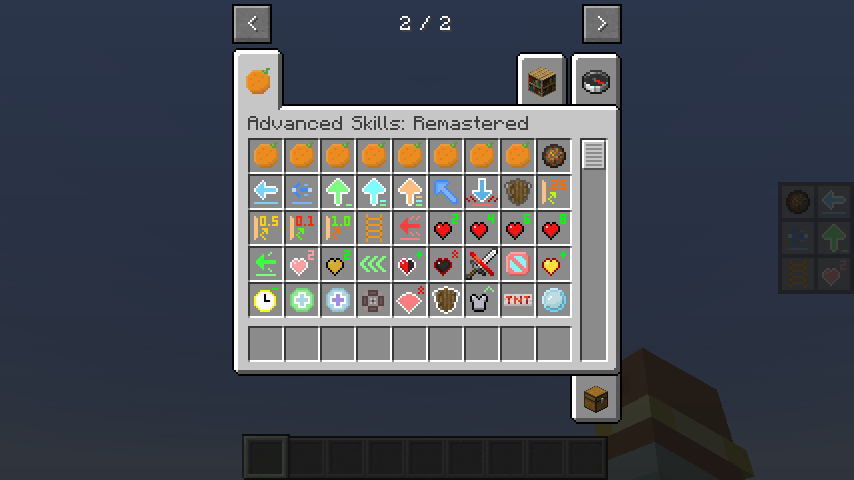
- Reflective Skills: Skills that have a certain chance of reflecting the first incoming damage within a specific time.
- Different types of reflective effects exist.
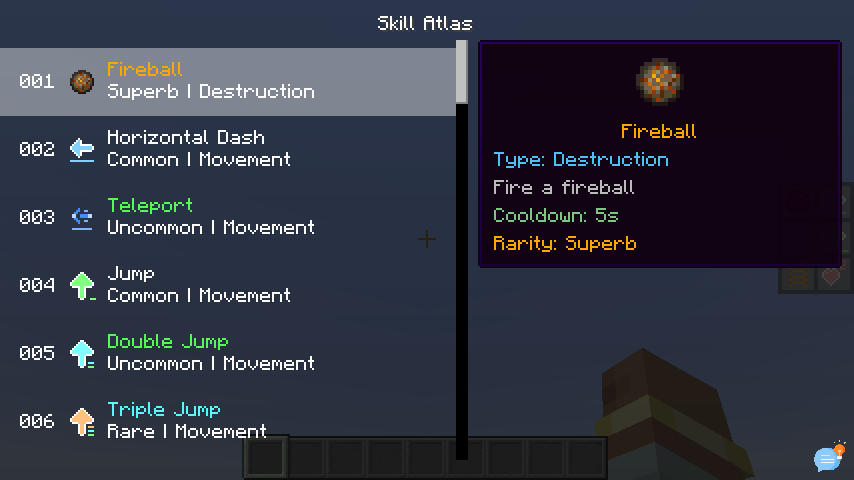
- Movement Skills: Includes various movement abilities, such as dashing, teleporting, dodging, jumping, grappling, etc.
- Control Skills: Includes various control abilities, such as immobilizing, slowing, silencing, etc.
- Passive Skills: All skills that are not passive are considered active. Passive skills include self-healing, passive effects, wall climbing, invisibility, and more.
- Enhancement Skills: Various enhancement skills, such as X-ray vision, water bypassing, and resistance to negative effects.
- Summoning Skills: Includes summoning duplicates, mounts, minions, etc.
- Healing Skills: Different healing skills restore varying amounts of health.
- Destructive Skills: Includes fireballs, TNT, meteorites, etc.
### Enhancement System:
When drawing skills, there is a chance to get enhancements for learned skills. Enhancements can improve skill values or provide additional effects. Different types of enhancements have different effects, which can increase the skill's damage, speed, range, duration, and more.
### Command Overview:
/skills (Click to expand)
- `equip ` - Equip a skill to a skill slot
- `unequip ` - Unequip the skill from the specified slot
- `list` - List all learned skills
- `learn ` - Learn a new skill
- `learn-all` - Learn all skills
- `forget ` - Forget a skill
- `forget-all` - Forget all skills
- `reset` - Reset all skill data
- `reset-cooldown` - Reset all skills' cooldowns
- `slot`
- - `add ` - Add a new skill slot
- - `remove ` - Remove a skill slot
- - `reset` - Reset to default skill slots
- `slots` - Query default skill slot numbers
- - `active` - Query default active skill slot number
- - `` - Set default active skill slot number
- - `generic` - Query default generic skill slot number
- - `` - Set default generic skill slot number
- - `passive` - Query default passive skill slot number
- - `` - Set default passive skill slot number
- - `reset` - Reset to default skill slot numbers
- `xp`
- - `add ` - Add skill experience/levels
- - `set ` - Set skill experience/levels
- - `query ` - Query current skill experience/levels
- - `multiplier`
- - `get ` - Get local/global skill experience multiplier
- - `set ` - Set local/global skill experience multiplier
- - `reset ` - Reset local/global skill experience multiplier
- - `reset` - Reset skill experience and levels
- `cooldown` - Query global skill cooldown multiplier
- - `reset ` - Reset local/global skill cooldown multiplier
- - `get ` - Get local/global skill cooldown multiplier
- - `set ` - Set local/global skill cooldown multiplier
- `blacklist`
- - `add ` - Add skill to local/global blacklist
- - `remove ` - Remove skill from local/global blacklist
- - `list ` - List local/global blacklisted skills
- - `clear ` - Clear local/global skill blacklist
- `enhance `
- - ` ` - Enhance skill to specified level
- - `all` - Enhance all skills to maximum level
- `de-enhance ` - Remove skill enhancement
📊 Mod Details
- Game
- Minecraft Mods
- Author
- iMoonDay
- Version
- 1.1.0-beta.1
- Downloads
- 104,721
- Endorsements
- 27
- Category
- fabric
- Created
- 12/6/2024
- Updated
- 2/11/2025
- Game Versions
- 1.20, 1.20.1
- Tags
- game-mechanics, magic, utility
🔧 How to Install Minecraft Mods Mods
Download from Modrinth. Use Prism Launcher or drop into your mods folder.
📖 Full step-by-step install guide for Minecraft Mods →
Visit the official mod page for specific installation instructions for this mod.
🎮 Need cheat codes or console commands? Check ur gaming wiki for Minecraft Mods commands, item IDs, and more.
❓ Frequently Asked Questions
Which Minecraft Mods versions does Advanced Skills: Remastered support?
The author lists 1.20, 1.20.1. Other versions may work but are untested by the author.
What is the latest version of Advanced Skills: Remastered?
Version 1.1.0-beta.1, published 2025-02-11 with 104,721 downloads recorded at the source.
Keep browsing — more Minecraft Mods mods await