Velocity
🟡 Updated this year🖼️ Gallery (7 images)

🔍 Analysis
- 👍 0.1% endorsement rate
- 🏆 #261 of 673 lightweight mods in this game by downloads
📋 About This Mod
!(https://cdn.modrinth.com/data/cached_images/827b47eed02496832824c0d2c9b6cc03e104c351_0.webp)
### Your Perfect Quality of Life Modpack
Velocity is focused on providing an all-in-one solution for Minecraft optimization. It prioritizes performance and stability while including quality-of-life features for a smoother, easier experience. Perfect for modpack creators seeking a reliable base or casual players looking for a stable, optimized game.
- --
- !(https://cdn.modrinth.com/data/cached_images/c2c93ebdf749670eb0ecc21f69db1581fc875c05_0.webp)
- Performance and stability optimizations. Now with vulkan!
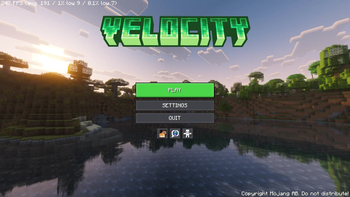
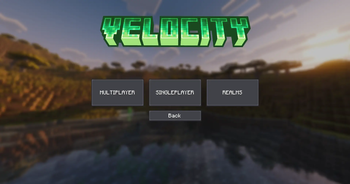
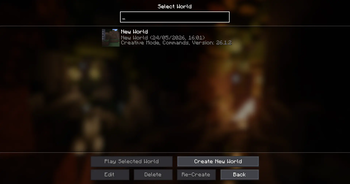
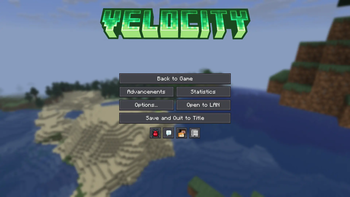
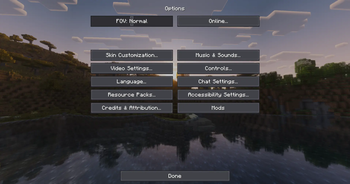
- UI enhancements (Overhauled menus, control search, smooth scrolling, etc.) (https://modrinth.com/modpack/velocity-mc/gallery)
- Enhanced visuals (lower fire, shields, view maps in boats, etc.)
- OptiFine, LabyMod, and MinecraftCapes support
- Mouse tweaks for smoother inventory handling
- In-game resource pack, shader and world library
- No chat reports or restrictions
- Smooth camera zoom
- World Hosting
- Crash assistant
- Access to bedrock servers
- Access to older or newer minecraft servers
How to Re-Enable Shader Support (v0. 15. 0+)
> Note: This applies starting from version 0. 15. 0 (including all beta releases).
If you want to use shaders, you can manually revert from Vulkan back to OpenGL by following these steps:
1. Downgrade Sodium: Go to Content, find Sodium, click the 3 dots (...), select "Switch Version", and search for `0. 9. 1`. 2. Re-add Iris: Install the Iris Shaders mod. 3. Switch Engine: Change your modpack rendering backend to OpenGL via the video settings in-game..
> Warning: You will have to redo these steps with every modpack update.
- --
- !(https://cdn.modrinth.com/data/cached_images/fcde3db6efe817efd363101b0f364997b1b881c9_0.webp)
### Hardware Used
CPU: AMD Ryzen 9 8945HS (8C 16T, 5. 2 GHz Boost) GPU: NVIDIA RTX 4070 Mobile (8GB) RAM: 32GB 6400MT/s (4GB Allocated) Storage: WD_PC SN5000S (1TB)
### Performance Benchmarks
| Build | Avg FPS | 1% Lows | 0. 1% Lows | RAM Usage | | :--- | :--- | :--- | :--- | :--- | | Vanilla 26. 2 | ~600 FPS | 100 FPS | 70 FPS | 2. 4 GB | | Velocity | ~1550 FPS | 350 FPS | 200 FPS | 2. 4 GB |
### Analysis: While maintaining the exact same memory footprint of 2. 4 GB, the modpack delivers an almost tri-fold increase in average frame rates on my hardware. More importantly, the 1% low performance stabilizes at 350 FPS. This ensures frame-rate consistency during rapid world generation, heavy combat, or high entity density—providing the smooth performance and structural stability required for a high-quality base pack.
This project falls under the (https://creativecommons.org/licenses/by-nc-sa/4. 0/). If you want to use it for your own means, please read the (https://creativecommons.org/licenses/by-nc-sa/4. 0/) before doing so.
The translations on the front page are translated by https://DeepL.com/
🇨🇳 Chinese Translation / 中文翻译
!(https://cdn.modrinth.com/data/cached_images/827b47eed02496832824c0d2c9b6cc03e104c351_0.webp)
### 您完美的生活质量模组包
Velocity 专注于为 Minecraft 优化提供一体化解决方案。它在优先保障性能与稳定性的同时,融入了多项生活质量功能,带来更流畅、更轻松的游戏体验。无论是寻求可靠基础的模组包创作者,还是追求稳定优化体验的休闲玩家,Velocity 都是您的完美之选。
- --
- !(https://cdn.modrinth.com/data/cached_images/c2c93ebdf749670eb0ecc21f69db1581fc875c05_0.webp)
- 性能与稳定性优化。现已支持 Vulkan!
- 界面增强(全面改版的菜单、按键搜索、平滑滚动等)[查看图库](https://modrinth.com/modpack/velocity-mc/gallery)
- 视觉效果增强(更低的火焰、盾牌改进、在船上查看地图等)
- 支持 OptiFine、LabyMod 及 MinecraftCapes
- 鼠标优化,让物品栏操作更加流畅
- 游戏内资源包、光影及世界库
- 无聊天举报或限制
- 平滑镜头缩放
- 世界托管
- 崩溃助手
- 访问基岩版服务器
- 访问更旧或更新版本的 Minecraft 服务器
如何重新启用光影支持(v0. 15. 0+)
> 注意: 此操作适用于 0. 15. 0 及更高版本(包括所有 Beta 测试版)。
如果您想使用光影,可以通过以下步骤手动从 Vulkan 切换回 OpenGL:
1. 降级 Sodium: 前往 Content(内容),找到 Sodium,点击 三点图标 (...),选择 "Switch Version"(切换版本) 并搜索 `0. 9. 1`。 2. 重新添加 Iris: 安装 Iris Shaders 模组。 3. 切换引擎: 将模组包的渲染后端更改为 OpenGL。
> 警告: 每次更新模组包后,您都需要重新执行这些步骤。
- --
- !(https://cdn.modrinth.com/data/cached_images/fcde3db6efe817efd363101b0f364997b1b881c9_0.webp)
处理器: AMD Ryzen 9 8945HS(8核16线程,最高睿频 5. 2 GHz) 显卡: NVIDIA RTX 4070 移动版(8GB) 内存: 32GB 6400MT/s(分配 4GB) 存储: WD_PC SN5000S(1TB)
| 构建版本 | 平均帧率 | 1% 最低帧率 | 0. 1% 最低帧率 | 内存占用 | | :--- | :--- | :--- | :--- | :--- | | 原版 26. 2 | ~600 FPS | 100 FPS | 70 FPS | 2. 4 GB | | Velocity | ~1550 FPS | 350 FPS | 200 FPS | 2. 4 GB |
### 分析: 在内存占用同为 2. 4 GB 的前提下,本模组包在我的硬件上实现了近三倍的平均帧率提升。更重要的是,1% 最低帧率稳定在 350 FPS。这确保了在快速世界生成、激烈战斗或高密度实体场景下的帧率一致性——为高质量基础包提供了所需的流畅性能与结构稳定性。
*本项目遵循 (https://creativecommons.org/licenses/
📊 Mod Details
- Game
- Minecraft Modpacks
- Author
- P1XZL
- Version
- 26.2-0.15.1
- Downloads
- 9,323
- Endorsements
- 7
- Category
- lightweight
- Created
- 10/25/2023
- Updated
- 8/23/2026
- Game Versions
- 26.2
- Tags
- lightweight, multiplayer, optimization
🔧 How to Install Minecraft Modpacks Mods
Download from Modrinth. Use Prism Launcher or drop into your mods folder.
📖 Full step-by-step install guide for Minecraft Modpacks →
Visit the official mod page for specific installation instructions for this mod.
🎮 Need cheat codes or console commands? Check ur gaming wiki for Minecraft Modpacks commands, item IDs, and more.
❓ Frequently Asked Questions
Which Minecraft Modpacks versions does Velocity support?
The author lists 26.2. Other versions may work but are untested by the author.
What is the latest version of Velocity?
Version 26.2-0.15.1, published 2026-08-23 with 9,323 downloads recorded at the source.
Keep browsing — more Minecraft Modpacks mods await