Spunky Boost
🟡 Updated this year🖼️ Gallery (3 images)
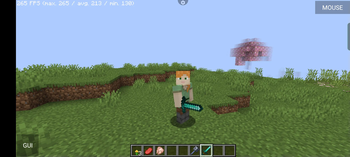
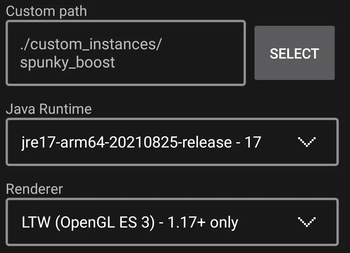
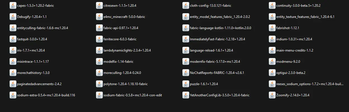
🔍 Analysis
- 👍 0.0% endorsement rate
- 🏆 #12 of 673 lightweight mods in this game by downloads
📋 About This Mod
Do you face lag or crashes while playing Minecraft on PojavLauncher? Don’t worry! The Spunky Boost Modpack is here to fix that. It’s made to make your Minecraft game run faster and smoother, even on slow devices.
The Spunky Boost Modpack is a group of special mods that help Minecraft run better on PojavLauncher. It’s lightweight, meaning it won’t slow down your device but will make the game run much smoother.
[!(https://cdn.modrinth.com/data/cached_images/4eaf23726a62c7c004ca58006fa258b1fd6aeac6.png)](https://fastclient.net/spunky)
## Features
1. No More Lag It makes the game run faster, so you don’t get stuck or lag during gameplay.
2. Fixes Crashes It helps prevent the game from crashing, giving you a better experience.
3. Works on Low-End Devices Even if your device isn’t powerful, this modpack helps it run Minecraft without issues.
4. Easy to Use You don’t need to be an expert. Just install the modpack, and you’re good to go!
[!(https://cdn.modrinth.com/data/cached_images/e6627940f1a86e330af62e3e1268b4a3e897f380_0.webp)](https://ggservers.com/billing/aff.php?aff=6966)
## 🛠️ Steps to Install Modrinth Modpacks
### 1. Download the Modpack - Visit the (https://modrinth.com). - Search for the modpack you want to install. - Click on the Download button to get the `.zip` or `.mrpack` file of the modpack.
### 2. Set Up PojavLauncher - Open PojavLauncher on your device. - Make sure it is updated to the latest version for better compatibility.
### 3. Create a New Minecraft Instance - In PojavLauncher, go to Settings or Manage Accounts and log in if you haven’t already. - Create a new Minecraft instance for the version required by the modpack.
### 4. Install the Modpack - Locate the `.zip` or `.mrpack` file you downloaded. - Extract the contents of the file using a file manager or unzip tool. - Copy the mods, resource packs, and configuration files into the correct folders in your Minecraft directory: - Mods → `/.minecraft/mods/` - Resource Packs → `/.minecraft/resourcepacks/` - Config Files → `/.minecraft/config/`
### 5. Launch the Game - Open PojavLauncher and select the Minecraft instance you created. - Press Play to start the game with the installed modpack.
## 🧪 Tested and Approved
Spunky Boost Modpack has been tested by players on different devices, and the results are amazing. Whether you’re building, exploring, or fighting mobs, everything runs better with this modpack.
## Our Socials Youtube - (https://www.youtube.com/@SpunkyInsaan20https://www.youtube.com/@SpunkyInsaan20)
Discord - (https://discord.com/invite/spunkyinsaan)
📊 Mod Details
- Game
- Minecraft Modpacks
- Author
- spunkyinsaan
- Version
- 26.2
- Downloads
- 599,849
- Endorsements
- 151
- Category
- lightweight
- Created
- 1/22/2025
- Updated
- 6/26/2026
- Game Versions
- 26.2
- Tags
- lightweight, multiplayer, optimization
🔧 How to Install Minecraft Modpacks Mods
Download from Modrinth. Use Prism Launcher or drop into your mods folder.
📖 Full step-by-step install guide for Minecraft Modpacks →
Visit the official mod page for specific installation instructions for this mod.
🎮 Need cheat codes or console commands? Check ur gaming wiki for Minecraft Modpacks commands, item IDs, and more.
❓ Frequently Asked Questions
Which Minecraft Modpacks versions does Spunky Boost support?
The author lists 26.2. Other versions may work but are untested by the author.
What is the latest version of Spunky Boost?
Version 26.2, published 2026-06-26 with 599,849 downloads recorded at the source.
Keep browsing — more Minecraft Modpacks mods await