SodiBanana
🟠 Updated over a year ago🖼️ Gallery (2 images)
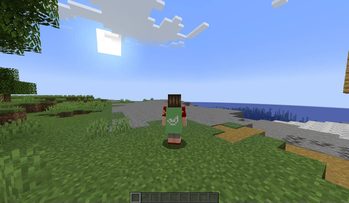
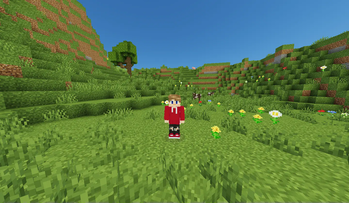
🔍 Analysis
- 👍 0.1% endorsement rate
- 🏆 #655 of 673 lightweight mods in this game by downloads
📋 About This Mod
# SodiBanana 🍌 <a href="https://github.com/SuperZekes/Sodibanana"><img alt="github" src="https://cdn.jsdelivr.net/npm/@intergrav/devins-badges@3/assets/compact/available/github_vector.svg"></a> What is SodiBanana? SodiBanana is a simple optimization Modpack with some QoL features and Optifine features here and there, which makes it a great alternative to Optifine, from an FPS standpoint, and a features one too. All versions of SodiBanana are uploaded to SodiBanana's (https://github.com/SuperZekes/Sodibanana) ## 🍌 MAIN FEATURES: 1. <a href="https://modrinth.com/mod/viafabricplus">ViaFabricplus</a>: Choose the version of the server you want to connect to through the viafabricplus button on the multiplayer screen. 2. <a href="https://modrinth.com/mod/fastload">Fastload</a> and <a href="https://modrinth.com/mod/fastquit">Fastquit</a>: Fastload lets you load in into singleplayer worlds much faster then normal and its faster on servers as well. And Fastquit lets you leave aka save and quit singleplayer worlds instantly! And you can join servers or other worlds while it saves in the background. 3. <a href="https://modrinth.com/mod/lazydfu">LazyDFU</a>: Makes my Modpack start a lot faster then other Modpacks that dont have it. It basically makes the Minecraft DataFixerUpper or DFU lazy. What do I mean by that? The DFU for Minecraft is basically the manager of your worlds if theres a new Minecraft update it will update all your worlds even if its just a small bug fix. And it checks if there is an update every time you start your game this mod makes it a lot faster heres proof from a <a href="https://www.youtube.com/watch?v=gXDqJ598kKA">video</a> the creator made. 4. Major FPS Boost Mods: <a href="https://modrinth.com/mod/sodium">Sodium</a>, For client optimization <a href="https://modrinth.com/mod/lithium">Lithium</a>, for client and server optimization <a href="https://modrinth.com/mod/starlight">Starlight</a>, for lighting improvements <a href="https://modrinth.com/mod/memoryleakfix">Memory Leak Fix</a>, for little to no memory leaks <a href="https://modrinth.com/mod/ferrite-core">Ferrite Core</a>, which reduces the memory usage of the game and last but not least! <a href="https://modrinth.com/mod/entityculling">Entity Culling</a>, which gives you more FPS by hiding blocks or entities that are not visible to the player. 5. <a href="https://modrinth.com/mod/resourcify">Resourcify</a> Last but not least is Resourcify the mod adds a little plus button to the resource pack menu so you can add resource packs from in game same thing for shaderpacks and datapacks. ## 🔍 OPTIFINE LIKE FEATURES 1. Optifine zoom, when you press c, it will zoom in using the <a href="https://modrinth.com/mod/zoomify">Zoomify Mod</a> 2. OptiFine Animated textures using <a href="https://modrinth.com/mod/animatica">Animatica</a> 3. Large performance boost as writen above 4. <a href="https://modrinth.com/mod/lambdynamiclights">LambsDynamicLights</a> for Dynamic Lighting 5. Optifine donater capes + a free custom one <a href="https://tinyurl.com/244axcuc">here</a> Find out how to sign up for minecraftcapes.net <a href="https://www.youtube.com/watch?v=qJ9mr7NtLpo">here</a>: If your signed up to minecraftcapes already, simply upload the cape and then use the capes mod to put on your minecraftcapes cape then your done! #
# SodiBanana 🍌

What is SodiBanana? SodiBanana is a simple optimization Modpack with some QoL features and Optifine features here and there, which makes it a great alternative to Optifine, from an FPS standpoint, and a features one too. All versions of SodiBanana are uploaded to SodiBanana's (https://github.com/SuperZekes/Sodibanana)
## 🍌 MAIN FEATURES: 1. ViaFabricplus: Choose the version of the server you want to connect to through the viafabricplus button on the multiplayer screen. 2. Fastload and Fastquit: Fastload lets you load in into singleplayer worlds much faster then normal and its faster on servers as well. And Fastquit lets you leave aka save and quit singleplayer worlds instantly! And you can join servers or other worlds while it saves in the background. 3. LazyDFU: Makes my Modpack start a lot faster then other Modpacks that dont have it. It basically makes the Minecraft DataFixerUpper or DFU lazy. What do I mean by that? The DFU for Minecraft is basically the manager of your worlds if theres a new Minecraft update it will update all your worlds even if its just a small bug fix. And it checks if there is an update every time you start your game this mod makes it a lot faster heres proof from a video the creator made. 4. Major FPS Boost Mods: Sodium, For client optimization Lithium, for client and server optimization Starlight, for lighting improvements Memory Leak Fix, for little to no memory leaks Ferrite Core, which reduces the memory usage of the game and last but not least! Entity Culling, which gives you more FPS by hiding blocks or entities that are not visible to the player. 5. Resourcify Last but not least is Resourcify the mod adds a little plus button to the resource pack menu so you can add resource packs from in game same thing for shaderpacks and datapacks.
## 🔍 OPTIFINE LIKE FEATURES 1. Optifine zoom, when you press c, it will zoom in using the Zoomify Mod 2. OptiFine Animated textures using Animatica 3. Large performance boost as writen above 4. LambsDynamicLights for Dynamic Lighting 5. Optifine donater capes + a free custom one here
Find out how to sign up for minecraftcapes.net here: If your signed up to minecraftcapes already, simply upload the cape and then use the capes mod to put on your minecraftcapes cape then your done!
📊 Mod Details
- Game
- Minecraft Modpacks
- Author
- SuperZekes
- Version
- 7.0.1-1.21.4
- Downloads
- 2,547
- Endorsements
- 2
- Category
- lightweight
- Created
- 8/13/2023
- Updated
- 3/14/2025
- Game Versions
- 1.21.4
- Tags
- lightweight, multiplayer, optimization
🔧 How to Install Minecraft Modpacks Mods
Download from Modrinth. Use Prism Launcher or drop into your mods folder.
📖 Full step-by-step install guide for Minecraft Modpacks →
Visit the official mod page for specific installation instructions for this mod.
🎮 Need cheat codes or console commands? Check ur gaming wiki for Minecraft Modpacks commands, item IDs, and more.
❓ Frequently Asked Questions
Which Minecraft Modpacks versions does SodiBanana support?
The author lists 1.21.4. Other versions may work but are untested by the author.
What is the latest version of SodiBanana?
Version 7.0.1-1.21.4, published 2025-03-14 with 2,547 downloads recorded at the source.
Keep browsing — more Minecraft Modpacks mods await