SMP Companion 2
🟠 Updated over a year ago🖼️ Gallery (3 images)
🔍 Analysis
- 🏆 #12 of 643 lightweight mods in this game by downloads
📋 About This Mod
**(https://modrinth.com/modpack/smp-companion) is for Minecraft 1.21.1 and (https://modrinth.com/modpack/smp-companion-2) is for Minecraft 1.21.5, which includes controller support.** The goal of SMP Companion is to provide a suite of vanilla plus mods that are considered safe to use on a public SMP Survival or PVP server. It has a few quality of life tweaks and HUD overlays that is intended to make the vanilla server experience more fulfilling. There are no cheats and no unfair advantage given to the player. For performance tweaks, there is Sodium and Lithium makes it ready for shaders to be installed. The UI has JEI, shulker box tooltips, apple skin, light and chunk border overlays, InventoryHUD, and HUD Coordinates that can be customized to the player's preference. !(https://cdn.modrinth.com/data/SGfEZ2QY/images/b72243f2c62432ed5fd8b499f539406e307ef701.png) For better and easier building, a community edition of Litematica has been included. For added customization options there is the extreme sound muffler that allows the player to pick and choose which in-game sound effects they want to hear or mute, and for easier communication, there is a simple proximity voice chat included. !(https://cdn.modrinth.com/data/SGfEZ2QY/images/dd1b32f266aefa765bbc0ba84b47f55c61e4b464.png) **This modpack has no affiliation with any server and it is free to use and modify to suit the player's or server's needs.** ### SMP Companion User's Guide - To zoom in, press **C** - To toggle Light Overlay, press **F7** - To toggle Chunk Boundaries, press **F3 + G** - The push to talk button is **~** (Tilde) - To enter your voice chat menu, press **V** - To open your Litematicia HUD, press **M** - To toggle Inventory HUD, press **O** - To select Shaders, press **(https://cdn.modrinth.com/data/SGfEZ2QY/images/a68ddac0ef3f351572f22f4a43066f7e8779e0b3.png) **NOTE: All PRINT functions in Litematicia have been disabled via config files. Most servers will ban if these functions are enabled. Edit these files at your own risk!**
(https://modrinth.com/modpack/smp-companion) is for Minecraft 1. 21. 1 and (https://modrinth.com/modpack/smp-companion-2) is for Minecraft 1. 21. 5, which includes controller support.
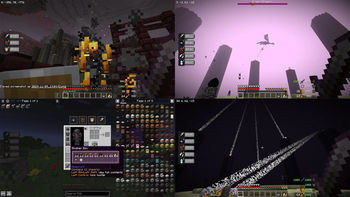
The goal of SMP Companion is to provide a suite of vanilla plus mods that are considered safe to use on a public SMP Survival or PVP server. It has a few quality of life tweaks and HUD overlays that is intended to make the vanilla server experience more fulfilling. There are no cheats and no unfair advantage given to the player.
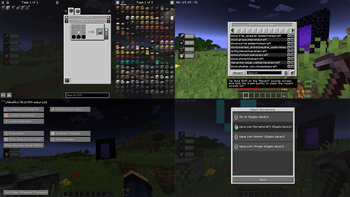
For performance tweaks, there is Sodium and Lithium makes it ready for shaders to be installed. The UI has JEI, shulker box tooltips, apple skin, light and chunk border overlays, InventoryHUD, and HUD Coordinates that can be customized to the player's preference.
!(https://cdn.modrinth.com/data/SGfEZ2QY/images/b72243f2c62432ed5fd8b499f539406e307ef701.png)
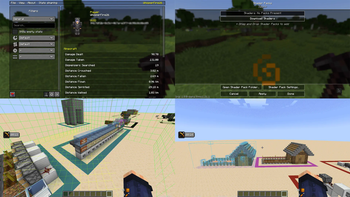
For better and easier building, a community edition of Litematica has been included. For added customization options there is the extreme sound muffler that allows the player to pick and choose which in-game sound effects they want to hear or mute, and for easier communication, there is a simple proximity voice chat included.
!(https://cdn.modrinth.com/data/SGfEZ2QY/images/dd1b32f266aefa765bbc0ba84b47f55c61e4b464.png)
This modpack has no affiliation with any server and it is free to use and modify to suit the player's or server's needs.
### SMP Companion User's Guide - To zoom in, press C - To toggle Light Overlay, press F7 - To toggle Chunk Boundaries, press F3 + G - The push to talk button is ~ (Tilde) - To enter your voice chat menu, press V - To open your Litematicia HUD, press M - To toggle Inventory HUD, press O - To select Shaders, press [ (Left Bracket) - To activate Free Look View press Left Alt - To activate Full Brightness Toggle Press G - To open your Free Look menu, press . (Period) - For Coordinates and Direction to show, have a compass in the inventory
!(https://cdn.modrinth.com/data/SGfEZ2QY/images/a68ddac0ef3f351572f22f4a43066f7e8779e0b3.png)
📊 Mod Details
- Game
- Minecraft Modpacks
- Author
- WhisperFire26
- Version
- 2.0.20
- Downloads
- 445
- Endorsements
- 0
- Category
- lightweight
- Created
- 5/5/2025
- Updated
- 9/25/2025
- Game Versions
- 1.21.5
- Tags
- lightweight, multiplayer, optimization
🔧 How to Install Minecraft Modpacks Mods
Download from Modrinth. Use Prism Launcher or drop into your mods folder.
📖 Full step-by-step install guide for Minecraft Modpacks →
Visit the official mod page for specific installation instructions for this mod.
🎮 Need cheat codes or console commands? Check ur gaming wiki for Minecraft Modpacks commands, item IDs, and more.
❓ Frequently Asked Questions
Which Minecraft Modpacks versions does SMP Companion 2 support?
The author lists 1.21.5. Other versions may work but are untested by the author.
What is the latest version of SMP Companion 2?
Version 2.0.20, published 2025-09-25 with 445 downloads recorded at the source.
Keep browsing — more Minecraft Modpacks mods await