Quick Vanilla+
🟡 Updated this year🖼️ Gallery (4 images)


🔍 Analysis
- 👍 0.1% endorsement rate
- 🏆 #123 of 604 lightweight mods in this game by downloads
📋 About This Mod
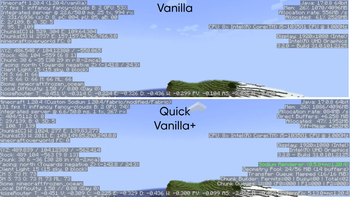
<table style="width:100%"> <tr> <th>FPS Comparison:</th> <th>GPU Usage Comparison:</th> </tr> <tr> <td>FPS in vanilla: 50 to 70</td> <td>GPU usage in Vanilla: 50% to 90%</td> </tr> <tr> <td>FPS in Quick Vanilla+: 100 to 150</td> <td>GPU usage in Quick Vanilla+: 70% to 100%</td> </tr> <tr> <td>Percentage Increase: 110% to 130%</td> <td>Observation: More GPU usage will result in more performance as the GPU is used more.</td> </tr> </table> Try my other optimisation modpack for more performance if you are not satisfied: <a target="_blank" href="https://modrinth.com/modpack/uniquely-optimised">Uniquely Optimised</a> MC Settings: Fullscreen, Version 1.20.4, Render-Distance: 8 Chunks, Ram Allocated: 4GB, System Ram: 8GB, CPU: Intel Core i5-1035G1, GPU: Intel UHD Graphics. Quick Vanilla+ is the ultimate Minecraft modpack for players seeking top-notch performance enhancements and quality of life improvements. With a focus on making minecraft smoothly playable, this pack integrates the finest optimization and quality-of-life mods available, ensuring smooth gameplay even on lower-end systems. Harnessing the power of Fabric Modloader, Quick Vanilla+ delivers an unparalleled experience, surpassing even Optifine in its suite of enhancements. Not only does it focus on optimizations, it also focuses on reducing the stress on your computer so that you can multitask with ease. Experience quick world loading times and say goodbye to lag and hello to seamless gameplay with this meticulously crafted modpack. Explore your world with ease, build to your heart's content, and enjoy every moment with Quick Vanilla+. Enjoy the optimizations in multiplayer too as the modpack is also compatible with multiplayer servers.(Not to install on servers, but to play with this modpack on servers.) Report your issues here: <a href="https://github.com/Nitin-Kamal/Quick-Vanilla-Plus/issues" target="_blank">Raise Issues</a> The 1.21.3 versions of the modpack may crash when loading up a world. As per my testing, it is being caused by the Worldedit mod. So, if your game also crashes, try removing the Worldedit mod from your installation(either through the modrinth app or by removing the jar file from your mods folder). This still has a low chance of happening. I am looking into the issue and will solve it as soon as possible. It is always recommended that you use the latest version of the modpack for a particular mc version. For example, there could be three or four modpack versions for the same mc version(ex: 1.21.1). Just download and use the latest version of the modpack that supports the mc version that you use **How to install: There are two methods to install this modpack to your game: Method-1: From the modrinth app:** step-1: Download the modrinth app installer from the modrinth website. step-2: Run the modrinth installer and install the modrinth app by following the instructions from the installer. step-3: Open the modrinth app and search for 'Quick Vanilla+' by clicking on the search button on the left sidebar. step-4: click on 'Quick Vanilla+'. step-5: click on the 'versions' tab on the top. step-6: click the install button next to the preferred version you want to install. step-7: Log into your minecraft account by clicking on the steve icon and signing in. Then, launch the modpack installation by clicking on the home icon and clicking the play button that appears on hovering over the modpack. Then, its obvious, Enjoy! (OR) step-7: Click the home icon on the left sidebar and click the modpack installation to open it. step-8: Click on the three dots on the right. step-9: Click 'Open Folder' step-9: Copy the 'mods' folder into your minecraft fabric installation. step-10: Run the fabric installation from your minecraft launcher and Enjoy!. **Method-2: From the modrinth website:** step-1: Go to the 'Quick Vanilla+' page of the modrinth website. step-2: Click on the versions tab at the top. step-3: Download the preferred version of 'Quick Vanilla+'. It should be in the .mrpack format.
| FPS Comparison: | GPU Usage Comparison: |
|---|---|
| FPS in vanilla: 50 to 70 | GPU usage in Vanilla: 50% to 90% |
| FPS in Quick Vanilla+: 100 to 150 | GPU usage in Quick Vanilla+: 70% to 100% |
| Percentage Increase: 110% to 130% | Observation: More GPU usage will result in more performance as the GPU is used more. |
Try my other optimisation modpack for more performance if you are not satisfied: Uniquely Optimised
MC Settings: Fullscreen, Version 1. 20. 4, Render-Distance: 8 Chunks, Ram Allocated: 4GB, System Ram: 8GB, CPU: Intel Core i5-1035G1, GPU: Intel UHD Graphics.
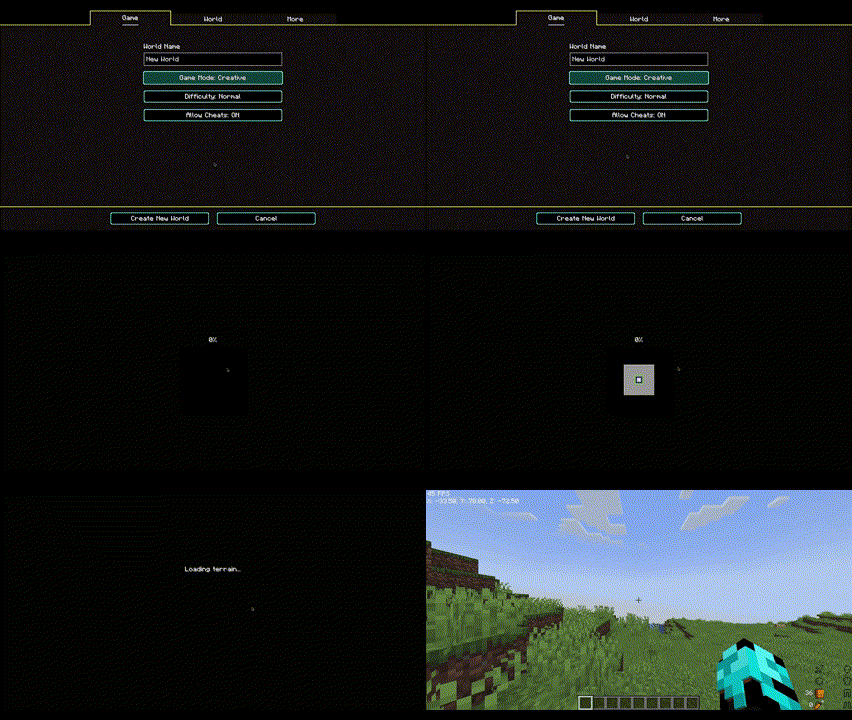
Quick Vanilla+ is the ultimate Minecraft modpack for players seeking top-notch performance enhancements and quality of life improvements. With a focus on making minecraft smoothly playable, this pack integrates the finest optimization and quality-of-life mods available, ensuring smooth gameplay even on lower-end systems. Harnessing the power of Fabric Modloader, Quick Vanilla+ delivers an unparalleled experience, surpassing even Optifine in its suite of enhancements. Not only does it focus on optimizations, it also focuses on reducing the stress on your computer so that you can multitask with ease. Experience quick world loading times and say goodbye to lag and hello to seamless gameplay with this meticulously crafted modpack. Explore your world with ease, build to your heart's content, and enjoy every moment with Quick Vanilla+.
Enjoy the optimizations in multiplayer too as the modpack is also compatible with multiplayer servers.(Not to install on servers, but to play with this modpack on servers.)
Report your issues here: Raise Issues
The 1. 21. 3 versions of the modpack may crash when loading up a world. As per my testing, it is being caused by the Worldedit mod. So, if your game also crashes, try removing the Worldedit mod from your installation(either through the modrinth app or by removing the jar file from your mods folder). This still has a low chance of happening. I am looking into the issue and will solve it as soon as possible.
It is always recommended that you use the latest version of the modpack for a particular mc version. For example, there could be three or four modpack versions for the same mc version(ex: 1. 21. 1). Just download and use the latest version of the modpack that supports the mc version that you use
How to install: There are two methods to install this modpack to your game: Method-1: From the modrinth app: step-1: Download the modrinth app installer from the modrinth website. step-2: Run the modrinth installer and install the modrinth app by following the instructions from the installer. step-3: Open the modrinth app and search for 'Quick Vanilla+' by clicking on the search button on the left sidebar. step-4: click on 'Quick Vanilla+'. step-5: click on the 'versions' tab on the top. step-6: click the install button next to the preferred version you want to install. step-7: Log into your minecraft account by clicking on the steve icon and signing in. Then, launch the modpack installation by clicking on the home icon and clicking the play button that appears on hovering over the modpack. Then, its obvious, Enjoy! (OR) step-7: Click the home icon on the left sidebar and click the modpack installation to open it. step-8: Click on the three dots on the right. step-9: Click 'Open Folder' step-9: Copy the 'mods' folder into your minecraft fabric installation. step-10: Run the fabric installation from your minecraft launcher and Enjoy!. Method-2: From the modrinth website: step-1: Go to the 'Quick Vanilla+' page of the modrinth website. step-2: Click on the versions tab at the top. step-3: Download the preferred version of 'Quick Vanilla+'. It should be in the .mrpack format.
📊 Mod Details
- Game
- Minecraft Modpacks
- Author
- Risinglion21
- Version
- 3.3.1
- Downloads
- 1,868
- Endorsements
- 2
- Category
- lightweight
- Created
- 2/26/2024
- Updated
- 7/3/2026
- Game Versions
- 26.2
- Tags
- lightweight, optimization
🔧 How to Install Minecraft Modpacks Mods
Download from Modrinth. Use Prism Launcher or drop into your mods folder.
📖 Full step-by-step install guide for Minecraft Modpacks →
Visit the official mod page for specific installation instructions for this mod.
🎮 Need cheat codes or console commands? Check ur gaming wiki for Minecraft Modpacks commands, item IDs, and more.
❓ Frequently Asked Questions
Which Minecraft Modpacks versions does Quick Vanilla+ support?
The author lists 26.2. Other versions may work but are untested by the author.
What is the latest version of Quick Vanilla+?
Version 3.3.1, published 2026-07-03 with 1,868 downloads recorded at the source.
Keep browsing — more Minecraft Modpacks mods await