Immersive VR Essentials
🟠 Updated over a year ago🖼️ Gallery (10 images)
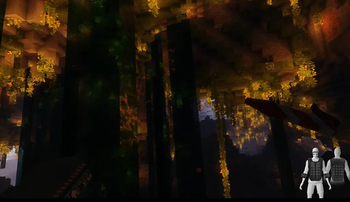
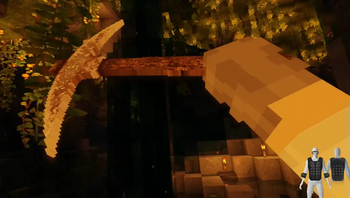
🔍 Analysis
- 👍 0.2% endorsement rate
- 🏆 #15 of 70 kitchen-sink mods in this game by downloads
📋 About This Mod
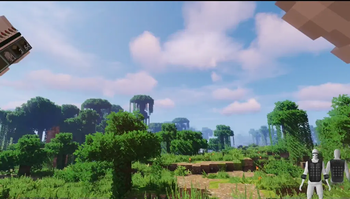
### A ModPack created Specifically for VR to be as realistic and Immersive as possible
## Features
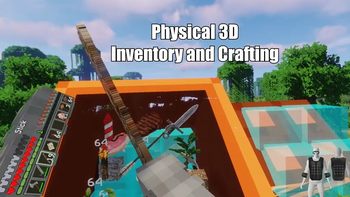
_3D Inventory and Fullbody Tracking_
This uses ImmersiveMC and Vivecraft, all menus and crafting are done in a 3D space in VR, Take a look at the (https://immersivemcwiki.hammy275.com/) for help on how to use it.
Vivecraft is also now Fullbody Tracking Compadable!
_HAPTIC Feedback_
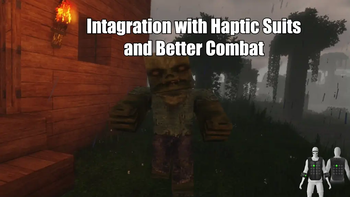
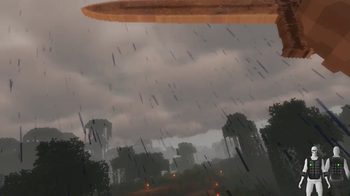
If you have a Haptic Feedback Suit (bhaptics etc), you can feel rain on your body, getting punched by mobs, you'll feel every chop of a tree and every block you mine.
_VR Only Server_
There is now a VR Only server Included in this Modpack! Find it in the Server Menu! Locked to VR only, come join the fun of this growing server!
_Textures and Resource Packs_
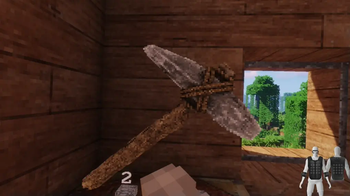
The Primary Resource Pack in here is Patrix (edited so it works better with VR)
I included faithful x64 if you want a more classic look, so feel free to switch it out with that if you don't like the realistic feel of Patrix
There is also an optional lower quality version of Faithful included if you need more performance
Shaders
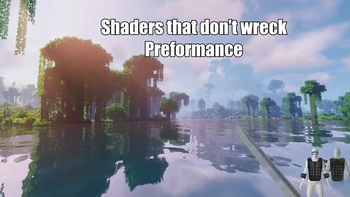
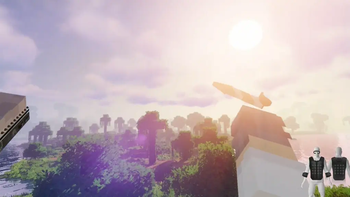
Primary shader in here is Sildurs on medium settings with it customized to look better in VR I have Chopotic shaders on Low and Lite as options in the shader menu, feel free to switch it out with that as they run quite a bit better (there is a minor texture glitch on blocks with them though.. but your FPS will go up a ton if you're struggleing to run this at a stable fps)
_Landscape, Structures, Biomes and Mobs_
This has quite a bit more variety the vanilla game, You'll see better landscapes, more structures, more biomes, better dungeons ect. This is all done with vanilla blocks and doesn't have any annoying bloat or complicated crafting involved! It's just more variety and prettier views
_In Game Voice Chat_
Voice Chat is already pre installed. You can customize it in game using the B Button on your Controller (then go to voice chat Menu) So if you want to run this on a server you can already talk in game
_No Complex crafting, No added Blocks_
This Modpack is made to be Immersive and relaxing, not some complicated system where you have to craft a million things.
There are a few QOL Mods in here like waypoints, but no added blocks and all the crafting is the same as Vanilla
_WORKS on Desktop(Flatscreen)_
Although this is intended to be played in VR, it does work on flatscreen minecraft as well, so if you want to play with your friends on a server and they don't have VR, they can use this to see peoples Fullbody movement etc. Game is fully playable without a Headset, but you'll be missing out on some intended features.
_Performance_
This is going to largely depend on your System Specs.. I do not lag at all.. but I have a fairly beefy system.
64GB 6000mhz RAM
I also use a Vive Pro eye with the Wireless adapter.. which tends to run better on PCVR apps then using a Quest over wifi. I have not tested this modpack with my Quest 3 yet, it should not make a huge difference as long as you have a decent system though.
_Minimum System Requrements_
I have no way to test this, It might work with lower system specs then this, but at a minimum I'm guessing you'll need:
i9 or newier AMD Chip
This modpack needs at least 8GB Ram Dedicated to it.
_Why no Distent Horizons?_
The shader and landscape mods I'm using do not play well with Distent Horizon so thats why it's not included. You won't really notice it because of the fog and volumentirc lighting with the shader/landscape mods generating huge mountains and vistas, also Distent Horizons sort of wrecks preformance in VR
## Installation
1) Download the modrinth App, download This this, then double click to install. Should be pretty strightforward
2) Important BEFORE you play, Make sure to set memory correctly. Go to the gear icon in the corner then Click on Java and Memory
Check on custom java Installation, custom Memory Allocation and Set it to a minimum of 8192 (you can also use more)
Click on Java arguments then Add this Line
-XX:+UseZGC
!(https://cdn.modrinth.com/data/cached_images/93d72fb42ccd07e6d2551eec390e6d3fbeb919a3.png)
!(https://cdn.modrinth.com/data/cached_images/b3cd5c77a1f6cc66c9f679dabf4ff77d6db1672c.png)
You should now be good to play this in VR
## **DO NOT UPDATE MODS IN THIS, YOUR
📊 Mod Details
- Game
- Minecraft Modpacks
- Author
- gingasvr
- Version
- 1.1.1
- Downloads
- 19,834
- Endorsements
- 37
- Category
- kitchen-sink
- Created
- 1/17/2025
- Updated
- 8/14/2025
- Game Versions
- 1.20.1
- Tags
- kitchen-sink, optimization, technology
🔧 How to Install Minecraft Modpacks Mods
Download from Modrinth. Use Prism Launcher or drop into your mods folder.
📖 Full step-by-step install guide for Minecraft Modpacks →
Visit the official mod page for specific installation instructions for this mod.
🎮 Need cheat codes or console commands? Check ur gaming wiki for Minecraft Modpacks commands, item IDs, and more.
❓ Frequently Asked Questions
Which Minecraft Modpacks versions does Immersive VR Essentials support?
The author lists 1.20.1. Other versions may work but are untested by the author.
What is the latest version of Immersive VR Essentials?
Version 1.1.1, published 2025-08-14 with 19,834 downloads recorded at the source.
Keep browsing — more Minecraft Modpacks mods await