X-Mountains
⚪ Last updated 2023🖼️ Gallery (3 images)
🔍 Analysis
- 👍 1.1% endorsement rate — high engagement, a strong quality signal
- 🏆 #269 of 2025 datapack mods in this game by downloads
📋 About This Mod
<img width="90px" align="center" alt="X-Mountains" src="https://github.com/devpelux/xmountains/raw/7abdc25a4a44ccd47e47dab62b510cb4c2274e4d/assets/icon.png"/> ## X-Mountains **"Extreme Mountains" datapack for Minecraft** *This datapack removes the 256 height limit to the new mountains (and world) generation of the overworld.* With 1.18 "Caves & Cliffs" update, mountains can go very high, in some cases above 250+ blocks! If you love build very high towers on top of the mountains, and they are too high, there may be not enough space to build (the max build limit is 319). To make things easier, avoiding terraforming before building, the actual world generation height is limited to 256 blocks, even if a mountain "wants go higher". This is a good solution, but, for a bunch of blocks, there is an evident side effect: mountains higher that 256 are cutted off (like with a katana!) generating a flat unnatural area. This is even more noticeable in a mountain range, in which all mountains are cutted at the same height, resulting in this: !(https://github.com/devpelux/xmountains/raw/7abdc25a4a44ccd47e47dab62b510cb4c2274e4d/assets/mountain.jpg) Anyway, even without this limit, mountains rarely go beyond 290+ height, and there is still enough space to build (maybe not that 50-blocks height tower...). After removing the top limit you can see the real majesty of this beautiful new mountain generation! You will find more higher mountains without that unnatural flat area on top! Only peaks! !(https://github.com/devpelux/xmountains/raw/7abdc25a4a44ccd47e47dab62b510cb4c2274e4d/assets/xmountain.jpg) ## How to install ### Step 1 Download the datapack zip file for your Minecraft version. ### Step 2 Open Minecraft and click to create a new world. ### Step 3 Before start generating the world click the "Data Packs" button from the "More" tab: it will open a new window. ### Step 4 Drag and drop the downloaded zip file to that window, then activate the datapack by moving it on the right side. (Make sure it is over the default datapack) ### Step 5 Click "Done", create the world, and enjoy! ## License Copyright (C) 2021-2023 devpelux (Salvatore Peluso) Licensed under MIT license.

## X-Mountains "Extreme Mountains" datapack for Minecraft
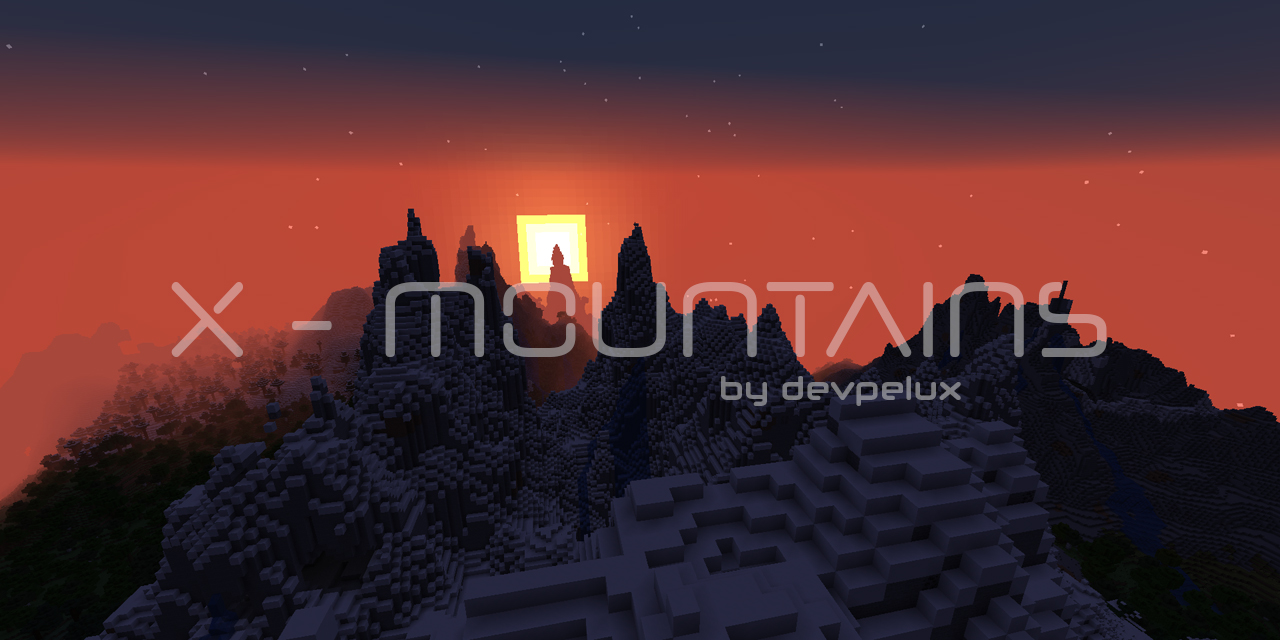
This datapack removes the 256 height limit to the new mountains (and world) generation of the overworld.
With 1. 18 "Caves & Cliffs" update, mountains can go very high, in some cases above 250+ blocks! If you love build very high towers on top of the mountains, and they are too high, there may be not enough space to build (the max build limit is 319). To make things easier, avoiding terraforming before building, the actual world generation height is limited to 256 blocks, even if a mountain "wants go higher".
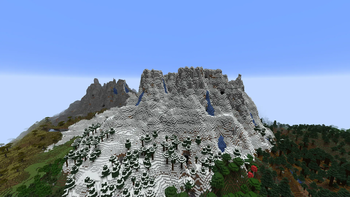
This is a good solution, but, for a bunch of blocks, there is an evident side effect: mountains higher that 256 are cutted off (like with a katana!) generating a flat unnatural area. This is even more noticeable in a mountain range, in which all mountains are cutted at the same height, resulting in this:
!(https://github.com/devpelux/xmountains/raw/7abdc25a4a44ccd47e47dab62b510cb4c2274e4d/assets/mountain.jpg)
Anyway, even without this limit, mountains rarely go beyond 290+ height, and there is still enough space to build (maybe not that 50-blocks height tower...). After removing the top limit you can see the real majesty of this beautiful new mountain generation!
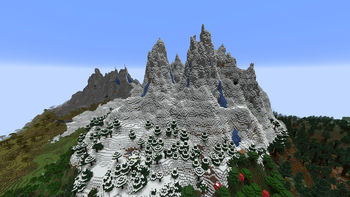
You will find more higher mountains without that unnatural flat area on top! Only peaks!
!(https://github.com/devpelux/xmountains/raw/7abdc25a4a44ccd47e47dab62b510cb4c2274e4d/assets/xmountain.jpg)
## How to install
### Step 1 Download the datapack zip file for your Minecraft version.
### Step 2 Open Minecraft and click to create a new world.
### Step 3 Before start generating the world click the "Data Packs" button from the "More" tab: it will open a new window.
### Step 4 Drag and drop the downloaded zip file to that window, then activate the datapack by moving it on the right side. (Make sure it is over the default datapack)
### Step 5 Click "Done", create the world, and enjoy!
## License Copyright (C) 2021-2023 devpelux (Salvatore Peluso) Licensed under MIT license.
📊 Mod Details
- Game
- Minecraft Data Packs
- Author
- devpelux
- Version
- 1.20
- Downloads
- 2,608
- Endorsements
- 28
- Category
- datapack
- Created
- 7/4/2023
- Updated
- 7/2/2023
- Game Versions
- 1.20, 1.20.1
- Tags
- worldgen
🔧 How to Install Minecraft Data Packs Mods
Download from Modrinth. Use Prism Launcher or drop into your mods folder.
📖 Full step-by-step install guide for Minecraft Data Packs →
Visit the official mod page for specific installation instructions for this mod.
🎮 Need cheat codes or console commands? Check ur gaming wiki for Minecraft Data Packs commands, item IDs, and more.
❓ Frequently Asked Questions
Which Minecraft Data Packs versions does X-Mountains support?
The author lists 1.20, 1.20.1. Other versions may work but are untested by the author.
What is the latest version of X-Mountains?
Version 1.20, published 2023-07-02 with 2,608 downloads recorded at the source.
Keep browsing — more Minecraft Data Packs mods await