Wide Mining
🟡 Updated this year🖼️ Gallery (1 images)
🔍 Analysis
- 👍 0.1% endorsement rate
- 🏆 #335 of 1805 datapack mods in this game by downloads
📋 About This Mod
<img align="right" width="120px" height="120px" src="https://www.sushihut.net/datapacks/wide-mining/pack.png" alt="Wide Mining Logo"> <div align="left"> <img src="https://www.sushihut.net/datapacks/wide-mining/banner.webp" alt="Wide Mining" width="600px"> </div> <br> Wide Mining adds an enchantment that lets you mine a **3×3 area** with a single swing of a pickaxe, making mining **significantly faster**. (https://img.shields.io/discord/1346324130261237885?style=for-the-badge&logo=discord&logoColor=white&label=Discord&color=%235865F2)](https://discord.gg/wgSCCaQN5W) --- <div align="center"> <img src="https://www.sushihut.net/datapacks/wide-mining/preview.webp" alt="Wide Mining Preview" width="700px"> </div> --- ## Customization Want to configure enchantment levels, sneak-to-disable, loot table options, or export for a specific mod loader? Use the **(https://www.sushihut.net)** to build a custom version — no setup required. If you need help or have a specific request, join us on (https://discord.gg/wgSCCaQN5W). --- ## Installation **Datapack** 1. Download the `.zip` file. 2. Place it in `.minecraft/saves/<world>/datapacks/`. 3. Run `/reload` in-game. **Mod (Fabric / Quilt / Forge / NeoForge)** 1. Download the `.jar` file. 2. Place it in `.minecraft/mods/`. 3. Launch the game — no extra steps needed. --- ## Support Found a bug or have a suggestion? Join us on (https://discord.gg/wgSCCaQN5W).


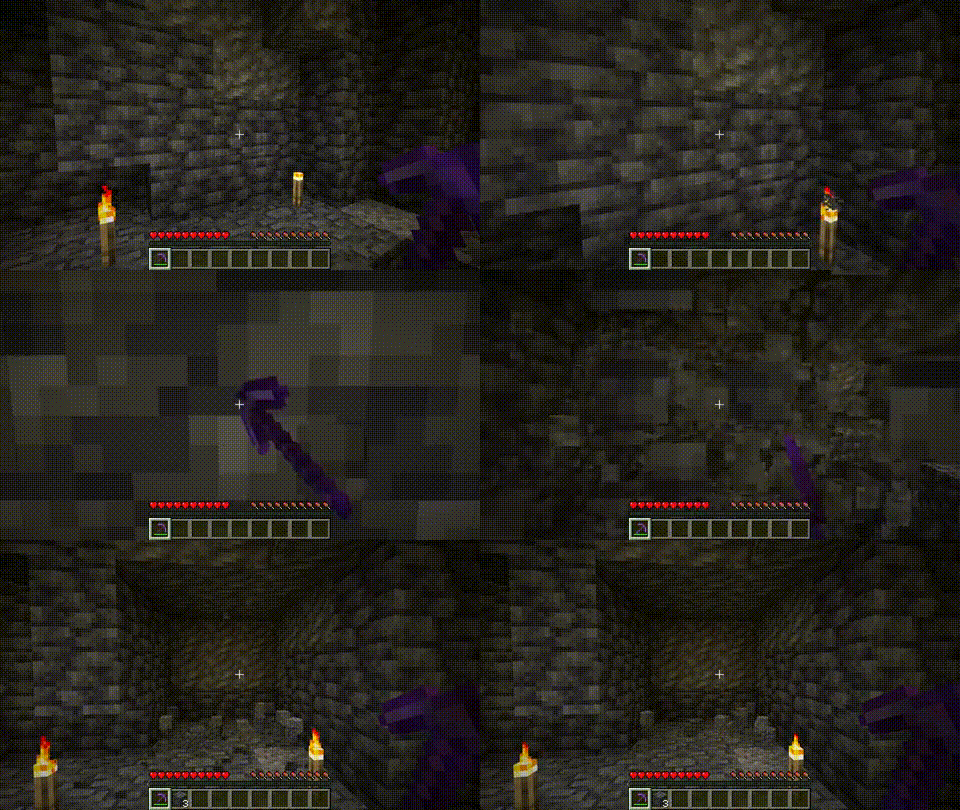
Wide Mining adds an enchantment that lets you mine a 3×3 area with a single swing of a pickaxe, making mining significantly faster.
[!(https://img.shields.io/discord/1346324130261237885?style=for-the-badge&logo=discord&logoColor=white&label=Discord&color=%235865F2)](https://discord.gg/wgSCCaQN5W)

## Customization
Want to configure enchantment levels, sneak-to-disable, loot table options, or export for a specific mod loader? Use the (https://www.sushihut.net)** to build a custom version — no setup required.
If you need help or have a specific request, join us on (https://discord.gg/wgSCCaQN5W).
## Installation
Datapack
1. Download the `.zip` file.
2. Place it in `.minecraft/saves/
Mod (Fabric / Quilt / Forge / NeoForge)** 1. Download the `.jar` file. 2. Place it in `.minecraft/mods/`. 3. Launch the game — no extra steps needed.
Found a bug or have a suggestion? Join us on (https://discord.gg/wgSCCaQN5W).
📊 Mod Details
- Game
- Minecraft Data Packs
- Author
- SushiWaUmai
- Version
- 2.2.0
- Downloads
- 74,104
- Endorsements
- 80
- Category
- datapack
- Created
- 3/16/2025
- Updated
- 7/25/2026
- Game Versions
- 1.21.1, 1.21.2, 1.21.3, 1.21.4, 1.21.5
- Tags
- equipment, utility
🔧 How to Install Minecraft Data Packs Mods
Download from Modrinth. Use Prism Launcher or drop into your mods folder.
📖 Full step-by-step install guide for Minecraft Data Packs →
Visit the official mod page for specific installation instructions for this mod.
🎮 Need cheat codes or console commands? Check ur gaming wiki for Minecraft Data Packs commands, item IDs, and more.
❓ Frequently Asked Questions
Which Minecraft Data Packs versions does Wide Mining support?
The author lists 1.21.1, 1.21.2, 1.21.3, 1.21.4, 1.21.5, 1.21.6. Other versions may work but are untested by the author.
What is the latest version of Wide Mining?
Version 2.2.0, published 2026-07-25 with 74,104 downloads recorded at the source.
Keep browsing — more Minecraft Data Packs mods await