Sparrow's Compass
🟡 Updated this year🖼️ Gallery (1 images)
🔍 Analysis
- 🏆 #100 of 420 adventure mods in this game by downloads
📋 About This Mod
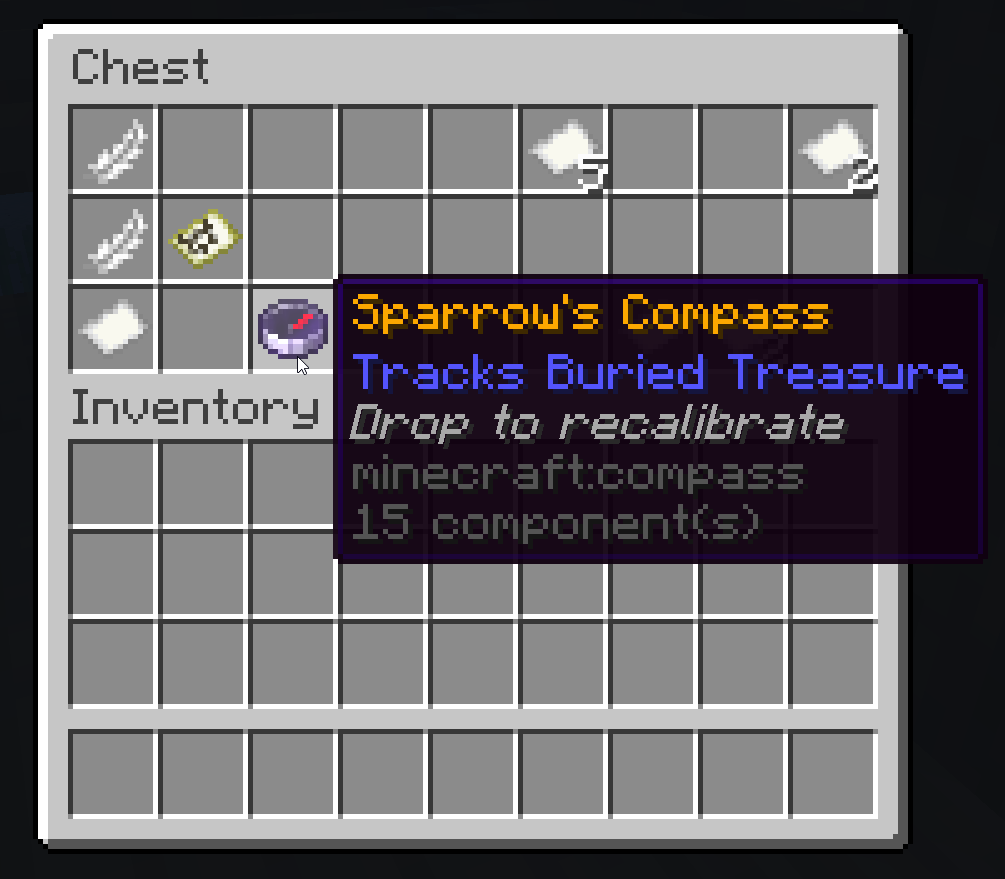
Sparrow's Compass -------------------------------------- This datapack adds a new rare item to Shipwrecks: a mystical compass that points directly to Buried Treasure. Designed to solve the frustration of the "Red X" on buried treasure maps, this compass guides you to the exact digging spot without needing to decipher chunk coordinates. FEATURES: - Sparrow's Compass has a 25% chance to appear in Shipwreck "Map Chests" alongside the standard Buried Treasure Map. - The compass locks onto the nearest Buried Treasure when held. - Compass can be recalibrated when thrown onto the ground. HOW TO USE: - Find a Shipwreck - Loot the Map Chest - Hold the compass in your main hand. You will hear the map-writing sound, and the needle will lock onto the nearest treasure. - Follow the compass until it spins. RECALIBRATION: Minecraft generates Buried Treasure chests frequently. Sometimes, the "Map" you found points to a distant chest, but the Compass detects a closer one nearby. To fix this: Use the map to get close to the chest, then drop the compass on the ground. You will hear a hiss sound, and once you put the compass back in your hand, it will recalibrate to the nearest buried treasure.
Sparrow's Compass -------------------------------------- This datapack adds a new rare item to Shipwrecks: a mystical compass that points directly to Buried Treasure.
Designed to solve the frustration of the "Red X" on buried treasure maps, this compass guides you to the exact digging spot without needing to decipher chunk coordinates.
FEATURES: - Sparrow's Compass has a 25% chance to appear in Shipwreck "Map Chests" alongside the standard Buried Treasure Map. - The compass locks onto the nearest Buried Treasure when held. - Compass can be recalibrated when thrown onto the ground.
HOW TO USE: - Find a Shipwreck - Loot the Map Chest - Hold the compass in your main hand. You will hear the map-writing sound, and the needle will lock onto the nearest treasure. - Follow the compass until it spins.
RECALIBRATION: Minecraft generates Buried Treasure chests frequently. Sometimes, the "Map" you found points to a distant chest, but the Compass detects a closer one nearby.
To fix this: Use the map to get close to the chest, then drop the compass on the ground. You will hear a hiss sound, and once you put the compass back in your hand, it will recalibrate to the nearest buried treasure.
📊 Mod Details
- Game
- Minecraft Data Packs
- Author
- lobalt
- Version
- 0.1.3
- Downloads
- 49
- Endorsements
- 1
- Category
- adventure
- Created
- 2/5/2026
- Updated
- 7/3/2026
- Game Versions
- 1.21.11, 26.1, 26.1.1, 26.1.2, 26.2
- Tags
- adventure, equipment, utility
🔧 How to Install Minecraft Data Packs Mods
Download from Modrinth. Use Prism Launcher or drop into your mods folder.
📖 Full step-by-step install guide for Minecraft Data Packs →
Visit the official mod page for specific installation instructions for this mod.
🎮 Need cheat codes or console commands? Check ur gaming wiki for Minecraft Data Packs commands, item IDs, and more.
❓ Frequently Asked Questions
Which Minecraft Data Packs versions does Sparrow's Compass support?
The author lists 1.21.11, 26.1, 26.1.1, 26.1.2, 26.2. Other versions may work but are untested by the author.
What is the latest version of Sparrow's Compass?
Version 0.1.3, published 2026-07-03 with 49 downloads recorded at the source.
Keep browsing — more Minecraft Data Packs mods await