Skyblock Dimension
🟠 Updated over a year ago🖼️ Gallery (2 images)
🔍 Analysis
- 👍 0.1% endorsement rate
- 🏆 #969 of 1071 adventure mods in this game by downloads
📋 About This Mod
# Elevate Your Minecraft World or Server with the new Skyblock Dimension!
Transform your gameplay with this innovative datapack that introduces a brand-new skyblock dimension to your server. With a single command — `/trigger skyblock` — you can seamlessly switch between your classic survival world and this exhilarating new realm.
## Why Download This Datapack? - New Dimension, New Adventures: Venture into a unique fourth dimension designed exclusively for skyblock gameplay. - Enhanced Skyblock Experience: Enjoy custom crafting recipes and tailored loot tables that streamline gameplay, making every task a breeze. - Seamless Integration: Easily toggle between vanilla survival and the skyblock dimension—all on the same server!
## Features: This datapack creates a fourth minecraft dimension which is the so-called skyblock dimension. It can be entered using „/trigger skyblock“. This allows you to add a skyblock gamemode to your already existing minecraft server/world, and players can easily switch between the vanilla survival world and the skyblock dimension and play entirely different gamemodes, all while being on the same server.
The skyblock experience itself is also slightly different from the vanilla skyblock experience, as I added several new crafting recipes and loot tables with the goal of making some time consuming tasks easier (like waiting for a wandering trader) and also making every item available in skyblock that would normally be available in vanilla survival.
## Installation and Usage: Install the datapack like you would install any other datapack, by dropping the zip file into the datapacks folder of your minecraft world. For servers, the path is ./world/datapacks/. You can find a detailed tutorial here. After that, you need to restart your world by closing and opening your world (singleplayer) or restarting the server (multiplayer).
To teleport from the overworld to the skyblock dimension and vice versa, use the /trigger skyblock command.
## Supported game versions: Due to huge changes to datapacks in version 1. 20. 5+, this datapack officially supports only the following versions:
- 1. 20. 1
- 1. 20. 4
- 1. 21. 4
Untested versions (Please report any errors that may occur here):
- 1. 20 and 1. 20. 2 (use 1. 20. 1 version)
- 1. 20. 3 (use 1. 20. 4 version)
- 1. 21. 2 and 1. 21. 3 (use 1. 21. 4 version)
This is one of the first datapacks that I coded myself, so if you encounter any bugs or want to suggest new features/changes, let me know in the comments below or (https://luca4.com/contact/).
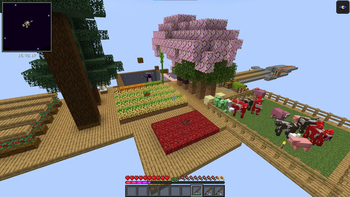
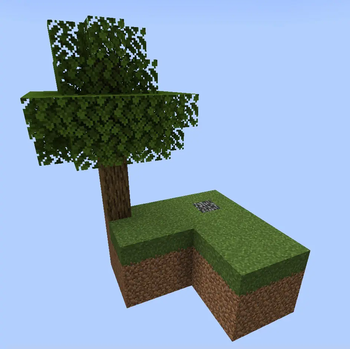
!(https://luca4.com/wp-content/uploads/2024/05/Screenshot-2024-05-29-103059.jpg) Image of the starter island
📊 Mod Details
- Game
- Minecraft Data Packs
- Author
- Tiefflieger
- Version
- 1.1.0
- Downloads
- 4,437
- Endorsements
- 4
- Category
- adventure
- Created
- 5/31/2024
- Updated
- 2/2/2025
- Game Versions
- 1.21.2, 1.21.3, 1.21.4
- Tags
- adventure, worldgen
🔧 How to Install Minecraft Data Packs Mods
Download from Modrinth. Use Prism Launcher or drop into your mods folder.
📖 Full step-by-step install guide for Minecraft Data Packs →
Visit the official mod page for specific installation instructions for this mod.
🎮 Need cheat codes or console commands? Check ur gaming wiki for Minecraft Data Packs commands, item IDs, and more.
❓ Frequently Asked Questions
Which Minecraft Data Packs versions does Skyblock Dimension support?
The author lists 1.21.2, 1.21.3, 1.21.4. Other versions may work but are untested by the author.
What is the latest version of Skyblock Dimension?
Version 1.1.0, published 2025-02-02 with 4,437 downloads recorded at the source.
Keep browsing — more Minecraft Data Packs mods await