Skull
⚪ Last updated 2023🖼️ Gallery (4 images)
🔍 Analysis
- 🏆 #1456 of 2046 datapack mods in this game by downloads
📋 About This Mod
⚠This project has been discontinued. Check out the better and upgraded version: Skull
Obtain Custom and Player Heads in Survival! > You can find the values for custom heads on this site.
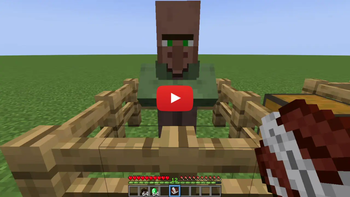
# 📖Features This Data Pack allows you to get custom heads in vanilla minecraft using a villager and a Book&Quill. To do so, just summon the skull merchant, craft a bunch of heads, choose a head value or a player name, paste it in a Book&Quill (in case of the player head sign the book with the name of the player), and then add the trade to the merchant.
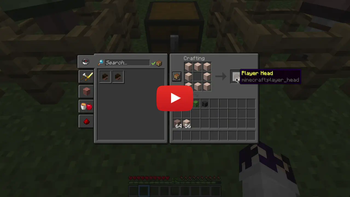
Craft a Head
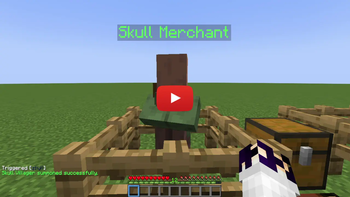
Summon a Skull Merchant
- To succesfully summon a Skull Merchant the villager must be unemployed.
Add Trades for Custom and Player Heads
- Add a trade for a custom head: to add a trade for a custom head, simply paste the value of the head you want on a book, then shift and right-click on the villager to teach him the trade.
- Add a trade for a player head: to add a trade for a player head, simply sign a book with the name of the player, then shift and right-click on the villager to teach him the trade. The book will be consumed and a new one will be given to you.
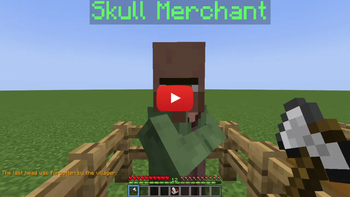
Remove the Last Trade
- To remove the last trade simply hold an axe (of any type) and shif+right-click on a Skull Merchant.
# 📤Uninstall the DataPack
To uninstall the Data Pack run the command /function custom_heads:uninstall. When the uninstallation process is completed a confirmation message will be sent in the chat.
## 🔗External links


## ❗️Known Issues❗️ - From the second trade that will be added, at the end of the operation, the not updated villager trading UI will be opened. To see the new added trade, just close the UI and talk again to the villager. - When removing a trade, at the end of the operation the not updated villager trading UI will be opened. To see the changes (removed trade) just close the UI and talk again to the villager.
📊 Mod Details
- Game
- Minecraft Data Packs
- Author
- Nico4play
- Version
- 1.0.1
- Downloads
- 294
- Endorsements
- 9
- Category
- datapack
- Created
- 1/25/2023
- Updated
- 1/26/2023
- Game Versions
- 1.19, 1.19.1, 1.19.2, 1.19.3, 1.19.4
- Tags
- decoration, mobs
🔧 How to Install Minecraft Data Packs Mods
Download from Modrinth. Use Prism Launcher or drop into your mods folder.
📖 Full step-by-step install guide for Minecraft Data Packs →
Visit the official mod page for specific installation instructions for this mod.
🎮 Need cheat codes or console commands? Check ur gaming wiki for Minecraft Data Packs commands, item IDs, and more.
❓ Frequently Asked Questions
Which Minecraft Data Packs versions does Skull support?
The author lists 1.19, 1.19.1, 1.19.2, 1.19.3, 1.19.4. Other versions may work but are untested by the author.
What is the latest version of Skull?
Version 1.0.1, published 2023-01-26 with 294 downloads recorded at the source.
Keep browsing — more Minecraft Data Packs mods await