Simple Display Items
⚪ Last updated 2023🖼️ Gallery (1 images)
🔍 Analysis
- 🏆 #636 of 2046 datapack mods in this game by downloads
📋 About This Mod
# Simple Display Items A simple datapack that allows you to disable interaction with an item, make it float, and make it immune to fire. ## Showcase <iframe width="560" height="315" src="https://www.youtube.com/embed/QJ9RBMGaqn0" title="YouTube video player" frameborder="0" allow="accelerometer; autoplay; clipboard-write; encrypted-media; gyroscope; picture-in-picture" allowfullscreen></iframe> *(Watch on YouTube for better quality)* ## Usage First run the following command: ``` /function sdi:craft/craft_papers ``` This will give you two papers, one called "Display On" and one called "Display Off". To put an item in "display mode", throw the item on the block you want, then throw the "Display On" paper on top. If you see green particles, then it worked. To take an item out of display mode, simply throw the "Display Off" paper at the item, and you can immediately pick it up. ### ❗WARNING❗ Items are *not* immune to explosions for now. This may change in the near future. ## ⚙️ Optional Crafting Recipe There is a built in crafting recipe that is disabled by default. To enable it, unzip the datapack and navigate to: ``` data/sdi/recipes/papers.json.disabled ``` Rename the file to just "papers.json". (If you are on windows, you may need to enable file extensions. You can learn how to do so (https://www.howtogeek.com/205086/beginner-how-to-make-windows-show-file-extensions/)) Once you finish this and reload with "/reload", the papers can be crafted by all players with the following recipe:\ !(https://file.garden/YK55Rqs3-AHC5Tk9/simple_display_items_recipe.png) You can also replace the recipe with any recipe you want, as long as the file is still called "papers.json".
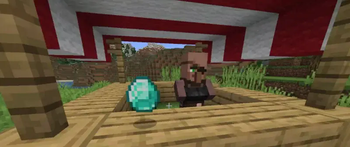
# Simple Display Items A simple datapack that allows you to disable interaction with an item, make it float, and make it immune to fire.
## Showcase
(Watch on YouTube for better quality)
## Usage First run the following command: ``` /function sdi:craft/craft_papers ``` This will give you two papers, one called "Display On" and one called "Display Off".
To put an item in "display mode", throw the item on the block you want, then throw the "Display On" paper on top. If you see green particles, then it worked.
To take an item out of display mode, simply throw the "Display Off" paper at the item, and you can immediately pick it up.
### ❗WARNING❗ Items are not immune to explosions for now. This may change in the near future.
## ⚙️ Optional Crafting Recipe There is a built in crafting recipe that is disabled by default. To enable it, unzip the datapack and navigate to: ``` data/sdi/recipes/papers.json.disabled ``` Rename the file to just "papers.json". (If you are on windows, you may need to enable file extensions. You can learn how to do so (https://www.howtogeek.com/205086/beginner-how-to-make-windows-show-file-extensions/))
Once you finish this and reload with "/reload", the papers can be crafted by all players with the following recipe:\ !(https://file.garden/YK55Rqs3-AHC5Tk9/simple_display_items_recipe.png)
You can also replace the recipe with any recipe you want, as long as the file is still called "papers.json".
📊 Mod Details
- Game
- Minecraft Data Packs
- Author
- HuoKnight
- Version
- 1.1
- Downloads
- 482
- Endorsements
- 6
- Category
- datapack
- Created
- 12/30/2022
- Updated
- 1/1/2023
- Game Versions
- 1.17, 1.17.1, 1.18, 1.18.1, 1.18.2
- Tags
- decoration, social, utility
🔧 How to Install Minecraft Data Packs Mods
Download from Modrinth. Use Prism Launcher or drop into your mods folder.
📖 Full step-by-step install guide for Minecraft Data Packs →
Visit the official mod page for specific installation instructions for this mod.
🎮 Need cheat codes or console commands? Check ur gaming wiki for Minecraft Data Packs commands, item IDs, and more.
❓ Frequently Asked Questions
Which Minecraft Data Packs versions does Simple Display Items support?
The author lists 1.17, 1.17.1, 1.18, 1.18.1, 1.18.2, 1.19. Other versions may work but are untested by the author.
What is the latest version of Simple Display Items?
Version 1.1, published 2023-01-01 with 482 downloads recorded at the source.
Keep browsing — more Minecraft Data Packs mods await