Simple Damage Indicator
🟠 Updated over a year ago🖼️ Gallery (6 images)
🔍 Analysis
- 👍 0.4% endorsement rate
- 🏆 #527 of 1071 adventure mods in this game by downloads
📋 About This Mod
<picture> <img width="500" src="https://cdn.modrinth.com/data/yVX17p4k/images/060116c4740dd8b1491716fd5837df43220e9880.png" /> </picture> ## ⭐ Description **A configurable datapack to display damage/healing indicators.** ## ℹ️ Installation Just drop the .zip into the datapack folder in your world. Enjoy :) ## 🎨 Customization **The datapack has a wide range of customizations.** To open the settings menu, run `/function sdi:settings`. The settings are: - **Decimal Places**: Changes the default ammount of decimals to be displayed. - **Motion**: Defines whether the indicator will be moving or static. - **More Colors**: Defines whether the indicator will have unique absorption colors in damage or gain. - **Symbols**: Defines whether the + and - signs will be displayed in the indicator. - **Hide Decimal 0**: Defines whether the indicator will hide ".0". Example: Damage of `2.0` will be displayed as `2`. Damage of 2.5 will still show as 2.5. - **See Through**: Defines whether the indicator is visible through objects. - **No Background**: Makes the indicator background invisible. Enabling this setting can give the indicator a cleaner look. - **Motion Smoothness**: Controls the smoothing of the indicator movement. Higher values reduces the indicator movement. - (Advanced Configuration) Entity Group Size: A load balancer. Defines how many groups the datapack will separate the entities to be updated into. Larger groups result in higher performance, while smaller groups result in less latency to display the indicator. ## <details> <summary>✅ FAQ and Troubleshooting</summary> **I have indicators stuck in my world. What do I do?** You can run the command `/kill @e` or `/function sdi:kill_indicators` to remove the indicators. **Does it work in multiplayer?** Yes. **Is it compatible with other datapacks?** Probably Yes. the datapack was developed in a way to avoid any incompatibilities with any datapack. **Dead mobs do not show indicators!** The way of detecting dead mobs is heavy and could bring major performance problems. Therefore, the datapack does not support displaying indicators for dead mobs. </details> <details> <summary>🧑💻 For Developers</summary> Entities with the tag `sdi.ignore` will be ignored by the datapack (will not display the indicator or be processed). </details> <details> <summary>🗑️ Uninstalling the datapack</summary> Run `/function sdi:uninstall` to remove any changes caused by the datapack (like removing scoreboards), then delete or deactivate the datapack from your world. </details> --- _Needs assistance or report some bug? Please contact me! I'm active on Discord: nodenotjs_
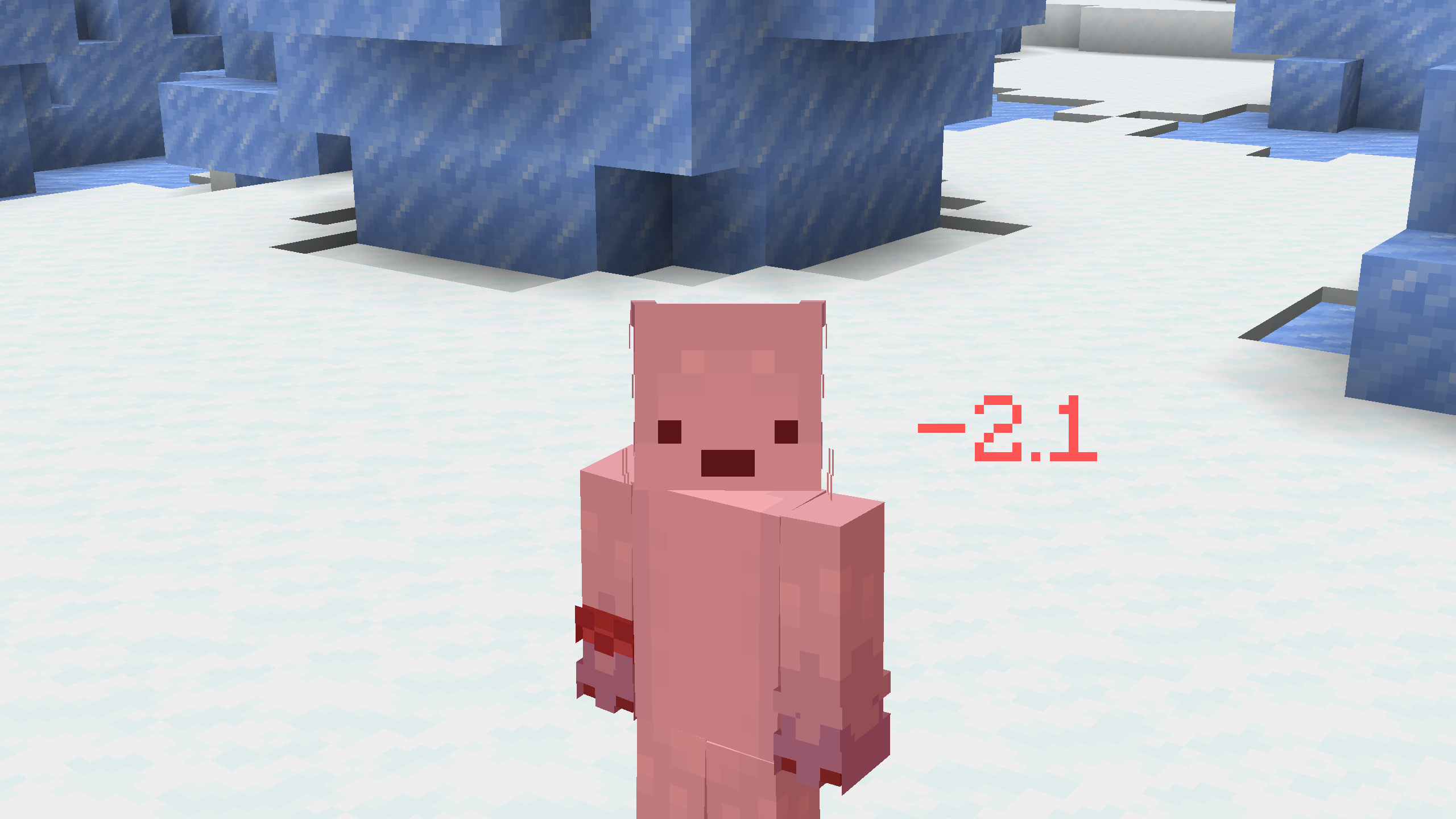
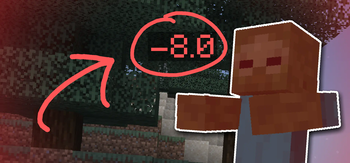
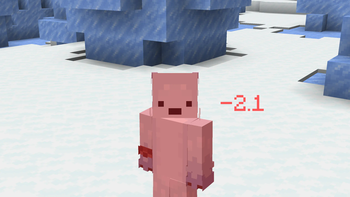
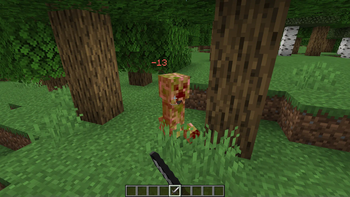
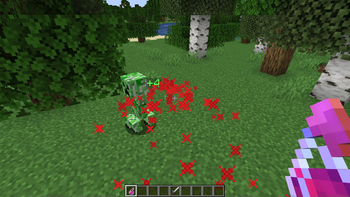
## ⭐ Description A configurable datapack to display damage/healing indicators.
## ℹ️ Installation Just drop the .zip into the datapack folder in your world. Enjoy :) ## 🎨 Customization The datapack has a wide range of customizations.
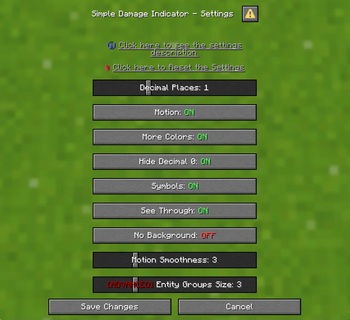
To open the settings menu, run `/function sdi:settings`.
The settings are:
- Decimal Places: Changes the default ammount of decimals to be displayed.
- Motion: Defines whether the indicator will be moving or static.
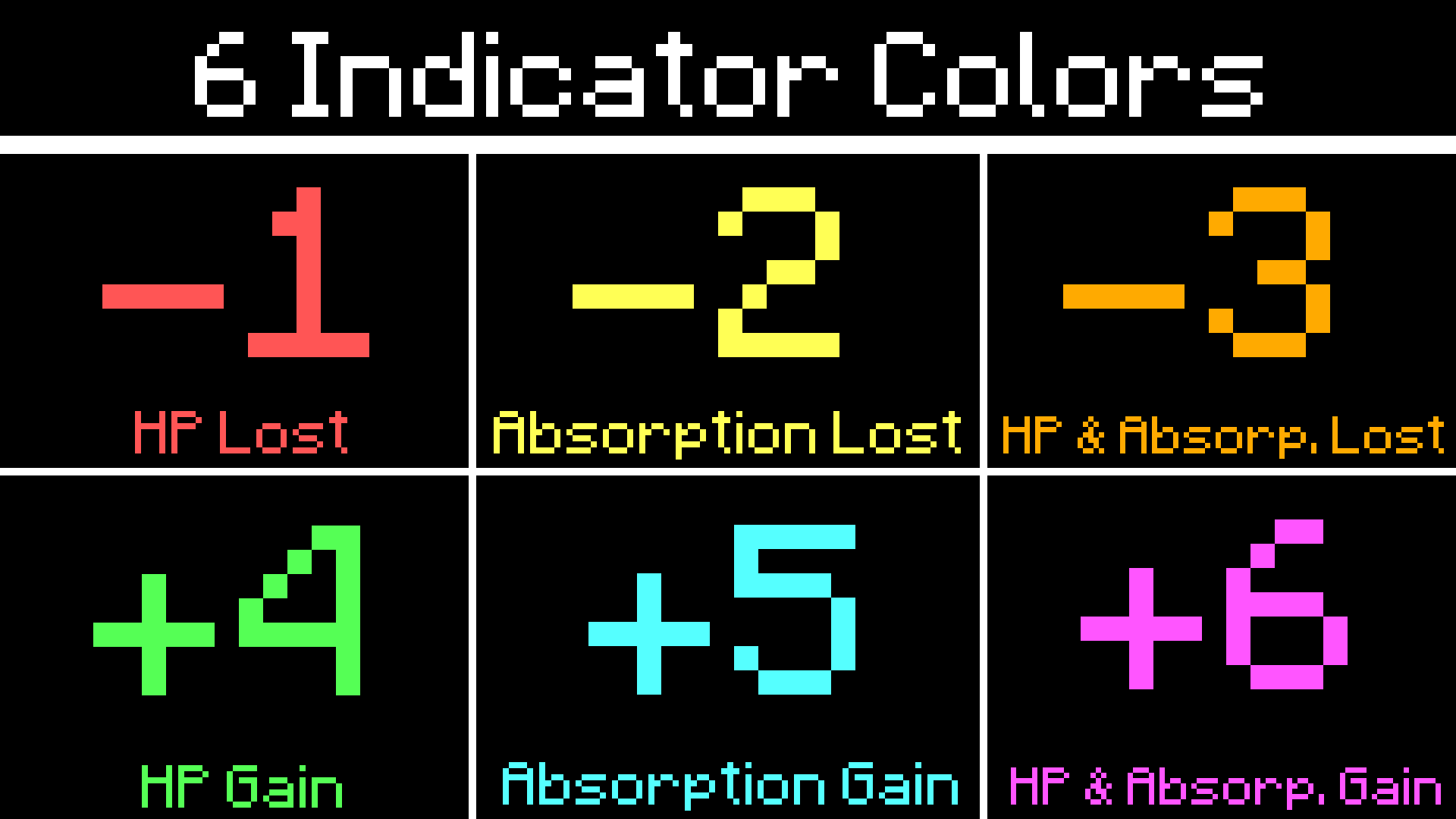
- More Colors: Defines whether the indicator will have unique absorption colors in damage or gain.
- Symbols: Defines whether the + and - signs will be displayed in the indicator.
- Hide Decimal 0: Defines whether the indicator will hide ". 0". Example: Damage of `2. 0` will be displayed as `2`. Damage of 2. 5 will still show as 2. 5.
- See Through: Defines whether the indicator is visible through objects.
- No Background: Makes the indicator background invisible. Enabling this setting can give the indicator a cleaner look.
- Motion Smoothness: Controls the smoothing of the indicator movement. Higher values reduces the indicator movement.
- (Advanced Configuration) Entity Group Size: A load balancer. Defines how many groups the datapack will separate the entities to be updated into. Larger groups result in higher performance, while smaller groups result in less latency to display the indicator.
✅ FAQ and Troubleshooting
I have indicators stuck in my world. What do I do?
You can run the command `/kill @e[tag=sdi]` or `/function sdi:kill_indicators` to remove the indicators.
Does it work in multiplayer?
Is it compatible with other datapacks?
Probably Yes. the datapack was developed in a way to avoid any incompatibilities with any datapack.
Dead mobs do not show indicators!
The way of detecting dead mobs is heavy and could bring major performance problems. Therefore, the datapack does not support displaying indicators for dead mobs.
🧑💻 For Developers
Entities with the tag `sdi.ignore` will be ignored by the datapack (will not display the indicator or be processed).
🗑️ Uninstalling the datapack
Run `/function sdi:uninstall` to remove any changes caused by the datapack (like removing scoreboards), then delete or deactivate the datapack from your world.
_Needs assistance or report some bug? Please contact me! I'm active on Discord: nodenotjs_
📊 Mod Details
- Game
- Minecraft Data Packs
- Author
- nodenotjs
- Version
- 1.1
- Downloads
- 16,948
- Endorsements
- 66
- Category
- adventure
- Created
- 3/19/2024
- Updated
- 6/18/2025
- Game Versions
- 1.21.6, 1.21.7, 1.21.8, 1.21.9, 1.21.10
- Tags
- adventure, game-mechanics, utility
🔧 How to Install Minecraft Data Packs Mods
Download from Modrinth. Use Prism Launcher or drop into your mods folder.
📖 Full step-by-step install guide for Minecraft Data Packs →
Visit the official mod page for specific installation instructions for this mod.
🎮 Need cheat codes or console commands? Check ur gaming wiki for Minecraft Data Packs commands, item IDs, and more.
❓ Frequently Asked Questions
Which Minecraft Data Packs versions does Simple Damage Indicator support?
The author lists 1.21.6, 1.21.7, 1.21.8, 1.21.9, 1.21.10, 1.21.11. Other versions may work but are untested by the author.
What is the latest version of Simple Damage Indicator?
Version 1.1, published 2025-06-18 with 16,948 downloads recorded at the source.
Keep browsing — more Minecraft Data Packs mods await