Shaping Up
🟡 Updated this year🖼️ Gallery (8 images)
🔍 Analysis
- 👍 4.0% endorsement rate — high engagement, a strong quality signal
- 🏆 #472 of 2025 datapack mods in this game by downloads
📋 About This Mod
!(https://cdn.modrinth.com/data/cached_images/9bf1b6f20319fe31ed3319fad8319cdbc0b96220.png)
Sculpt personalised pots by hand!
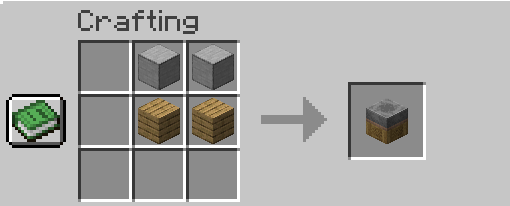
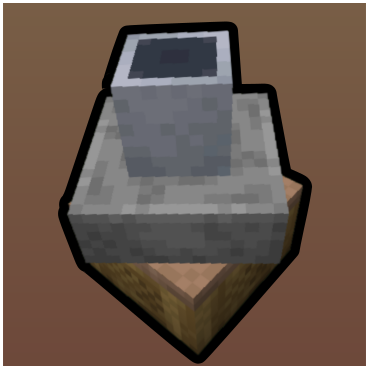
## Getting Started Create your own unique pot you must craft a Pottery Wheel. These are made using Smooth Stone and any Planks of your choice.
Once your Pottery Wheel is set up you can place a Clay Ball or Clay block onto the top of the wheel, allowing it to spin and for you to start making your very own pot! Adding a whole Clay block lets you sculpt a full sized pot from the jump, or you can use Clay Balls to grow your pot layer by layer.
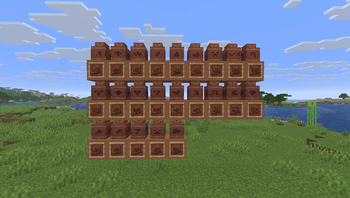
The Brush can be used to add decorations onto your pots layer by layer, keep interacting to cycle through a small variety of different decorations. When glazed, these decorations change colour too!
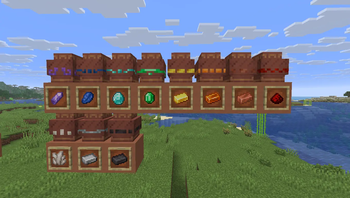
If you want more options, apply any Trim material to the pot, this creates a vibrant, unique decoration that isn't dyed with the pot.
For more variety, add a Pottery Sherd, these can show other players where you've been, and what you've faced. These change colour too!
When done, simply break the Pottery Clay and move onto one of the next steps!
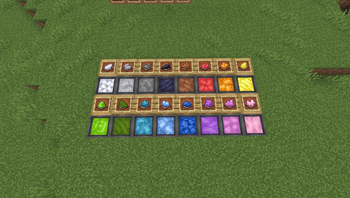
## Dying Your Pots Add any Dye of your choosing to a Water Cauldron to create a cauldron of Dye. When you interact with this cauldron you will dye the pot from the bottom upwards. Think ahead and use a variety of colours to really make your pot designs shine!
Once a pot is designed and dyed, you can craft it with a Clay block to create a duplicate, allowing you to easily create many copies of the one design without making the process feel tedious.
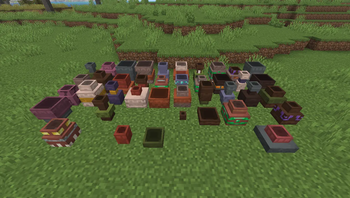
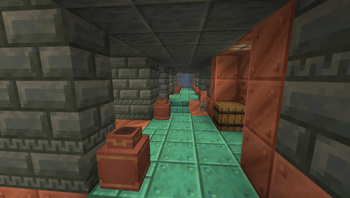
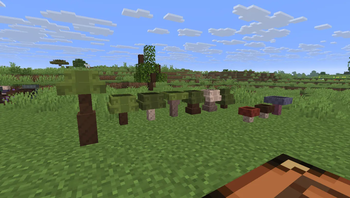
## The Firing Process Place your Pottery Clay onto a lit campfire to Fire it, and then you have your fully complete Pot block! Pots can be placed in the world and act like a combination of vanilla Flower Pots and Decorated Pots. You can put a stack of any item you wish into a pot, and if it's a flower or plant, it will be displayed inside the pot just like any flower pot!
## Frequently Asked Questions ### Why am I seeing a black cube instead of a pot? Any mods that directly intefere with the vanilla core shaders prior to release version 26. 2 will cause the pots to render where they shouldn't with a pitch-black texture. Unfortunately this is an incompatability issue that cannot be resolved by a Datapack. These mods would commonly include Optifine, Sodium and possibly Distant Horizons.
Have a question? Something not working right? Join the Discord to chat directly and report any bugs you find!
📊 Mod Details
- Game
- Minecraft Data Packs
- Author
- gluet2
- Version
- 1.1
- Downloads
- 2,153
- Endorsements
- 86
- Category
- datapack
- Created
- 5/13/2026
- Updated
- 6/30/2026
- Game Versions
- 26.2
- Tags
- decoration, game-mechanics, utility
🔧 How to Install Minecraft Data Packs Mods
Download from Modrinth. Use Prism Launcher or drop into your mods folder.
📖 Full step-by-step install guide for Minecraft Data Packs →
Visit the official mod page for specific installation instructions for this mod.
🎮 Need cheat codes or console commands? Check ur gaming wiki for Minecraft Data Packs commands, item IDs, and more.
❓ Frequently Asked Questions
Which Minecraft Data Packs versions does Shaping Up support?
The author lists 26.2. Other versions may work but are untested by the author.
What is the latest version of Shaping Up?
Version 1.1, published 2026-06-30 with 2,153 downloads recorded at the source.
Keep browsing — more Minecraft Data Packs mods await