My Samsung Empire
🟡 Updated this year🖼️ Gallery (9 images)



🔍 Analysis
- 🏆 #6 of 2169 datapack mods in this game by downloads
📋 About This Mod
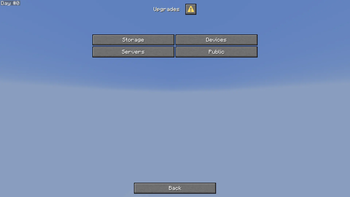
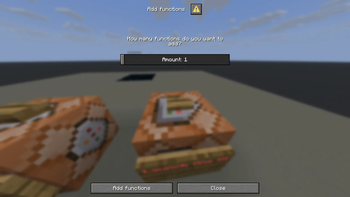
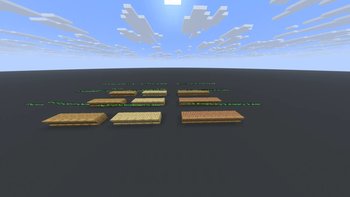
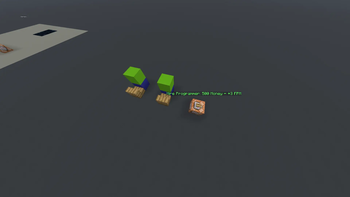
Start your own Samsung Empire in Minecraft! Launch new versions of One UI, manufacture Samsung devices, earn money, and buy upgrades to grow your business. The Advancements tab will guide you through the datapack.
My Samsung Empire is an unofficial Minecraft datapack inspired by Samsung products and technology.
How to Install
Windows
1. Press Edit on your world of your choice 2. Press Open World Folder 3. Put the Datapack into the datapacks folder 4. Done!
Aternos Server
Official Aternos Tutorial (Outdated)
1. Go to Files on your server page 2. Select your World,then go to (https://aternos.org/files/world/datapacks/) 3. Upload this Datapack in the datapacks folder 4. Restart your server (if it is Online) or do ``` /reload ``` 5. Done!
Entering the Samsung Dimension
To enter the Samsung Dimension, right-click with a Samsung Portal. It can be crafted using 8 Copper Ingots and 1 Iron Nugget. You can find the recipe in the Recipe Book.
You can also enter the Samsung Dimension by Right Clicking on the particles of a Samsung Portal that generated in the world! [(2. 2 Beta 1+)](https://modrinth.com/datapack/my-samsung-empire/version/b_1_2. 2)
Launching a new version of One UI
Launching a new version of One UI increases your Store Quality. The higher your Store Quality, the faster customers will arrive.
Manufacturing and Selling Samsung Phones
To manufacture a Samsung Phone, enter the Samsung Dimension and press the "Make Phone" button.
You will need: - CPU - GPU - Screen
How to obtain components
1. Craft them using a recipe in the Recipe Book
2. Place down a Component Farm and wait 10 minutes for the component to grow [(2. 0 Beta 1+)](https://modrinth.com/datapack/my-samsung-empire/version/mIfYpOWb)
3. Find a Samsung Farm in the Overworld [(2. 2 Beta 1+)](https://modrinth.com/datapack/my-samsung-empire/version/b_1_2. 2)
To sell a phone, press the "Sell Phone" button.
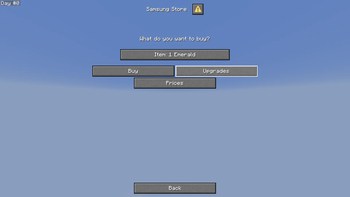
You cannot sell devices if all storage slots are full. You can purchase Shelves from the Store using Money to increase your available slots. The same system applies to other devices.
Eraning Money
You can eran Money in different ways:
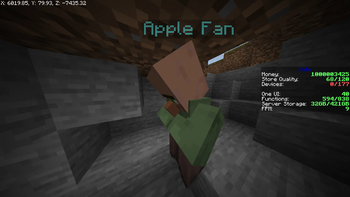
1. Sell devices and wait for customers to arrive 2. Craft Money using this recipe or an other recipe in the Recipe Book: [(1. 1+)](https://modrinth.com/datapack/my-samsung-empire/version/aI2Qlfgw) 3. Kill an Apple Boss [(2. 0 Beta 2+)](https://modrinth.com/datapack/my-samsung-empire/version/b_2_2. 0) 4. Loot a Samsung Temple [(2. 2 Beta 1+)](https://modrinth.com/datapack/my-samsung-empire/version/b_1_2. 2) !(https://cdn.modrinth.com/data/cached_images/c2293d785c1c3c5e917aa5a1a7a2ddccef5d24a9.png)
Money can be used to purchase upgrades, expand your business, and unlock new opportunities.
📊 Mod Details
- Game
- Minecraft Data Packs
- Author
- Maxi331033
- Version
- b_1.2_3.0
- Downloads
- 212
- Endorsements
- 0
- Category
- datapack
- Created
- 6/14/2026
- Updated
- 7/11/2026
- Game Versions
- 1.21.11, 26.1, 26.1.1, 26.1.2, 26.2
- Tags
- game-mechanics, management, technology
🔧 How to Install Minecraft Data Packs Mods
Download from Modrinth. Use Prism Launcher or drop into your mods folder.
📖 Full step-by-step install guide for Minecraft Data Packs →
Visit the official mod page for specific installation instructions for this mod.
🎮 Need cheat codes or console commands? Check ur gaming wiki for Minecraft Data Packs commands, item IDs, and more.
❓ Frequently Asked Questions
Which Minecraft Data Packs versions does My Samsung Empire support?
The author lists 1.21.11, 26.1, 26.1.1, 26.1.2, 26.2. Other versions may work but are untested by the author.
What is the latest version of My Samsung Empire?
Version b_1.2_3.0, published 2026-07-11 with 212 downloads recorded at the source.
Keep browsing — more Minecraft Data Packs mods await