Moxvallix's GUI Library
⚪ Last updated 2023🖼️ Gallery (1 images)
🔍 Analysis
- 🏆 #2039 of 2046 datapack mods in this game by downloads
📋 About This Mod
# Moxvallix's GUI Lib ## Making Datapack GUIs easier **Moxvallix's GUI Lib relies on (https://github.com/HeDeAnTheonlyone/Taglib), and (https://github.com/moxvallix/moxlib)** This datapack automates much of hard parts of GUI development. It is data driven, meaning it renders the GUI based on a template stored in data storage. Currently, the library works in two modes; "enderchest", and "barrel". In "enderchest" mode, the GUI is drawn to the player's Enderchest. This overrides whatever contents were previously in the enderchest, so be warned! Enderchest mode is the easiest to use, and is best for Adventure maps, where the main Enderchest functionality is not needed. The other, "barrel", mode, draws the GUI to a container at ~ ~ ~. While this works with any container block, it is advised that a Barrel is used, as that allows for it to detect when the container is opened, allowing for it to then easily prevent other players using the GUI whilst the first player is. One benefit of this GUI system, being data driven, means that making generators for GUIs should be fairly easy. I however have not created one yet. ### Getting Started #### Overview Depending on whether the GUI should be drawn to a container, or the Enderchest, the API is namespaced under "barrel", or "enderchest" respectively. The following guide will use `<type>` as a placeholder for this. Swap it out for which ever method. Note: type "barrel" should be executed at the same position as a container block. If you have multiple GUIs in your packs, you may want to have entities positioned at the same location as the block, executing at them. There are two main functions: `gui:api/<type>/render` and `gui:api/<type>/watch`. Render will draw the gui, based on the page id, and watch will run any clicks in the GUI. All functions outside of the api/ subfolder are to be considered private, and are not supported to be ran. The watch function should be run as the player, on a loop, whenever the GUI should be active. If you wanted the GUI always active, you could set it to run as @a from your tick function. #### Making an Index For your GUI to work, you will need an index function. Such a function, when run, will take in `@s` score of `gui.page`, and will set the correct template data for that page. It is recommended that you set the template data within a separate function, and that index merely calls said function. *An example index function* ``` execute if score @s gui.page matches 1 run function pack:gui/menu execute if score @s gui.page matches 2 run function pack:gui/options execute if score @s gui.page matches 3 run function pack:gui/shop ``` You will then need to register your index function to run in the index tag. Add it to the `gui:index` function tag. ``` { "values": } ``` #### Making a Template Now we can create GUI templates. These will be functions that the index will run. *An example template function (pack:gui/menu)* ``` data modify storage gui:page template set value ``` The above menu template would render two items to the GUI, one in slot 12, the other in slot 14. Slot 12: - has page:2s, would render `pack:gui/options` when clicked - has an item tag, setting the item to `redstone_dust` Slot 14: - has page:3s, would render `pack:gui/shop` when clicked - has an item tag, setting the item to `chest` If you want to try it out, make sure to set your `gui.page` score to 1, then run either `gui:api/<type>/render`, or have `gui:api/<type>/watch` on loop as described above. #### Manipulate Slots as they Render Sometimes, you will want to manipulate slots as they render, such that you can have dynamic menus. You can add any custom tags you like to the slots in your template data, as long as the `slot` tag is defined. Every time a slot is going to be rendered, it first calls the `gui:render/slot` function tag. You can add a custom function to this tag, in order to manipulate the slot data. The current slot data will be available to be manipulated from the data storage `gui:slot current`. Render will also call the function tag `gui:render/item`, with @s being a temporary armor stand, and the current item being rendered in its mainhand. This will allow for item modifiers to be run. #### Custom Functionality on Selection Another key part of a gui is being able to run custom functions when a particular slot is selected. Whenever a slot is selected, it calls the `gui:select/slot` function tag, as the player that selected the slot. You will then be able to read the selected slot from the data storage `gui:slot current`.
# Moxvallix's GUI Lib ## Making Datapack GUIs easier
*Moxvallix's GUI Lib relies on (https://github.com/HeDeAnTheonlyone/Taglib), and (https://github.com/moxvallix/moxlib)**
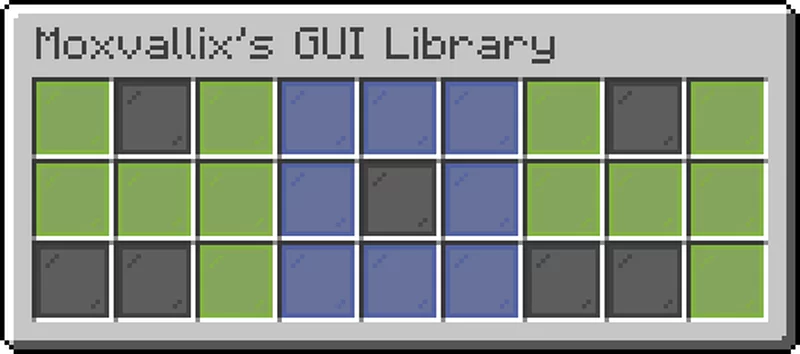
This datapack automates much of hard parts of GUI development. It is data driven, meaning it renders the GUI based on a template stored in data storage.
Currently, the library works in two modes; "enderchest", and "barrel". In "enderchest" mode, the GUI is drawn to the player's Enderchest. This overrides whatever contents were previously in the enderchest, so be warned! Enderchest mode is the easiest to use, and is best for Adventure maps, where the main Enderchest functionality is not needed.
The other, "barrel", mode, draws the GUI to a container at ~ ~ ~. While this works with any container block, it is advised that a Barrel is used, as that allows for it to detect when the container is opened, allowing for it to then easily prevent other players using the GUI whilst the first player is.
One benefit of this GUI system, being data driven, means that making generators for GUIs should be fairly easy. I however have not created one yet.
### Getting Started
#### Overview
Depending on whether the GUI should be drawn to a container, or the Enderchest, the API is namespaced under "barrel",
or "enderchest" respectively. The following guide will use `
There are two main functions: `gui:api/
All functions outside of the api/ subfolder are to be considered private, and are not supported to be ran.
The watch function should be run as the player, on a loop, whenever the GUI should be active. If you wanted the GUI always active, you could set it to run as @a from your tick function.
#### Making an Index For your GUI to work, you will need an index function. Such a function, when run, will take in `@s` score of `gui.page`, and will set the correct template data for that page.
It is recommended that you set the template data within a separate function, and that index merely calls said function.
An example index function ``` execute if score @s gui.page matches 1 run function pack:gui/menu execute if score @s gui.page matches 2 run function pack:gui/options execute if score @s gui.page matches 3 run function pack:gui/shop ```
You will then need to register your index function to run in the index tag. Add it to the `gui:index` function tag. ``` { "values": [ "pack:gui/index" ] } ```
#### Making a Template Now we can create GUI templates. These will be functions that the index will run.
An example template function (pack:gui/menu)* ``` data modify storage gui:page template set value [{slot:12b,page:2s,item:{id:"minecraft:redstone_dust"}},{slot:14b,page:3s,item:{id:"minecraft:chest"}}] ``` The above menu template would render two items to the GUI, one in slot 12, the other in slot 14. Slot 12: - has page:2s, would render `pack:gui/options` when clicked - has an item tag, setting the item to `redstone_dust` Slot 14: - has page:3s, would render `pack:gui/shop` when clicked - has an item tag, setting the item to `chest`
If you want to try it out, make sure to set your `gui.page` score to 1, then run either `gui:api/
#### Manipulate Slots as they Render Sometimes, you will want to manipulate slots as they render, such that you can have dynamic menus. You can add any custom tags you like to the slots in your template data, as long as the `slot` tag is defined.
Every time a slot is going to be rendered, it first calls the `gui:render/slot` function tag. You can add a custom function to this tag, in order to manipulate the slot data.
The current slot data will be available to be manipulated from the data storage `gui:slot current`.
Render will also call the function tag `gui:render/item`, with @s being a temporary armor stand, and the current item being rendered in its mainhand. This will allow for item modifiers to be run.
#### Custom Functionality on Selection Another key part of a gui is being able to run custom functions when a particular slot is selected.
Whenever a slot is selected, it calls the `gui:select/slot` function tag, as the player that selected the slot.
You will then be able to read the selected slot from the data storage `gui:slot current`.
📊 Mod Details
- Game
- Minecraft Data Packs
- Author
- moxvallix
- Version
- 0.3.0
- Downloads
- 214
- Endorsements
- 2
- Category
- datapack
- Created
- 12/30/2022
- Updated
- 1/10/2023
- Game Versions
- 1.19, 1.19.1, 1.19.2, 1.19.3
- Tags
- library
🔧 How to Install Minecraft Data Packs Mods
Download from Modrinth. Use Prism Launcher or drop into your mods folder.
📖 Full step-by-step install guide for Minecraft Data Packs →
Visit the official mod page for specific installation instructions for this mod.
🎮 Need cheat codes or console commands? Check ur gaming wiki for Minecraft Data Packs commands, item IDs, and more.
❓ Frequently Asked Questions
Which Minecraft Data Packs versions does Moxvallix's GUI Library support?
The author lists 1.19, 1.19.1, 1.19.2, 1.19.3. Other versions may work but are untested by the author.
What is the latest version of Moxvallix's GUI Library?
Version 0.3.0, published 2023-01-10 with 214 downloads recorded at the source.
Keep browsing — more Minecraft Data Packs mods await