MagicClass
🟠 Updated over a year ago🖼️ Gallery (5 images)
🔍 Analysis
- 👍 0.2% endorsement rate
- 🏆 #29 of 200 cursed mods in this game by downloads
📋 About This Mod
# MagicClass Assets Resource Pack is required # Info: MagicClass is a Minecraft datapack which adds many new magical weapons and unique items to the game. It adds a Mana system, when an item is used, it costs Mana. When you successfully cast a spell, you gain SkillXP. Your Skill Level contributes to the maximum amount of Mana you can have. Included items (as of Beta 1.0): - MagicClass Info Book - Staff of Regeneration - Poison Ivy - Fire Ray Staff - Hex Staff - Mana Berry ### Showcase Video: (https://youtu.be/pbDaLro8VAk) ## How to install: If you are adding this into a pre-existing world: Unzip the file - Place into a minecraft save e.g. C:\users\Optim00se\AppData\Roaming\.minecraft\saves\world\datapacks\ - If the datapack does not show any message upon loading the world, try /reload - If you are creating a new world: Unzip the file - In the Create New World menu, click More - Click the Data Packs button, go to Open Pack Folder - Navigate to the unzipped folder that has RecipeBuff - Select it to be used for world creation. - If the datapack does not show any message upon loading the world, try /reload **Any issues? My discord username is @optim00se. Ping me!**
# MagicClass Assets Resource Pack is required
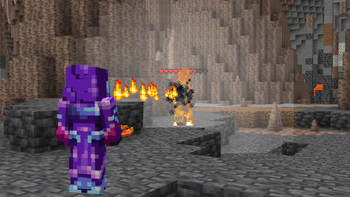
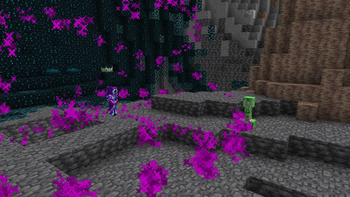
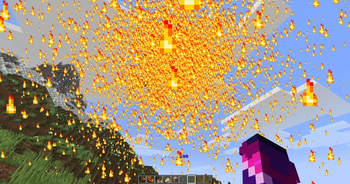
MagicClass is a Minecraft datapack which adds many new magical weapons and unique items to the game.
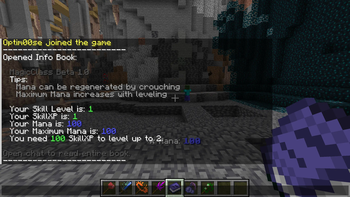
It adds a Mana system, when an item is used, it costs Mana. When you successfully cast a spell, you gain SkillXP. Your Skill Level contributes to the maximum amount of Mana you can have.
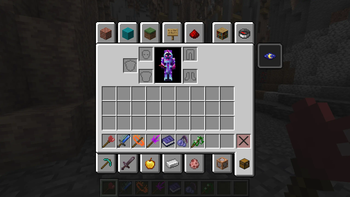
Included items (as of Beta 1. 0): - MagicClass Info Book - Staff of Regeneration - Poison Ivy - Fire Ray Staff - Hex Staff - Mana Berry
### Showcase Video: (https://youtu.be/pbDaLro8VAk)
## How to install:
If you are adding this into a pre-existing world:
Unzip the file - Place into a minecraft save e.g. C:\users\Optim00se\AppData\Roaming\.minecraft\saves\world\datapacks\ - If the datapack does not show any message upon loading the world, try /reload - If you are creating a new world:
Unzip the file - In the Create New World menu, click More - Click the Data Packs button, go to Open Pack Folder - Navigate to the unzipped folder that has RecipeBuff - Select it to be used for world creation. - If the datapack does not show any message upon loading the world, try /reload
Any issues? My discord username is @optim00se. Ping me!
📊 Mod Details
- Game
- Minecraft Data Packs
- Author
- Optim00se
- Version
- 1.1
- Downloads
- 612
- Endorsements
- 1
- Category
- cursed
- Created
- 3/25/2025
- Updated
- 4/6/2025
- Game Versions
- 1.21, 1.21.1
- Tags
- cursed, equipment, magic
🔧 How to Install Minecraft Data Packs Mods
Download from Modrinth. Use Prism Launcher or drop into your mods folder.
📖 Full step-by-step install guide for Minecraft Data Packs →
Visit the official mod page for specific installation instructions for this mod.
🎮 Need cheat codes or console commands? Check ur gaming wiki for Minecraft Data Packs commands, item IDs, and more.
❓ Frequently Asked Questions
Which Minecraft Data Packs versions does MagicClass support?
The author lists 1.21, 1.21.1. Other versions may work but are untested by the author.
What is the latest version of MagicClass?
Version 1.1, published 2025-04-06 with 612 downloads recorded at the source.
Keep browsing — more Minecraft Data Packs mods await