Item Utils
⚪ Last updated 2024🖼️ Gallery (3 images)
🔍 Analysis
- 🏆 #2001 of 2046 datapack mods in this game by downloads
📋 About This Mod
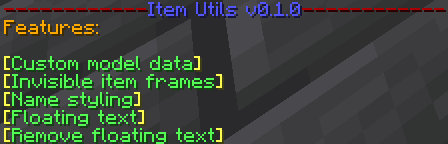
# Item utils Item utils is a datapack by Gears that adds lots of small features to help display certain things in Minecraft survival without using cheats. How to use: You can access the main menu by reloading or running the command `/trigger item_utils.main_menu`. This gives you a list of clickable buttons that will perform each of the different features. You can also trigger each feature manually. Current features: - Custom model data: Triggered by running `/trigger item_utils.custom_model_data set <custom model data value>`. This will set the custom model data of the item in your hand to whatever you specify as \<custom model data value\>. This command won't run automatically from the main menu as you need to input a number. - Invisible item frames: Triggered by running `/trigger item_utils.invisible_item_frame`. If you are holding an item frame (glow or normal), it will rename it to "Invisible" and when you place it down it will indeed be invisible. - Text display: Triggered by running `/trigger item_utils.text_display`. This will place a text display at your feet, the content of which is equal to the name of the item in your mainhand. - Item display: Triggered by running `/trigger item_utils.item_display`. This will take the item it your hand and place it in a floating item display entity. - Remove display entity: Triggered by running `/trigger item_utils.remove_display_entity`. This removes the closest display entity to you in case you messed up or just want to remove it. (It will drop items from item displays) - Name styling: Triggered by running `/trigger item_utils.style_name`. This will help you format the current item in your hand, either for text displays or other purposes. It has a variety of options including different colours, and formats such as *italics* and **bold**. If you have any suggestions for this pack or found a bug, please let me know by joining my (https://discord.gg/fmPKDqf9ze).
# Item utils
Item utils is a datapack by Gears that adds lots of small features to help display certain things in Minecraft survival without using cheats.
How to use: You can access the main menu by reloading or running the command `/trigger item_utils.main_menu`. This gives you a list of clickable buttons that will perform each of the different features. You can also trigger each feature manually.
Current features:
- Custom model data: Triggered by running `/trigger item_utils.custom_model_data set
- Invisible item frames: Triggered by running `/trigger item_utils.invisible_item_frame`. If you are holding an item frame (glow or normal), it will rename it to "Invisible" and when you place it down it will indeed be invisible.
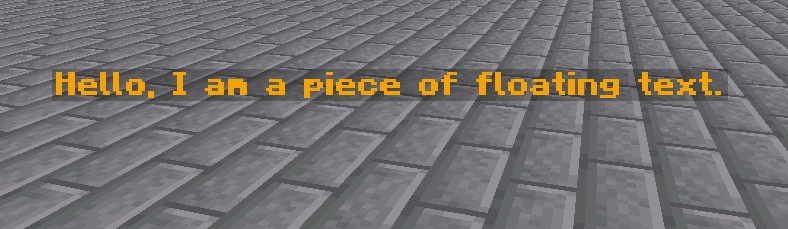
- Text display: Triggered by running `/trigger item_utils.text_display`. This will place a text display at your feet, the content of which is equal to the name of the item in your mainhand.
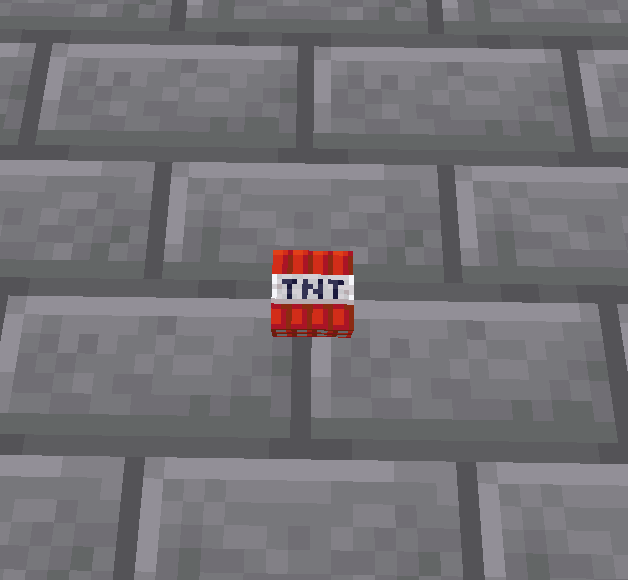
- Item display: Triggered by running `/trigger item_utils.item_display`. This will take the item it your hand and place it in a floating item display entity.
- Remove display entity: Triggered by running `/trigger item_utils.remove_display_entity`. This removes the closest display entity to you in case you messed up or just want to remove it. (It will drop items from item displays)
- Name styling: Triggered by running `/trigger item_utils.style_name`. This will help you format the current item in your hand, either for text displays or other purposes. It has a variety of options including different colours, and formats such as italics and bold.
If you have any suggestions for this pack or found a bug, please let me know by joining my (https://discord.gg/fmPKDqf9ze).
📊 Mod Details
- Game
- Minecraft Data Packs
- Author
- GearsDatapacks
- Version
- 0.1.2
- Downloads
- 220
- Endorsements
- 5
- Category
- datapack
- Created
- 1/28/2023
- Updated
- 7/15/2024
- Game Versions
- 1.21
🔧 How to Install Minecraft Data Packs Mods
Download from Modrinth. Use Prism Launcher or drop into your mods folder.
📖 Full step-by-step install guide for Minecraft Data Packs →
Visit the official mod page for specific installation instructions for this mod.
🎮 Need cheat codes or console commands? Check ur gaming wiki for Minecraft Data Packs commands, item IDs, and more.
❓ Frequently Asked Questions
Which Minecraft Data Packs versions does Item Utils support?
The author lists 1.21. Other versions may work but are untested by the author.
What is the latest version of Item Utils?
Version 0.1.2, published 2024-07-15 with 220 downloads recorded at the source.
Keep browsing — more Minecraft Data Packs mods await