Effects After Death
🟡 Updated this year🖼️ Gallery (6 images)

🔍 Analysis
- 👍 0.7% endorsement rate
- 🏆 #1199 of 2025 datapack mods in this game by downloads
📋 About This Mod
# Effects after Death 💀🧪 Effects After Death is a highly configurable Minecraft datapack/mod that allows all minecraft effects to persist after a player's death. Designed for maximum flexibility, it supports both global and per-player customization to suit various gameplay styles and server rules. Ideal for RPG style servers, challenge modes, or progression based gameplay, Effects After Death. _Fully server side!_ # ⚙️ Settings Menu — *Effects After Death* ### Open Settings with /trigger EffectsOnDeath.settings | **Category** | **Description** | |------------------------|-----------------------------------------------------| | 🧪 **Effect Settings** | Toggle individual effects on or off | | ⚖️ **Penalty Settings** | Modify penalties applied upon death | | 🎮 **Gamemode Settings** | Choose which gamemodes are affected | | 👤 **Per-Player Settings** | Set individual player configurations | | 🧹 **Management Settings**| Reset, clean up, or uninstall datapack | <details> <summary>Image</summary> !(https://cdn.modrinth.com/data/EBNdkrsl/images/612f38c7f77c9fa9dc0ebac1fea8f8625326c95b.png) </details> --- ## 🧪 Effect Settings - **Multi-page system** for organizing effects - **Group Toggle Page**: Turn multiple effects on/off at once - **Infinite Effects**: Enable/disable keeping effects with infinite duration - **Individual Effects**: Enable/disable each effect in minecraft separately - <details> <summary>Image</summary> !(https://cdn.modrinth.com/data/EBNdkrsl/images/f14b3a1d66a70c768507c327baa657c7b4746aec.png) </details> --- ## ⚖️ Penalty Settings | **Option** | **Description** | |----------------------|-------------------------------------------| | ⏱️ **Time Reduction** | Fixed number of seconds lost on death | | 📉 **Percentage Lost** | Percentage of time lost on death | <details> <summary>Image</summary> !(https://cdn.modrinth.com/data/EBNdkrsl/images/cf962a885f9d9c3297cf1272acd93527d9919f1d.png) </details> --- ## 🎮 Gamemode Settings - Enable/disable effect retention in specific gamemodes (e.g., survival, creative, spectator) <details> <summary>Image</summary> !(https://cdn.modrinth.com/data/EBNdkrsl/images/1e66ed6abdd530bb6cad9b5d25e2371412b933a9.png) </details> --- ## 👤 Per-Player Settings - Customize which players are affected by each setting - Give Players individual rule sets! <details> <summary>Image</summary> !(https://cdn.modrinth.com/data/EBNdkrsl/images/c170917f567d2586ec39004f6031ac64a604ff22.png) </details> --- ## 🧹 Management Settings | **Option** | **Description** | |---------------------|--------------------------------------------------| | 🔄 **Reset to Defaults** | Restore all effect and group settings to default | | 👥 **Reset Players** | Remove all per-player overrides | | ❌ **Uninstall** | Fully remove all related data and scoreboards |
# Effects after Death 💀🧪
Effects After Death is a highly configurable Minecraft datapack/mod that allows all minecraft effects to persist after a player's death. Designed for maximum flexibility, it supports both global and per-player customization to suit various gameplay styles and server rules.
Ideal for RPG style servers, challenge modes, or progression based gameplay, Effects After Death.
_Fully server side!_
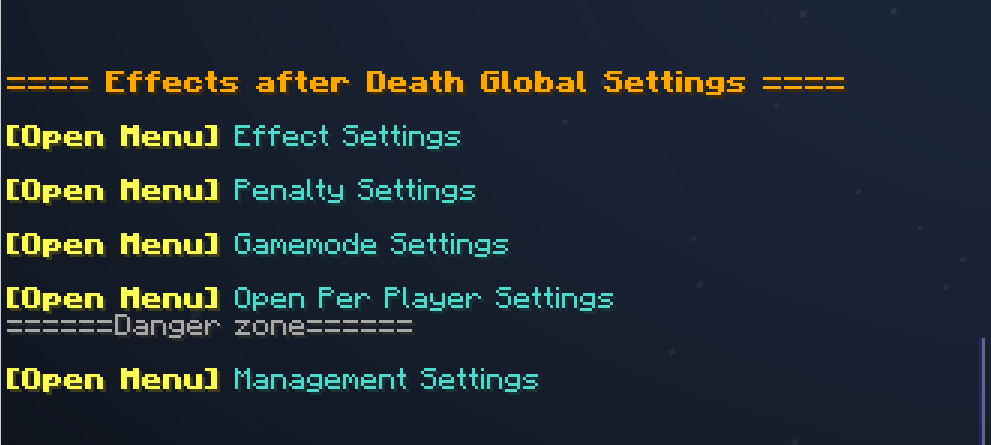
# ⚙️ Settings Menu — Effects After Death ### Open Settings with /trigger EffectsOnDeath.settings
| Category | Description |
|------------------------|-----------------------------------------------------|
| 🧪 Effect Settings | Toggle individual effects on or off |
| ⚖️ Penalty Settings | Modify penalties applied upon death |
| 🎮 Gamemode Settings | Choose which gamemodes are affected |
| 👤 Per-Player Settings | Set individual player configurations |
| 🧹 Management Settings| Reset, clean up, or uninstall datapack |
Image
!(https://cdn.modrinth.com/data/EBNdkrsl/images/612f38c7f77c9fa9dc0ebac1fea8f8625326c95b.png)
---
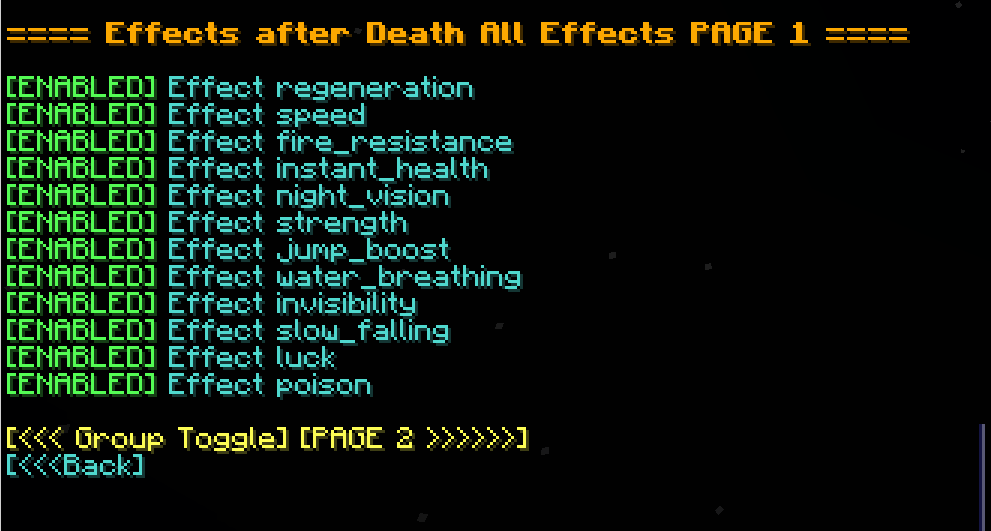
## 🧪 Effect Settings
- Multi-page system for organizing effects
- Group Toggle Page: Turn multiple effects on/off at once
- Infinite Effects: Enable/disable keeping effects with infinite duration
- Individual Effects: Enable/disable each effect in minecraft separately
Image
!(https://cdn.modrinth.com/data/EBNdkrsl/images/f14b3a1d66a70c768507c327baa657c7b4746aec.png)
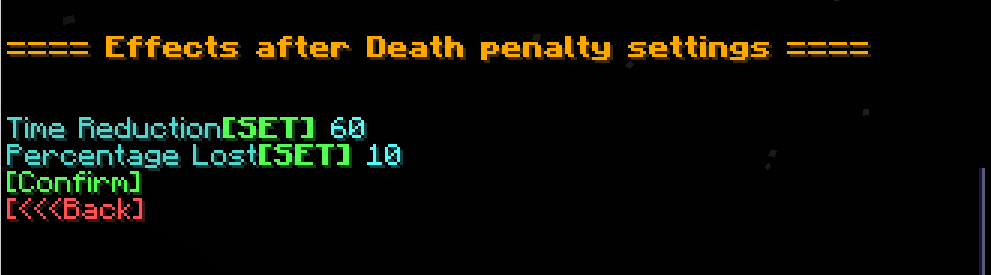
## ⚖️ Penalty Settings
| Option | Description |
|----------------------|-------------------------------------------|
| ⏱️ Time Reduction | Fixed number of seconds lost on death |
| 📉 Percentage Lost | Percentage of time lost on death |
Image
!(https://cdn.modrinth.com/data/EBNdkrsl/images/cf962a885f9d9c3297cf1272acd93527d9919f1d.png)
---
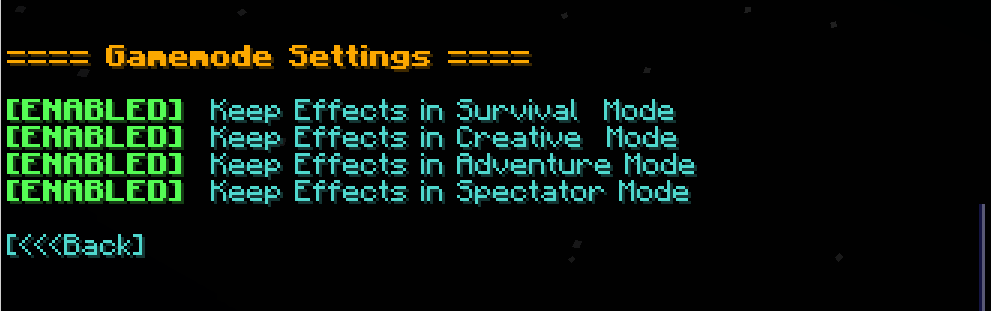
## 🎮 Gamemode Settings
- Enable/disable effect retention in specific gamemodes (e.g., survival, creative, spectator)
Image - !(https://cdn.modrinth.com/data/EBNdkrsl/images/1e66ed6abdd530bb6cad9b5d25e2371412b933a9.png)
---
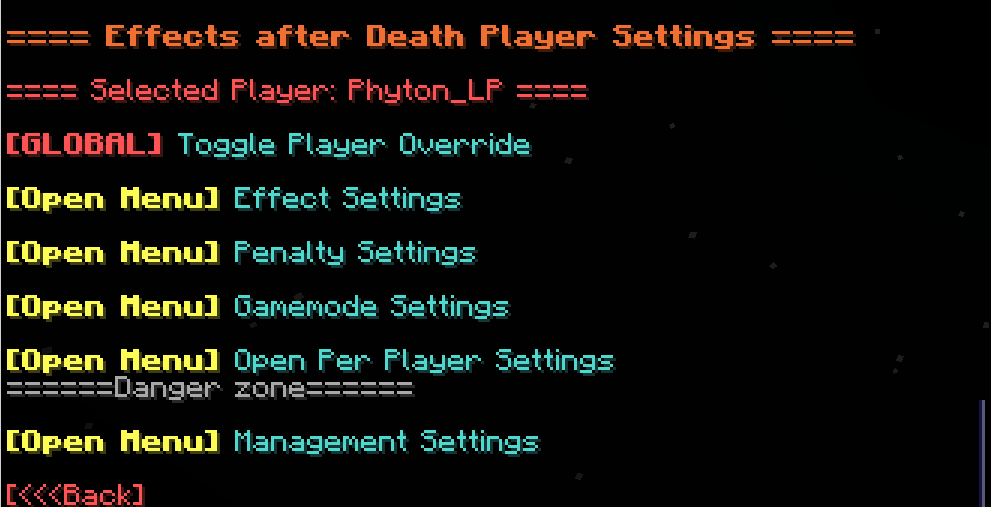
## 👤 Per-Player Settings
- Customize which players are affected by each setting
- Give Players individual rule sets!
Image - !(https://cdn.modrinth.com/data/EBNdkrsl/images/c170917f567d2586ec39004f6031ac64a604ff22.png)
- --
## 🧹 Management Settings
| Option | Description | |---------------------|--------------------------------------------------| | 🔄 Reset to Defaults | Restore all effect and group settings to default | | 👥 Reset Players | Remove all per-player overrides | | ❌ Uninstall | Fully remove all related data and scoreboards |
📊 Mod Details
- Game
- Minecraft Data Packs
- Author
- Phyton
- Version
- 1.1
- Downloads
- 1,214
- Endorsements
- 8
- Category
- datapack
- Created
- 7/27/2025
- Updated
- 11/23/2025
- Game Versions
- 1.21, 1.21.1, 1.21.2, 1.21.3, 1.21.4
- Tags
- game-mechanics, management, utility
🔧 How to Install Minecraft Data Packs Mods
Download from Modrinth. Use Prism Launcher or drop into your mods folder.
📖 Full step-by-step install guide for Minecraft Data Packs →
Visit the official mod page for specific installation instructions for this mod.
🎮 Need cheat codes or console commands? Check ur gaming wiki for Minecraft Data Packs commands, item IDs, and more.
❓ Frequently Asked Questions
Which Minecraft Data Packs versions does Effects After Death support?
The author lists 1.21, 1.21.1, 1.21.2, 1.21.3, 1.21.4, 1.21.5. Other versions may work but are untested by the author.
What is the latest version of Effects After Death?
Version 1.1, published 2025-11-23 with 1,214 downloads recorded at the source.
Keep browsing — more Minecraft Data Packs mods await