Cushion Display
🟡 Updated this year🖼️ Gallery (2 images)
🔍 Analysis
- 👍 1.4% endorsement rate — high engagement, a strong quality signal
- 🏆 #428 of 2046 datapack mods in this game by downloads
📋 About This Mod
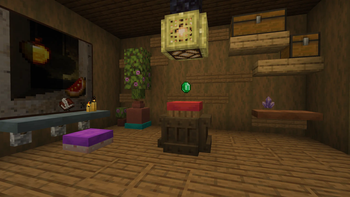
# Cushion Display Use cushion as displays for your items! ## ⚙️ Server side! If you only install this datapack/mod on your server/LAN, it will work for everyone else without them needing to install it! ## 📖 Instructions: - Shift-rightclick on a cushion while holding an item. - To remove it, just break the cushion. Items displayed on a cushion cannot be picked up and will never disappear. The cushion will no longer be sitable. <iframe width="560" height="315" src="https://www.youtube.com/embed/qWLAULHTSog?si=NZg3JsYEmZ4O9oYl" title="YouTube video player" frameborder="0" allow="accelerometer; autoplay; clipboard-write; encrypted-media; gyroscope; picture-in-picture; web-share" referrerpolicy="strict-origin-when-cross-origin" allowfullscreen></iframe> ## ⤵️ Installation: ### Datapack: Download the latest release and put the datapack `.zip` file into the datapacks folder of your Minecraft world. ### Mod: Download the latest release and put the mod `.jar` file into the mods folder of your Minecraft game. ## ✍️ Feedback, Questions & Suggestions I'm always listening! If you happen to have questions, suggestions or just encountered a bug, then feel free to join my discord server to ask for help in the "mods and datapacks" section. (https://discord.gg/kwzQWS4)
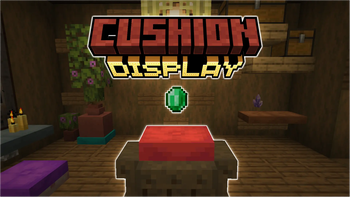
# Cushion Display Use cushion as displays for your items!
## ⚙️ Server side! If you only install this datapack/mod on your server/LAN, it will work for everyone else without them needing to install it!
## 📖 Instructions: - Shift-rightclick on a cushion while holding an item. - To remove it, just break the cushion.
Items displayed on a cushion cannot be picked up and will never disappear. The cushion will no longer be sitable.
## ⤵️ Installation: ### Datapack: Download the latest release and put the datapack `.zip` file into the datapacks folder of your Minecraft world. ### Mod: Download the latest release and put the mod `.jar` file into the mods folder of your Minecraft game.
## ✍️ Feedback, Questions & Suggestions I'm always listening! If you happen to have questions, suggestions or just encountered a bug, then feel free to join my discord server to ask for help in the "mods and datapacks" section. (https://discord.gg/kwzQWS4)
📊 Mod Details
- Game
- Minecraft Data Packs
- Author
- SozoKa
- Version
- 1.1.1
- Downloads
- 553
- Endorsements
- 8
- Category
- datapack
- Created
- 7/9/2026
- Updated
- 7/31/2026
- Game Versions
- 26.3-snapshot-4, 26.3-snapshot-5, 26.3-snapshot-6, 26.3-snapshot-7, 26.3-snapshot-8
- Tags
- decoration
🔧 How to Install Minecraft Data Packs Mods
Download from Modrinth. Use Prism Launcher or drop into your mods folder.
📖 Full step-by-step install guide for Minecraft Data Packs →
Visit the official mod page for specific installation instructions for this mod.
🎮 Need cheat codes or console commands? Check ur gaming wiki for Minecraft Data Packs commands, item IDs, and more.
❓ Frequently Asked Questions
Which Minecraft Data Packs versions does Cushion Display support?
The author lists 26.3-snapshot-4, 26.3-snapshot-5, 26.3-snapshot-6, 26.3-snapshot-7, 26.3-snapshot-8. Other versions may work but are untested by the author.
What is the latest version of Cushion Display?
Version 1.1.1, published 2026-07-31 with 553 downloads recorded at the source.
Keep browsing — more Minecraft Data Packs mods await