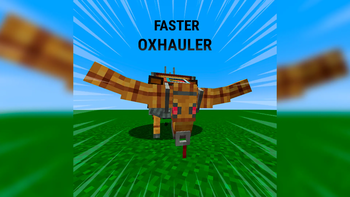
Create: Bionics - Faster Oxhauler
🟡 Updated this year🖼️ Gallery (1 images)
🔍 Analysis
- 🏆 #1672 of 1745 datapack mods in this game by downloads
📋 About This Mod
Faster Oxhauler Installation For a more convenient installation, it is recommended to use a datapack manager such as Paxi or OpenLoader. Simply place the datapack into the appropriate folder and reload your game. Manual installation is also possible by placing the datapack .zip file into your world's datapacks folder. Customizing the Speed If you want to use a different speed multiplier, you can easily edit the datapack yourself. 1. Extract the datapack Extract the .zip file using any archive program such as WinRAR, 7-Zip, or the built-in Windows extractor. 2. Change the speed multiplier Open these files with any text editor (Notepad is enough): data/oxspeed/functions/apply.mcfunction data/oxspeed/function/apply.mcfunction Replace every occurrence of: 2.0 with your desired multiplier (for example 3.0, 4.5, or 1.5). Optionally, you can also change the value in: data/oxspeed/functions/force.mcfunction This file is only used by the /function oxspeed:test command for testing. 3. Repack the datapack Select only the data folder and the pack.mcmeta file (not the outer folder), then create a new .zip archive. Replace the old datapack with the new one, then run: /reload or simply rejoin your world.
Faster Oxhauler Installation
For a more convenient installation, it is recommended to use a datapack manager such as Paxi or OpenLoader. Simply place the datapack into the appropriate folder and reload your game.
Manual installation is also possible by placing the datapack .zip file into your world's datapacks folder.
Customizing the Speed
If you want to use a different speed multiplier, you can easily edit the datapack yourself.
1. Extract the datapack
Extract the .zip file using any archive program such as WinRAR, 7-Zip, or the built-in Windows extractor.
2. Change the speed multiplier
Open these files with any text editor (Notepad is enough):
data/oxspeed/functions/apply.mcfunction data/oxspeed/function/apply.mcfunction
Replace every occurrence of:
with your desired multiplier (for example 3. 0, 4. 5, or 1. 5).
Optionally, you can also change the value in:
data/oxspeed/functions/force.mcfunction
This file is only used by the /function oxspeed:test command for testing.
3. Repack the datapack
Select only the data folder and the pack.mcmeta file (not the outer folder), then create a new .zip archive.
Replace the old datapack with the new one, then run:
or simply rejoin your world.
📊 Mod Details
- Game
- Minecraft Data Packs
- Author
- Evilaya_
- Version
- 1.0.0
- Downloads
- 7
- Endorsements
- 0
- Category
- datapack
- Created
- 8/1/2026
- Updated
- 7/31/2026
- Game Versions
- 1.21.1
- Tags
- technology, transportation, utility
🔧 How to Install Minecraft Data Packs Mods
Download from Modrinth. Use Prism Launcher or drop into your mods folder.
📖 Full step-by-step install guide for Minecraft Data Packs →
Visit the official mod page for specific installation instructions for this mod.
🎮 Need cheat codes or console commands? Check ur gaming wiki for Minecraft Data Packs commands, item IDs, and more.
❓ Frequently Asked Questions
Which Minecraft Data Packs versions does Create: Bionics - Faster Oxhauler support?
The author lists 1.21.1. Other versions may work but are untested by the author.
What is the latest version of Create: Bionics - Faster Oxhauler?
Version 1.0.0, published 2026-07-31 with 7 downloads recorded at the source.
Keep browsing — more Minecraft Data Packs mods await