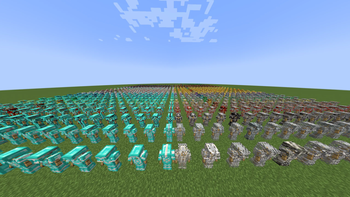
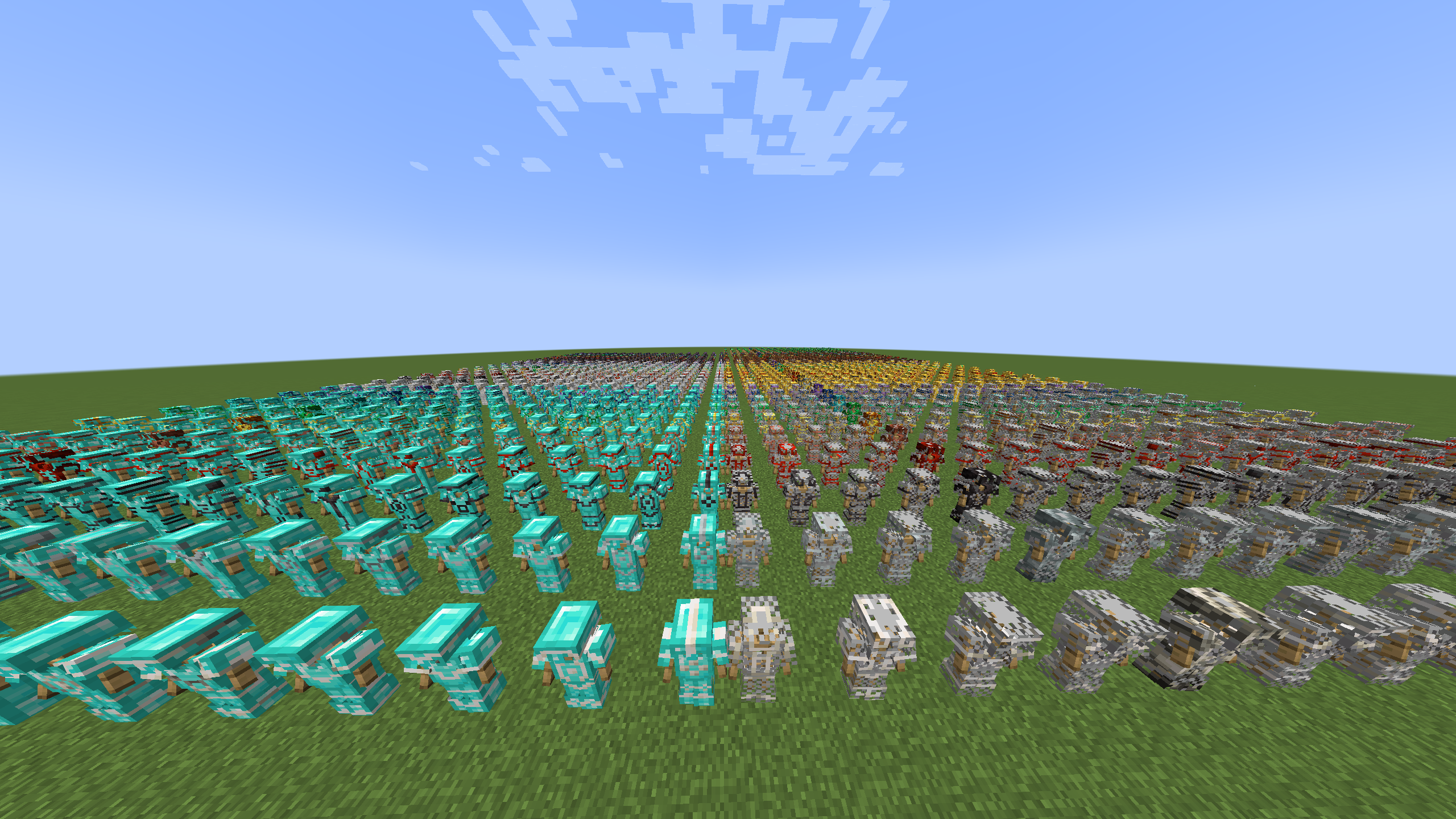
Gallery of Trims
🟡 Updated this year🖼️ Gallery (1 images)
🔍 Analysis
- 🏆 #1513 of 2046 datapack mods in this game by downloads
📋 About This Mod
<p align="center"> <img src="https://cdn.modrinth.com/data/S5f2NKoR/images/6cb681a8d3cd5e7fda8c42cc35347e99127e4956.png" alt="Gallery of Trims Preview" width="720"> </p> <h1 align="center">Gallery of Trims</h1> <p align="center"> <strong>Organized chest galleries and armor stand previews for every vanilla armor trim.</strong> </p> <div align="center"> (https://img.shields.io/modrinth/dt/S5f2NKoR?style=for-the-badge&logo=Modrinth&label=Modrinth&color=1bd96a)](https://modrinth.com/project/all-trims/) (https://img.shields.io/badge/Source-181717?style=for-the-badge&logo=GitHub&label=GitHub)](https://github.com/noramibu/gallery-of-trims) (https://img.shields.io/badge/Discord-5865F2?style=for-the-badge&logo=Discord&logoColor=white)](https://discord.gg/FaxbR9eEFW) !(https://img.shields.io/badge/Minecraft-1.21--26.2-62b47a?style=for-the-badge) !(https://img.shields.io/badge/Type-Datapack-f7b731?style=for-the-badge) !(https://img.shields.io/badge/Loader-Fabric-1976d2?style=for-the-badge) !(https://img.shields.io/badge/Loader-Quilt-b64fc8?style=for-the-badge) !(https://img.shields.io/badge/Loader-Forge-e04e14?style=for-the-badge) !(https://img.shields.io/badge/Loader-NeoForge-f16436?style=for-the-badge) </div> --- Gallery of Trims is a Minecraft Java datapack that spawns organized armor trim galleries. It can create chest galleries for every vanilla trim combination, smaller filtered galleries, and armor stand preview grids. Minecraft target: 1.21 and 1.21.1 Data pack format: 48 Namespace: `gallery_of_trims` ## Installation Datapack install: 1. Put `gallery-of-trims-datapack-1.0.0.zip` in a world's `datapacks` folder. 2. Run `/reload`. 3. Run `/function gallery_of_trims:help`. Modloader install: 1. Put the loader-specific JAR in the `mods` folder: - Fabric: `gallery-of-trims-fabric-1.0.0.jar` - Quilt: `gallery-of-trims-quilt-1.0.0.jar` - Forge: `gallery-of-trims-forge-1.0.0.jar` - NeoForge: `gallery-of-trims-neoforge-1.0.0.jar` 2. Remove any older `gallery-of-trims-modloader-1.0.0.jar` from the `mods` folder. 3. Start the game or server with the matching loader. 4. Run `/reload`. 5. Run `/function gallery_of_trims:help`. The modloader JARs are no-code mods. Each one contains the datapack plus metadata for one loader. Fabric requires Fabric API's resource loader module. Quilt requires Quilt Standard Libraries' resource loader module unless Fabric API compatibility provides `fabric-resource-loader-v0`. Forge and NeoForge use `lowcodefml`. ## Permissions All commands use `/function`, so they require cheats in singleplayer or operator permission on a server. The modloader JAR only loads the datapack; it does not let non-operator players run these commands. ## Quick Start Spawn the full chest gallery: ```mcfunction /function gallery_of_trims:spawn ``` Spawn the compact full gallery: ```mcfunction /function gallery_of_trims:spawn/compact ``` Show armor stand preview commands: ```mcfunction /function gallery_of_trims:spawn/stand ``` Clear the nearest spawned gallery: ```mcfunction /function gallery_of_trims:teardown/clear_nearest ``` The default layouts expand toward positive X and positive Z from the command position. Chests are spaced two blocks apart so they stay single chests. Spawn commands create an invisible origin marker so clear commands can be run later from anywhere. ## Public Commands These are the commands intended for players/admins. Functions under `gallery_of_trims:z_internal/...` are generated internals and should not be run directly. | Command | What It Does | | --- | --- | | `/function gallery_of_trims:help` | Prints the main command list in chat. | | `/function gallery_of_trims:info` | Prints compatibility, layout counts, and clearing notes. | | `/function gallery_of_trims:spawn` | Spawns the full chest gallery with signs. | | `/function gallery_of_trims:spawn/compact` | Spawns the full chest gallery in a staggered compact layout. | | `/function gallery_of_trims:spawn/no_signs` | Spawns the full chest gallery, then removes its signs. | | `/function gallery_of_trims:spawn/stand` | Prints armor stand view commands in chat. | | `/function gallery_of_trims:teardown/clear` | Safely clears all tracked Gallery of Trims spawns. | | `/function gallery_of_trims:teardown/clear_last` | Safely clears the most recently spawned tracked gallery/view. | | `/function gallery_of_trims:teardown/clear_nearest` | Safely clears the nearest tracked gallery/view. | | `/function gallery_of_trims:teardown/clear_here` | Clears from your current position as if it were the original spawn origin. | | `/function gallery_of_trims:teardown/fast_clear` | Clears all tracked spawns with broad fill commands for chest/sign areas. | ## Chest Gallery Commands ### Full Gallery ```mcfunction /function gallery_of_trims:spawn ``` Spawns every vanilla armor trim pattern/material combination in chest
Gallery of Trims
Organized chest galleries and armor stand previews for every vanilla armor trim.
[!(https://img.shields.io/modrinth/dt/S5f2NKoR?style=for-the-badge&logo=Modrinth&label=Modrinth&color=1bd96a)](https://modrinth.com/project/all-trims/) [!(https://img.shields.io/badge/Source-181717?style=for-the-badge&logo=GitHub&label=GitHub)](https://github.com/noramibu/gallery-of-trims) [!(https://img.shields.io/badge/Discord-5865F2?style=for-the-badge&logo=Discord&logoColor=white)](https://discord.gg/FaxbR9eEFW) !(https://img.shields.io/badge/Minecraft-1. 21--26. 2-62b47a?style=for-the-badge) !(https://img.shields.io/badge/Type-Datapack-f7b731?style=for-the-badge) !(https://img.shields.io/badge/Loader-Fabric-1976d2?style=for-the-badge) !(https://img.shields.io/badge/Loader-Quilt-b64fc8?style=for-the-badge) !(https://img.shields.io/badge/Loader-Forge-e04e14?style=for-the-badge) !(https://img.shields.io/badge/Loader-NeoForge-f16436?style=for-the-badge)
Gallery of Trims is a Minecraft Java datapack that spawns organized armor trim galleries. It can create chest galleries for every vanilla trim combination, smaller filtered galleries, and armor stand preview grids.
Minecraft target: 1. 21 and 1. 21. 1 Data pack format: 48 Namespace: `gallery_of_trims`
## Installation
Datapack install:
1. Put `gallery-of-trims-datapack-1. 0. 0.zip` in a world's `datapacks` folder. 2. Run `/reload`. 3. Run `/function gallery_of_trims:help`.
Modloader install:
1. Put the loader-specific JAR in the `mods` folder: - Fabric: `gallery-of-trims-fabric-1. 0. 0.jar` - Quilt: `gallery-of-trims-quilt-1. 0. 0.jar` - Forge: `gallery-of-trims-forge-1. 0. 0.jar` - NeoForge: `gallery-of-trims-neoforge-1. 0. 0.jar` 2. Remove any older `gallery-of-trims-modloader-1. 0. 0.jar` from the `mods` folder. 3. Start the game or server with the matching loader. 4. Run `/reload`. 5. Run `/function gallery_of_trims:help`.
The modloader JARs are no-code mods. Each one contains the datapack plus metadata for one loader. Fabric requires Fabric API's resource loader module. Quilt requires Quilt Standard Libraries' resource loader module unless Fabric API compatibility provides `fabric-resource-loader-v0`. Forge and NeoForge use `lowcodefml`.
## Permissions
All commands use `/function`, so they require cheats in singleplayer or operator permission on a server. The modloader JAR only loads the datapack; it does not let non-operator players run these commands.
## Quick Start
Spawn the full chest gallery:
```mcfunction /function gallery_of_trims:spawn ```
Spawn the compact full gallery:
```mcfunction /function gallery_of_trims:spawn/compact ```
Show armor stand preview commands:
```mcfunction /function gallery_of_trims:spawn/stand ```
Clear the nearest spawned gallery:
```mcfunction /function gallery_of_trims:teardown/clear_nearest ```
The default layouts expand toward positive X and positive Z from the command position. Chests are spaced two blocks apart so they stay single chests. Spawn commands create an invisible origin marker so clear commands can be run later from anywhere.
## Public Commands
These are the commands intended for players/admins. Functions under `gallery_of_trims:z_internal/...` are generated internals and should not be run directly.
| Command | What It Does | | --- | --- | | `/function gallery_of_trims:help` | Prints the main command list in chat. | | `/function gallery_of_trims:info` | Prints compatibility, layout counts, and clearing notes. | | `/function gallery_of_trims:spawn` | Spawns the full chest gallery with signs. | | `/function gallery_of_trims:spawn/compact` | Spawns the full chest gallery in a staggered compact layout. | | `/function gallery_of_trims:spawn/no_signs` | Spawns the full chest gallery, then removes its signs. | | `/function gallery_of_trims:spawn/stand` | Prints armor stand view commands in chat. | | `/function gallery_of_trims:teardown/clear` | Safely clears all tracked Gallery of Trims spawns. | | `/function gallery_of_trims:teardown/clear_last` | Safely clears the most recently spawned tracked gallery/view. | | `/function gallery_of_trims:teardown/clear_nearest` | Safely clears the nearest tracked gallery/view. | | `/function gallery_of_trims:teardown/clear_here` | Clears from your current position as if it were the original spawn origin. | | `/function gallery_of_trims:teardown/fast_clear` | Clears all tracked spawns with broad fill commands for chest/sign areas. |
## Chest Gallery Commands
### Full Gallery
```mcfunction /function gallery_of_trims:spawn ```
Spawns every vanilla armor trim pattern/material combination in chest
📊 Mod Details
- Game
- Minecraft Data Packs
- Author
- noramibu
- Version
- 1.0.0
- Downloads
- 286
- Endorsements
- 1
- Category
- datapack
- Created
- 7/6/2026
- Updated
- 7/4/2026
- Game Versions
- 26.1, 26.1.1, 26.1.2, 26.2
- Tags
- decoration, equipment
🔧 How to Install Minecraft Data Packs Mods
Download from Modrinth. Use Prism Launcher or drop into your mods folder.
📖 Full step-by-step install guide for Minecraft Data Packs →
Visit the official mod page for specific installation instructions for this mod.
🎮 Need cheat codes or console commands? Check ur gaming wiki for Minecraft Data Packs commands, item IDs, and more.
❓ Frequently Asked Questions
Which Minecraft Data Packs versions does Gallery of Trims support?
The author lists 26.1, 26.1.1, 26.1.2, 26.2. Other versions may work but are untested by the author.
What is the latest version of Gallery of Trims?
Version 1.0.0, published 2026-07-04 with 286 downloads recorded at the source.
Keep browsing — more Minecraft Data Packs mods await