Low Graphics Settings Mod (Snakebite Version)
⚪ Last updated 2022Preview
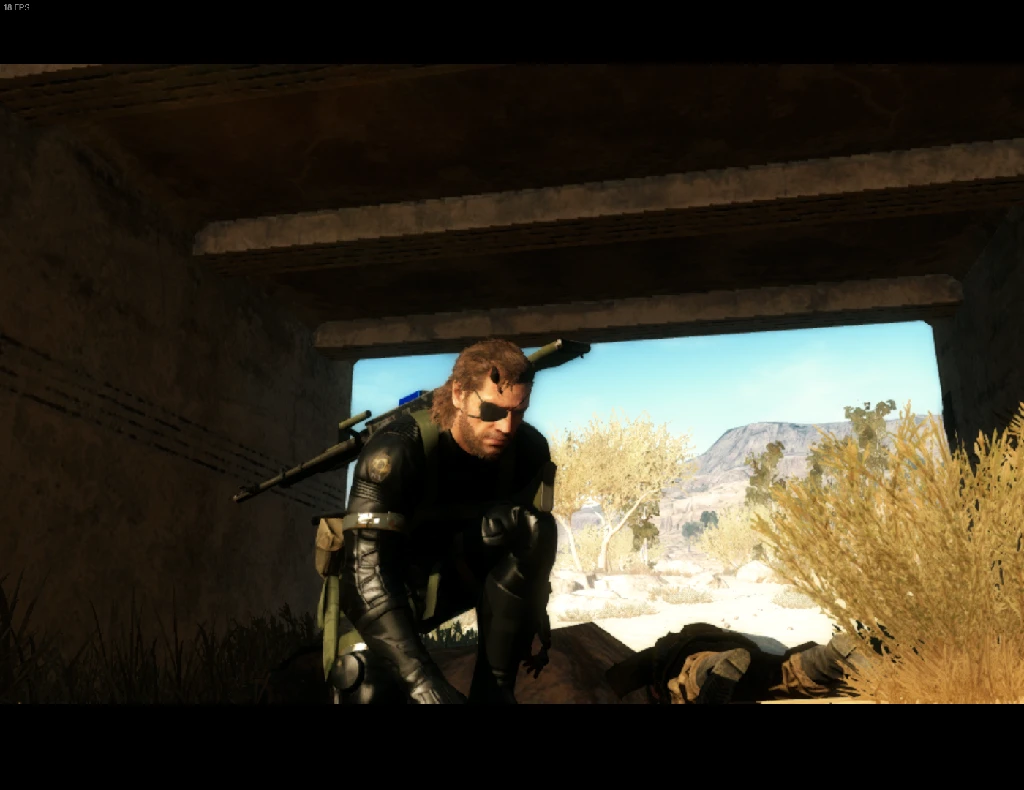
🔍 Analysis
- 👍 3.9% endorsement rate — high engagement, a strong quality signal
- 🏆 #24 of 64 Visuals and Graphics mods in this game by downloads
📋 About This Mod
Low Graphics Settings mod with Snakebite support. The original version used the older method of installation, which was with QAR Tool. Now with Snakebite, everything is easier for modding, so I just made this using original author mod and
Low Graphics Settings Mod SnakeBite Version
(edited by Ryles)Test build of version Low Graphics Settings version 2. 48 have been released.
This is just a test build. Not finilized yet.
In my tests, on an Intel HD Graphics GPU, the game runs REALLY well, capped at 30 FPS.
All settings have been changed on the code, so that graphic settings in game reflect a weaker pc.
This means that if, for example, the default "Medium" Shadow setting on the Vanilla game had "2048x2048" shadow resolution, with the mod, "Medium" will have "128x128" shadow resolution.
This logic have been applied to almost all settings.
In my tests, many things can be deactivated resulting in a weird graphical experience. lol
You can deactivate global fog effects, which gives a HUGE FPS boost, but then a Sandstorm will not have the... uh... Sandstorm visual effects, coupled with many more weird graphical glitches.
You can deactivate or reduce Ambient shadows to 1x1 (which cause that extra lag), but then ambient shadows will glitch some locations of the game, resulting in giant walls of shadow, or weird blinking / flashing lights, rendering the game unplayable in my opinion.
MGSVTPP is really well optmized, but some settings are necessary for a good experience.
What Im trying to do with the next Low Graphics Settings version is give Low End players a playable experience with low graphics, not straight up removing all effects. Giving them this possibility, yes, (you still can deactivate all shadows with the "Low" shadow setting in game), but also give you the possibility of playing with Shadows and Effects in a minimum pleasant way.
As explained, this is just a test build, but many settings have been tweaked and tested to give you a good low end experience with the minimum necessary graphic effects for immersion (distant lights, close shadows, some dynamic lights, etc).
Test at your will.
Please report any glitches and bugs on comments section, thank you. :)
Tested and working in 1. 15. 3 Steam original version.
Please, also try using this mod for performance, as it removes quite a bit of screen particle effects that slow down cpus and integrated graphic cards:
https://www.nexusmods.com/metalgearsolidvtpp/mods/860
Original mod link: https://www.nexusmods.com/metalgearsolidvtpp/mods/167
📊 Mod Details
- Game
- Mgsv Tpp Mods
- Author
- LowSpecGamer NAWAFGAMES and edited by Ryles
- Version
- 2.51
- Downloads
- 3,488
- Endorsements
- 136
- Category
- Visuals and Graphics
- Created
- 10/7/2020
- Updated
- 12/28/2022
🔧 How to Install MGSV Mods
Use SnakeBite Mod Manager.
📖 Full step-by-step install guide for MGSV →
Visit the official mod page for specific installation instructions for this mod.
🎮 Need cheat codes or console commands? Check ur gaming wiki for MGSV commands, item IDs, and more.
Keep browsing — more MGSV mods await