Improves the quality of the DX11
⚪ Last updated 2020Preview
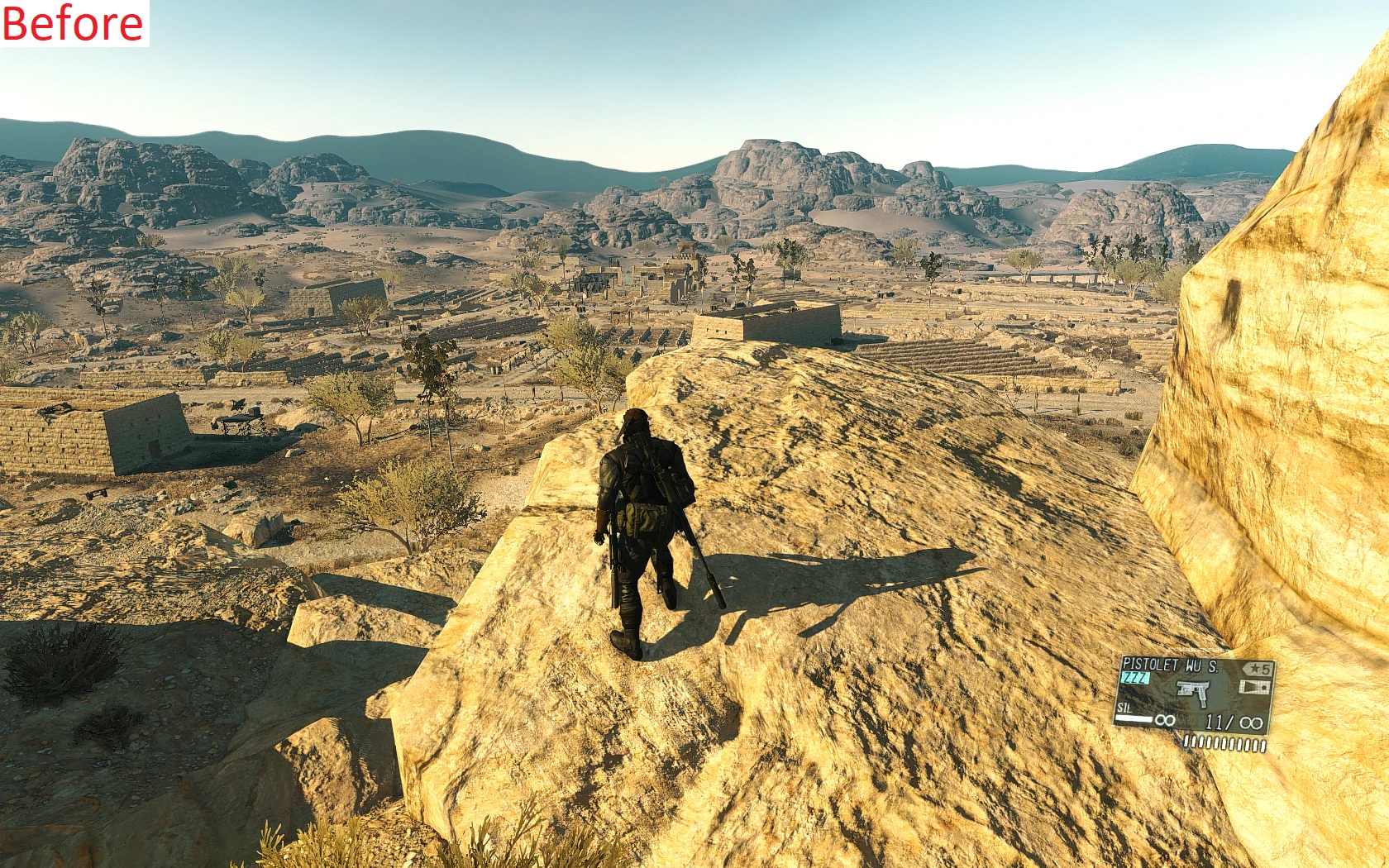
🔍 Analysis
- 👍 5.3% endorsement rate — high engagement, a strong quality signal
- 🏆 #22 of 64 Visuals and Graphics mods in this game by downloads
📋 About This Mod
Improves the quality of the DX11
Manual install: (for those who already made changes in the dx11)
Add in TOP of the file gr_init_dx11.lua This line:
GrTools:SetLodFactorResolution(7680)
To: Metal Gear Solid/master/0/00.dat/Fox/Scripts/Gr/gr_init_dx11.lua
Install the file download:
(this file have some tweaks i change to push to the "limit" (keeping quality of shadows casting) of course we can push more...but we loose quality).
Go to: Metal Gear Solid/master/0
Extract the file 00.dat (use tools to extract the file)
go to 00.dat/Fox/Scripts/Gr/gr_init_dx11.lua
replace gr_init_dx11.lua with the new one
Repack the file 00.dat
place the file to Metal Gear Solid/master/0/00.dat
Done, Enjoy
PS: works on all versions
Sorry bad english
SnakeBite version add 0. 9. 1. 6
!!! please don't change the values !!! 2 things will happen ...
1. lose quality in the shadows.
2. yes..you change the values the game launch..yes !!! but.....different crash will happen in different zones (Dx11 become unstable)
(for ex: when you leave the medical platform in a helicopter...game crash....because you entered wrong values)
if you know what your doing...fell free
if you don't know ... don't change ... it's better
This is a stable version
📊 Mod Details
- Game
- Mgsv Tpp Mods
- Author
- CodeMJ
- Version
- v.1.0
- Downloads
- 4,062
- Endorsements
- 214
- Category
- Visuals and Graphics
- Created
- 5/29/2020
- Updated
- 5/30/2020
🔧 How to Install MGSV Mods
Use SnakeBite Mod Manager.
📖 Full step-by-step install guide for MGSV →
Visit the official mod page for specific installation instructions for this mod.
🎮 Need cheat codes or console commands? Check ur gaming wiki for MGSV commands, item IDs, and more.
Keep browsing — more MGSV mods await