Drop Weapon Button Input
⚪ Last updated 2015Preview
🔍 Analysis
- 👍 4.0% endorsement rate — high engagement, a strong quality signal
- 🏆 #55 of 277 Gameplay mods in this game by downloads
📋 About This Mod
Ported to SnakeBite by Aaoms: https://www.nexusmods.com/metalgearsolidvtpp/mods/550
Drop Weapon Button Input 1. 0. 1
by Three-Socks
For MGSV version 1. 0. 7. 0 (1. 07 in title screen)
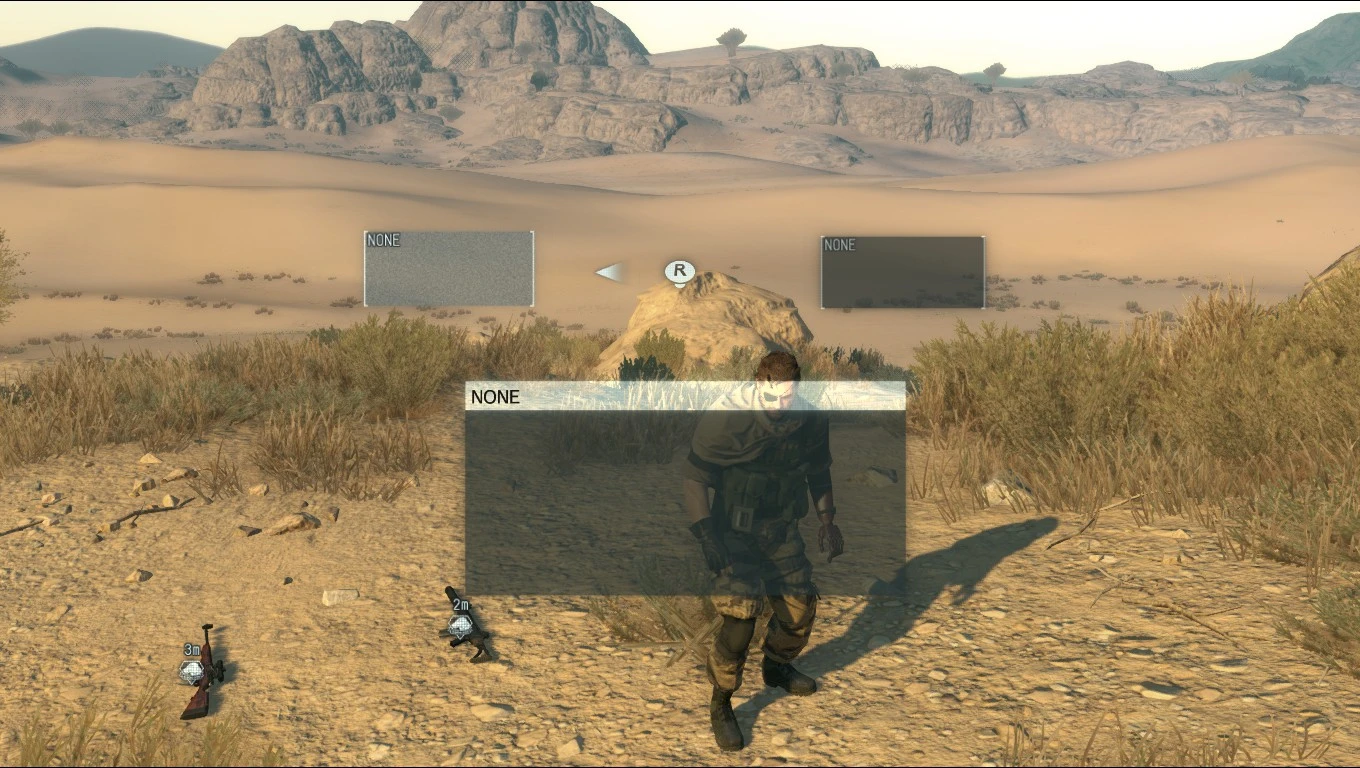
A very basic mod to drop your weapons while in game. Also a proof of concept on how to install a lua file using only a windows batch file. It should be compatible with future game updates too as long as 00.dat stays the same location for lua lib files.
This mod is designed for controller in mind but works for keyboard as well.
Controls
ControllerIn the weapon equip menu (Dpad Up or Down) highlight the weapon using the right stick and hold RS/R3 to drop.
Equip the weapon you want to drop first. Then use the arrow keys, Up for primary (hip) and Down for Secondary weapon and hold switch zoom (default V) to drop.
SnakeBite Install
Ported to SnakeBite by Aaoms: https://www.nexusmods.com/metalgearsolidvtpp/mods/550
Auto Install
Unzip and copy all files to C:\Program Files (x86)\Steam\steamapps\common\MGS_TPP\master\0\ (need to be running steam patch 1. 006/game ver 1. 02 or above)
Run INSTALL_TPP_DropWeapon.bat
Manual Install
To manually install in case you have a heavily modified game or SnakeBite installed or the auto install .bat file doesn't work for you.
Download the zip from the download page and extract DropWeapon.lua
Download GzsTool
Extract your \MGS_TPP\master\0\00.dat file
Find \00_dat\Assets\tpp\script\lib\Tpp.lua if you cannot find this file extract the 01.dat and work from that file instead.
Open the folder \00_dat\ extracted by GzsTool if working on 00.dat or \01_dat\ if working on 01.dat
Place DropWeapon.lua into \Assets\tpp\script\lib\
Open \Assets\tpp\script\lib\Tpp.lua
Find
"/Assets/tpp/script/lib/TppMbFreeDemo.lua"
Add After
,"/Assets/tpp/script/lib/DropWeapon.lua"
Open \Assets\tpp\script\lib\TppMain.lua
Find
TppMission. UpdateForMissionLoad
Add After
,DropWeapon. Update
Open 00.dat.xml or 01.dat.xml created by GzsTool
Find
<Entries>
Add After
<Entry FilePath="/Assets/tpp/script/lib/DropWeapon.lua" Compressed="false" />
Repack your file using GzsTool
GzsTool.exe "C:\Program Files (x86)\Steam
A simple gameplay mod that lets you drop any weapon in-game with a button press. With 250 endorsements and over 6,200 downloads, it's a niche utility for players who want to discard weapons quickly. Last updated in 2015, so compatibility with current game versions is uncertain.
✨ Key Features
📊 Pros & Cons
✅ Pros
- Simple and effective – does exactly what it says.
- Decent community support (250 endorsements).
- Handy for inventory management or roleplay scenarios.
⚠️ Cons
- Last updated in 2015 – may not work with current game patches.
- Limited to dropping weapons – no other features.
For players who want a quick way to drop weapons without opening the inventory menu. Ideal for roleplayers or those who frequently switch loadouts. Skip if you need more advanced inventory tools.
💡 Beginner Tips
- Check if your game version is compatible, as the mod hasn't been updated since 2015.
- Test the mod in a safe area to see which button is bound to dropping.
- If the mod doesn't work, try using a mod manager to ensure proper installation.
📊 Mod Details
- Game
- Metalgearsolidvtpp Mods
- Author
- Three-Socks
- Version
- 1.0.1
- Downloads
- 6,204
- Endorsements
- 250
- Category
- Gameplay
- Created
- 12/23/2015
- Updated
- 12/29/2015
🔧 How to Install Metal Gear Solid V: The P Mods
Download from Nexus Mods.
📖 Full step-by-step install guide for Metal Gear Solid V: The P →
Visit the official mod page for specific installation instructions for this mod.
🎮 Need cheat codes or console commands? Check ur gaming wiki for Metal Gear Solid V: The P commands, item IDs, and more.
Keep browsing — more Metal Gear Solid V: The P mods await