Custom Camera Script
⚪ Last updated 2016Preview
🔍 Analysis
- 👍 3.0% endorsement rate — high engagement, a strong quality signal
- 🏆 #149 of 277 Gameplay mods in this game by downloads
📋 About This Mod
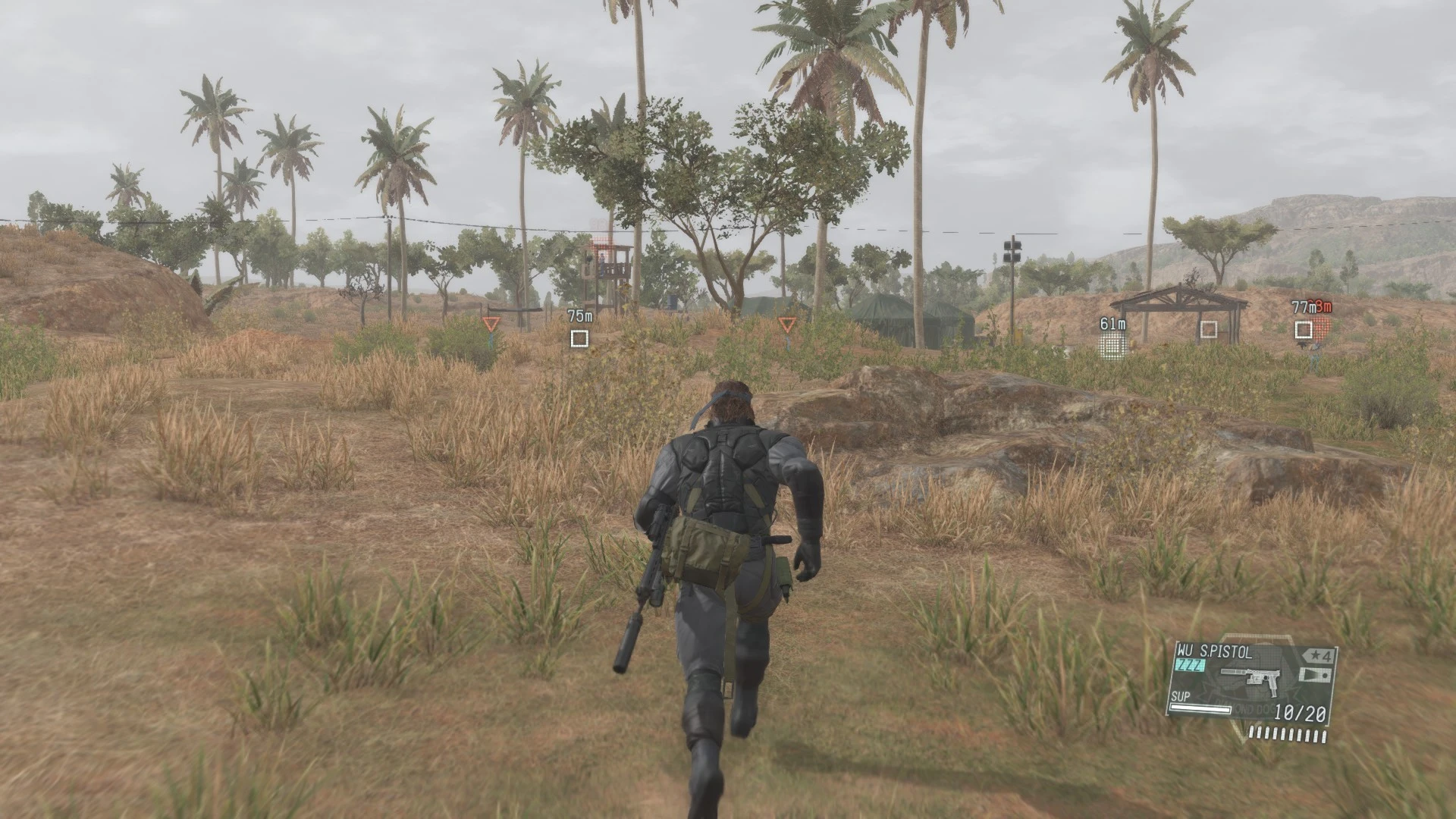
Create a custom camera for The Phantom Pain.
While searching though TPP's files, I stumbled upon the function, SetAroundCameraManualModeParams, which lets you change the third person camera offsets in-game. As a result, I made a script that lets you create a custom camera.
To install, download the latest version of GzsTool, and use it to extract 00.dat in master/0. This will create a 00_dat folder with the extracted files.
In that folder, go to \Assets\tpp\script\lib\ and place CustomCamera.lua into it. Then open Tpp.lua. Use ctrl+F to jump to this phrase: "/Assets/tpp/script/lib/TppMbFreeDemo.lua"
Add this directly after that phrase: ,"/Assets/tpp/script/lib/CustomCamera.lua"
Then open TppMain.lua and use ctrl+F to jump to this phrase: TppMission. UpdateForMissionLoad Add this directly after that phrase:,CustomCamera. Update
Then go back to master/0 and open 00.dat.xml. Inside the <Entries> block, add this line to the list:<Entry FilePath="/Assets/tpp/script/lib/CustomCamera.lua" Compressed="false" />
Finally, drag and drop 00.dat.xml on to Gzstool to repack everything.
When in game, you can start the script by pressing Down on the keyboard. If it works, the camera will shift to the center of the character.
You can open CustomCamera.lua in any text editor to edit the camera offset values.
📊 Mod Details
- Game
- Metalgearsolidvtpp Mods
- Author
- mxmstr
- Version
- N/A
- Downloads
- 1,655
- Endorsements
- 49
- Category
- Gameplay
- Created
- 1/29/2016
- Updated
- 1/29/2016
🔧 How to Install Metal Gear Solid V: The P Mods
Download from Nexus Mods.
📖 Full step-by-step install guide for Metal Gear Solid V: The P →
Visit the official mod page for specific installation instructions for this mod.
🎮 Need cheat codes or console commands? Check ur gaming wiki for Metal Gear Solid V: The P commands, item IDs, and more.
Keep browsing — more Metal Gear Solid V: The P mods await