RealisticHDR_MGR
⚪ Last updated 2019⚠️ Install Order · 1 step
Install in this order, then this mod last — most mods fail to load without their framework and dependencies in place.
Preview
🔍 Analysis
- 👍 6.1% endorsement rate — high engagement, a strong quality signal
- 🏆 #2 of 17 ReShade Presets mods in this game by downloads
📋 About This Mod
-This is just the .ini file.
-To install my Preset just drop it in your MGR data folder where the .exe is located.
-To install Reshade you need to select the games .exe file.
-Then the game's API, which is DirectX9, it should automatically be selected.
-Then download all the "Legacy Shaders" and install them.
-If you feel it's too bright or dark, all you have to do is adjust your in-game brightness level.
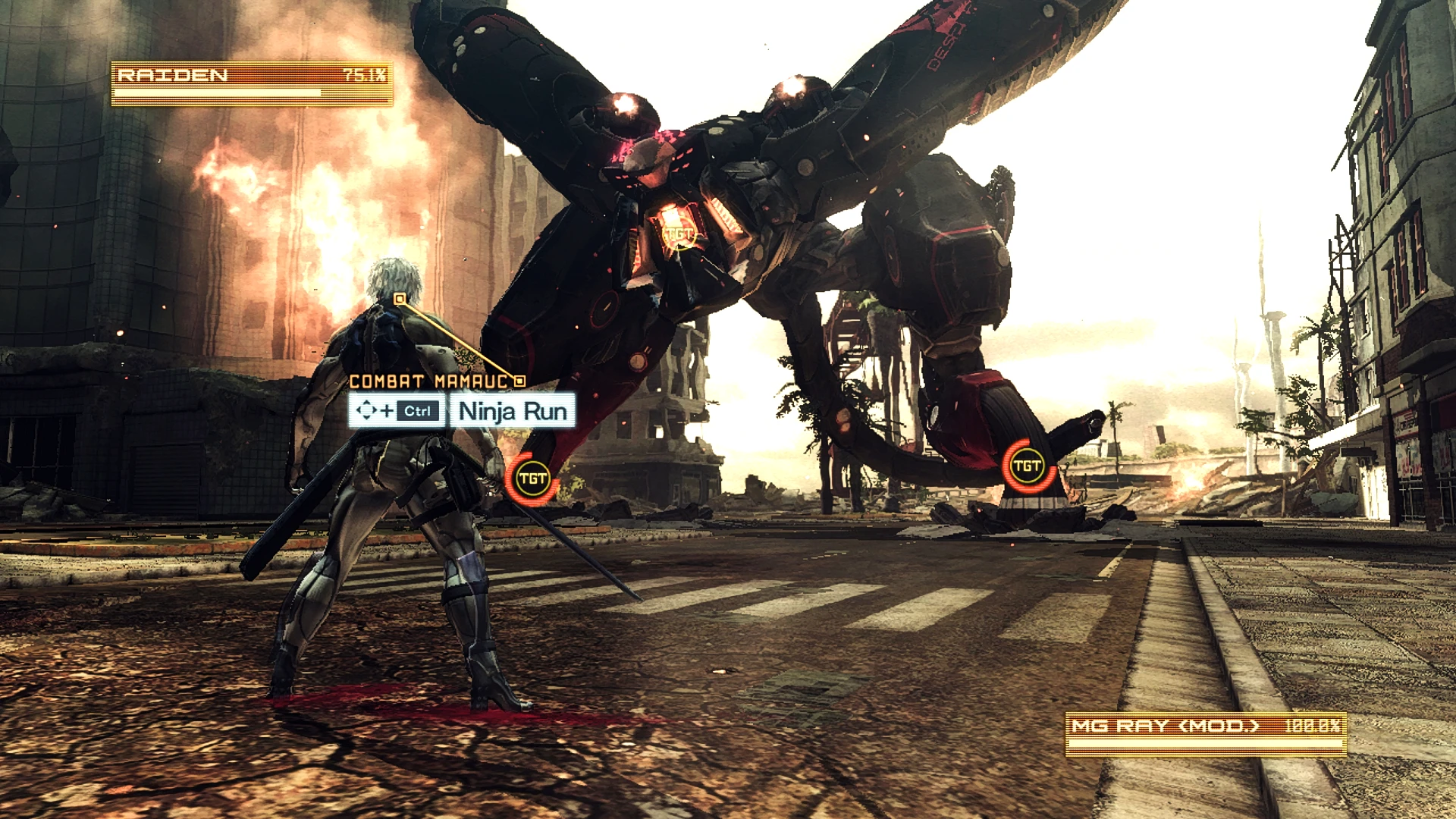
A ReShade preset for Metal Gear Rising: Revengeance that aims for a more realistic visual style while keeping performance impact low. With 354 endorsements and over 5,800 downloads, it's a community-trusted option for players who want enhanced graphics without heavy FPS drops. Last updated in 2019, it remains a popular choice for those seeking a cinematic look.
✨ Key Features
📊 Pros & Cons
✅ Pros
- Solid track record with 354 endorsements and 5.8k downloads
- Performance-friendly approach means you won't tank your FPS for prettier visuals
- Simple to install if you already have ReShade set up
⚠️ Cons
- Last updated in 2019, so it might not be fully compatible with the latest ReShade versions
- No detailed feature list, so you're flying blind on exactly what it changes
- Compatibility risk with other ReShade presets or shaders you might have installed
For Metal Gear Rising players who want a more grounded, realistic look without sacrificing performance. If you're new to ReShade, this is a decent starting point, but if you're after specific visual tweaks, you might need to look elsewhere.
💡 Beginner Tips
- Make sure you have ReShade installed and set up for Metal Gear Rising before trying this preset.
- If you're using the Steam version, you might need to rename the game's exe to avoid anti-cheat issues, though MGR doesn't have anti-cheat, so it should be fine.
- Try adjusting the preset's intensity in-game with the ReShade overlay to suit your monitor's brightness and contrast.
📊 Mod Details
- Game
- Metalgearrisingrevengeance Mods
- Author
- Jeff B
- Version
- V1
- Downloads
- 5,802
- Endorsements
- 354
- Category
- ReShade Presets
- Created
- 4/10/2019
- Updated
- 4/10/2019
🔧 How to Install Metal Gear Rising: Reveng Mods
Download from Nexus Mods.
📖 Full step-by-step install guide for Metal Gear Rising: Reveng →
Visit the official mod page for specific installation instructions for this mod.
🎮 Need cheat codes or console commands? Check ur gaming wiki for Metal Gear Rising: Reveng commands, item IDs, and more.
Keep browsing — more Metal Gear Rising: Reveng mods await