Omni ReShade FX - MEA
⚪ Last updated 2017Preview
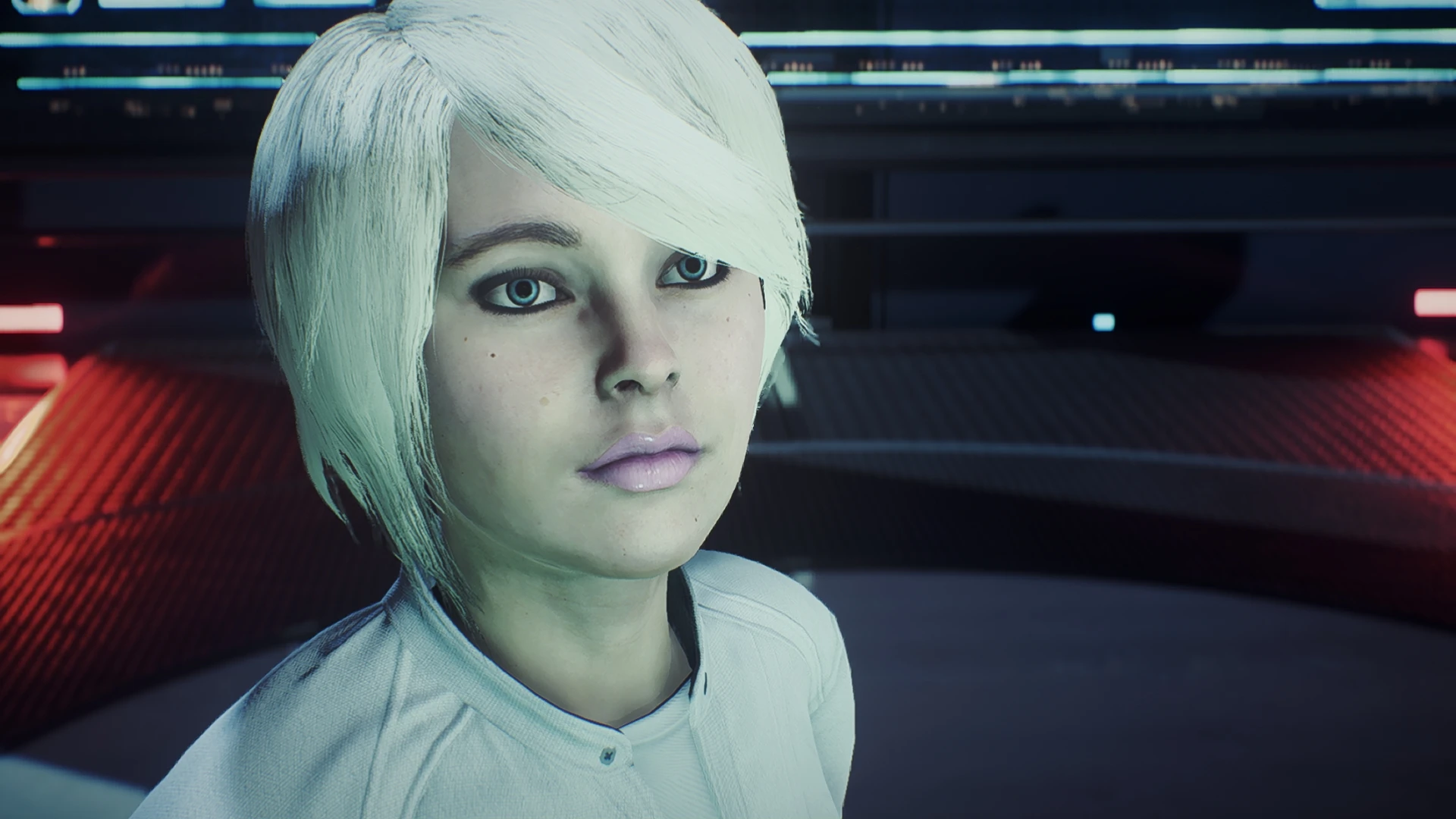
🔍 Analysis
- 👍 6.4% endorsement rate — high engagement, a strong quality signal
- 🏆 #50 of 181 Miscellaneous mods in this game by downloads
📋 About This Mod
My personal ReShade settings that can be used for gameplay or screenarchery. Please expect a quality design, as this preset has been tweaked very carefully. Features include AdaptiveSharpen, DPX, FilmicPass, Vignette, Technicolor, DOF, Levels, and AmbientLight. Enjoy!
ReShade vs. Vanilla
Description Page Under Construction
///////////////////////////////////////////////////////////////////// Omni ReShade for Mass Effect Andromeda - by Bronze316 (2017) Nexus Exclusive (www.nexusmods.com) /////////////////////////////////////////////////////////////////////
Installation: --------------- Copy the contents of the "Main files" folder to the installation directory of your game. (where MassEffectAndromeda.exe is located) Done!
In-game Settings: ------------------- If possible, set all graphics options to the highest setting. Leave the in-game "Gamma/Brightness" at the default (middle). Please use "Full-screen" resolution to ensure proper image display.
RESHADE HOTKEYS (CONTROLS): --------------------------------------------- - F10 to toggle main effects - End to toggle Depth Of Field - Delete to toggle Ambient Light
TroubleShooting: ------------------ Please be sure to remove ReShade files from a previous install before installing this preset. Disable any third-party programs that may interfere with ReShade. Rename "dxgi.dll" to "d3d11.dll" if ReShade doesn't initialize. Check that the directory path is set correctly in the ReShade .ini files.
These files worked flawlessly on my game and I hope the same for you. Please seek the forum if you need help. Enjoy! :)
ReShade v3. 0. 5 Credits: ------------------- Special thanks to Christian Jensen (CeeJay.dk). He was a very great help in every possible way, did a lot of testing (especially regarding the shading language) and is always a nice person to talk to. Thank you to all the closed beta testers as well. You were awesome, notably: - CeeJay.dk - Marty McFly - Matsilagi - Martigen - K-putt - LuciferHawk Libraries used: - Frexx CPP by Daniel Stenberg (https://github.com/bagder/fcpp) - GL3W by Slavomir Kaslev (https://github.com/skaslev/gl
Omni ReShade FX - MEA is a personal ReShade preset by Bronze316, designed for both gameplay and screenarchery. It includes AdaptiveSharpen, DPX, FilmicPass, Vignette, Technicolor, and DOF effects. With 175 endorsements and 2,716 downloads, it's a niche but appreciated preset for Mass Effect: Andromeda.
✨ Key Features
📊 Pros & Cons
✅ Pros
- Solid community backing with 175 endorsements
- Over 2,700 downloads shows real usage
- Covers all the essentials: sharpening, color, vignette, and DOF
⚠️ Cons
- Last updated in 2017 — may not work with current game patches
- Requires ReShade framework, which isn't included
For Mass Effect: Andromeda players who want a one-stop ReShade preset for both playing and taking screenshots. Perfect if you're tired of tweaking settings yourself and want a carefully tuned look. Skip if you prefer vanilla visuals or don't want to deal with ReShade setup.
💡 Beginner Tips
- Make sure you have ReShade installed first, then drop this preset into the game folder
- Test the preset in different lighting conditions — DOF can be strong in cutscenes
- If performance dips, disable DOF or Vignette in the ReShade menu
📊 Mod Details
- Game
- Masseffectandromeda Mods
- Author
- Bronze316
- Version
- Type2
- Downloads
- 2,716
- Endorsements
- 175
- Category
- Miscellaneous
- Created
- 5/4/2017
- Updated
- 6/5/2017
🔧 How to Install Mass Effect Andromeda Mods
Download from Nexus Mods.
📖 Full step-by-step install guide for Mass Effect Andromeda →
Visit the official mod page for specific installation instructions for this mod.
🎮 Need cheat codes or console commands? Check ur gaming wiki for Mass Effect Andromeda commands, item IDs, and more.
Keep browsing — more Mass Effect Andromeda mods await