Cal's Mod Guide For MEA
⚪ Last updated 2019Preview
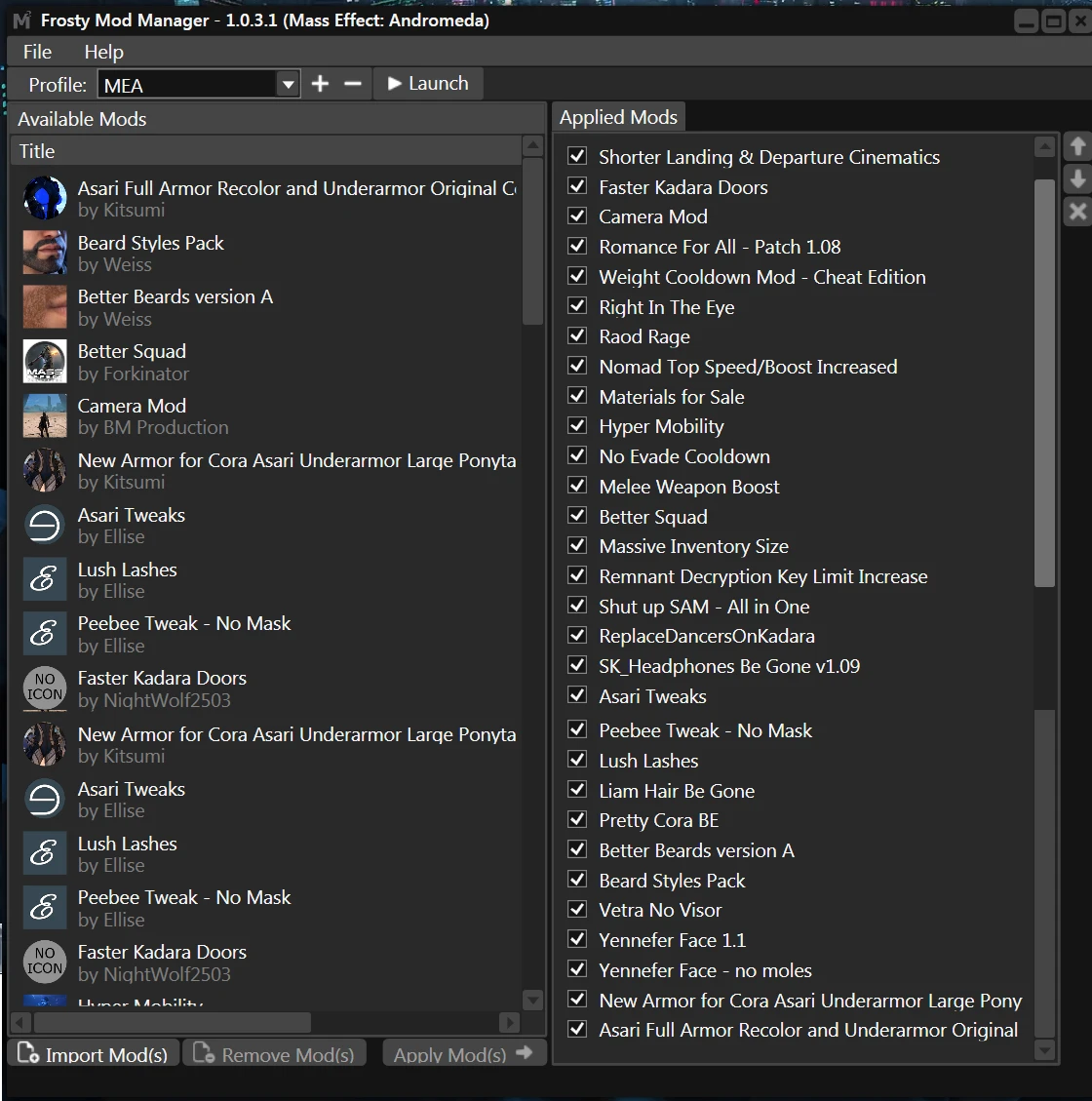
🔍 Analysis
- 🏆 #132 of 181 Miscellaneous mods in this game by downloads
📋 About This Mod
A simple mod guide for people looking to play through MEA and haven't played the game before and may have trouble with knowing which mods work or not. This is my first play through of the game and also the first time I mod this game and use
Cal's Mod Guide For MEA
My first attempt at a simple guide to make your play through of Mass Effect Andromeda more enjoyable. Keeping in mind this will be a learning experience for me so the guide may not be perfect but hopefully it will be helpful for others wanting to do a once and done play through of the game with some mods but do not wish to go through the hassle of learning and figuring this all out themselves since some mods work with only newer version of Frosty and others only with older versions.
My PC specs
Ryzen 5800x
240GB SSD (OS)
500GB SSD (games)
500GB HDD (storage)
Windows 10 Education 20H2
i5-750 OC to 4ghz
240 seagate 600 ssd for OS
500gb samsung evo SSD for games
MSI gtx 760 gpu
EDIT: Updated my PC specs but left the old one as the game was working using the old PC too. Jan. 8, 2021 Also see the EDIT at the end of the setting up FMM section and before the modlist itself for more tweaks due to the new PC to get this working again.
Yes she's old but has been great for the last 7 years! Hopefully I will be building a new PC once the Black Friday sales roll around this year.
Now without further Ado lets get to it!
I am using Frosty Mod manager version 1. 0. 3. 1 since there is an armor mod I wish to use that requires it. Link to Frosty Mod Manager here on nexusmods which I will refer to as FMM from now on. Note you want to use the Mod Manager and not the editor as the "editor" is for making mods.
Setting up Frosty Mod Manager
Download and install FMM 1. 0. 3. 1 from here. Just click on "FrostyModManager_v1. 0. 3. 1.rar" at the bottom under "Assets".
Download the bcrypt.dll from v1. 0. 2b of the FMM tools here.
I have all this installed on my g: drive (my gaming ssd) rather than c: drive which is my OS drive. In my game drive (g:) I have a "games" folder in which my games themselves are installed. I also have a "Mods" folder in the same (g:) drive in which I install mod managers and the mod files themselves for specific games. I have installed FMM in this "Mods" folder in a folder I called FrostyModM. In the "Mods" folder I have also created a "MEA mods" folder in which I will place the zip files of each mod I will be using for the game.
I use 7zip, available here, to unpack archives be they .rar or .zip files. I switched to this from winrar as winrar often will give errors you do not get with 7zip.
Once FMM is downloaded stick it in your Mods/FrostyModM folder and unzip here. Once unzipped you can remove the .rar and delete it or put it e
📊 Mod Details
- Game
- Masseffectandromeda Mods
- Author
- Calistin
- Version
- 1
- Downloads
- 286
- Endorsements
- 28
- Category
- Miscellaneous
- Created
- 10/29/2019
- Updated
- 10/29/2019
🔧 How to Install Mass Effect Andromeda Mods
Download from Nexus Mods.
📖 Full step-by-step install guide for Mass Effect Andromeda →
Visit the official mod page for specific installation instructions for this mod.
🎮 Need cheat codes or console commands? Check ur gaming wiki for Mass Effect Andromeda commands, item IDs, and more.
Keep browsing — more Mass Effect Andromeda mods await