Reduced Lens Flares
⚪ Last updated 2020Preview
🔍 Analysis
- 👍 10.3% endorsement rate — high engagement, a strong quality signal
- 🏆 #63 of 137 Models and Textures mods in this game by downloads
📋 About This Mod
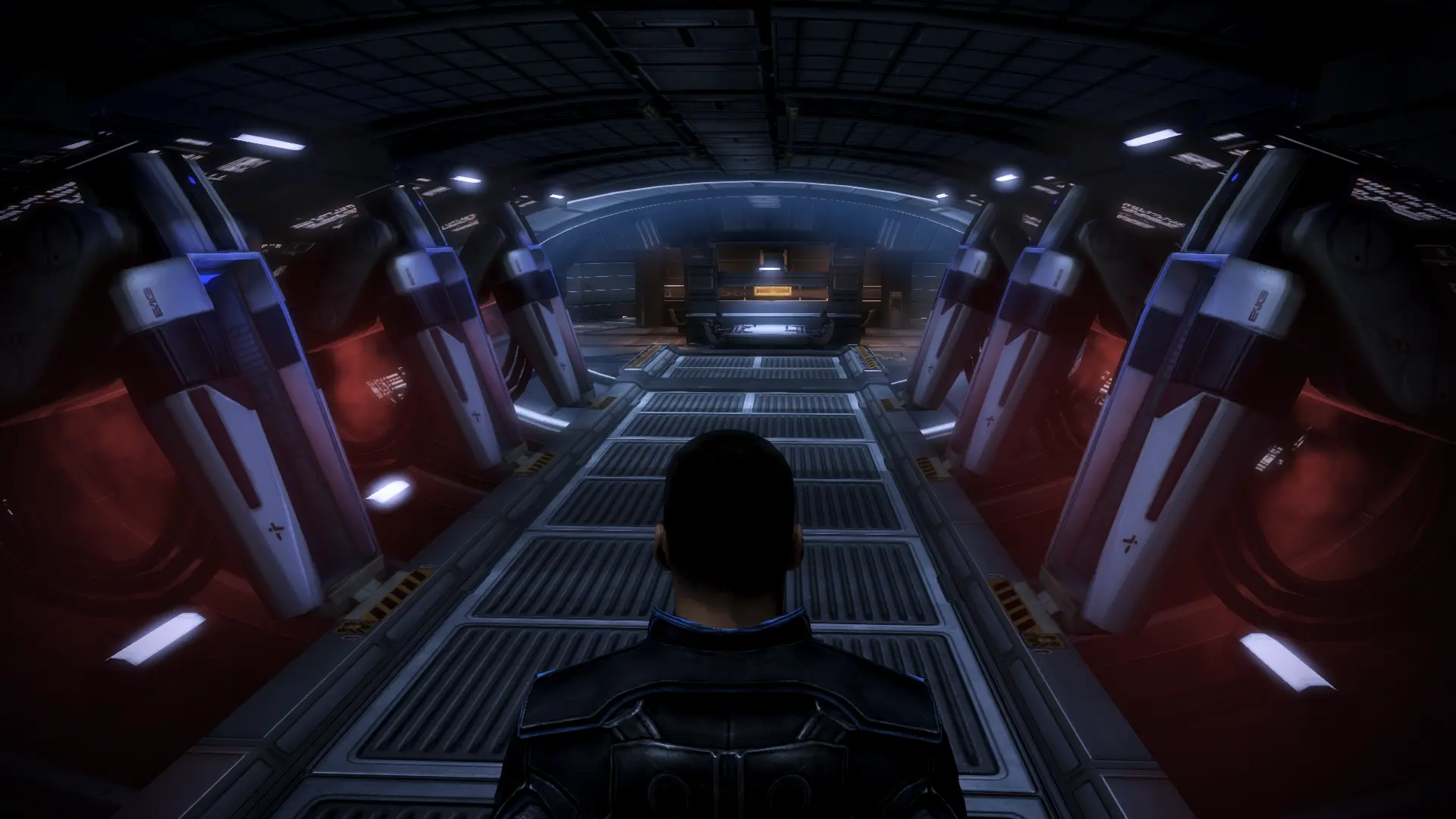
Gets rid of most of the artificial-looking, "cinematic" lens flare effects around light sources. This includes the harsh purple lines, and some of the more subtle, but still ugly corona effects. Light sources should now have a much more
What This Mod Does:
This is a fairly simple mod, which I made because the constant lens flares coming out of every light source, especially on board the Normandy, really annoyed me. Specifically, I blacked out the textures for most of the lens flare textures, so that most lights in the game will now have a soft, natural glow to them instead of harsh purple lines and weird-looking coronas plastered over everything.
Quick Note:
Don't be intimidated by the long instructions. I'm just trying to be detailed as possible. Not so long ago, I was a fresh newbie to the Nexus, and I probably would have needed instructions this extensive to get this mod to work.
Quick Installation Instructions:
For those with experience using MassEffectModder (MEM), make sure that you've started from a vanilla game, installed any vanilla DLCs you want, along with any DLC mods, and successfully generated your texture tree in MEM's Textures Manager. Extract the downloaded mod folder, and install the provided "Reduced Lens Flares" mod file in the folder, using MEM's Mods Installer.
If you aren't sure what that means, or could just use a refresher, take a look at the full instructions. Again, this installation is not nearly as hard as it sounds, and installing pretty much any mod becomes quite easy after you perform a first-time setup for the modding tools.
Note For Installation Order:
This should be installed AFTER any DLC mods, such as Bonus Power Packs, as the texture tree can only be properly generated after all vanilla DLCs and DLC mods have been installed. Once all DLCs are in place, the texture tree can then be generated in MEM. And it should be installed AFTER any big texture overhauls or compilations, such as A Lot Of Textures (ALOT) For ME3, as these may overwrite my edited lens flare textures, which would defeat the purpose of my mod.
Full Installation Instructions:
(Requires MassEffectModder)
1. First, BACK UP your game files by copying the BioGame folder from your Mass Effect 3 installation directory, to somewhere else on your computer, such as on your desktop. Make sure to label it so that you know it's the original, unmodified version of the folder. This takes a few minutes, but it's definitely worth the time you save in case anything goes wrong. Please do not skip this step, for your own good.
2. As mentioned above, make sure you have installed all the vanilla DLCs and DLC mods you want to use, as texture mods should only be installed after these.
3. After all DLC files are installed, open MEM, and under the Mass Effect 3 Game Utilities module, click on "Unpack DLCs", which will take a good few minutes. This allows MEM to detect all vanilla DLCs and DLC mods, and apply any texture changes or other modifications to the DLC content as well as the base game.
4. Open the Mass Effect 3 Te
📊 Mod Details
- Game
- Masseffect3 Mods
- Author
- SirFloopy
- Version
- 0.9
- Downloads
- 1,461
- Endorsements
- 150
- Category
- Models and Textures
- Created
- 9/25/2016
- Updated
- 1/14/2020
🔧 How to Install Mass Effect 3 Mods
Download from Nexus Mods.
📖 Full step-by-step install guide for Mass Effect 3 →
Visit the official mod page for specific installation instructions for this mod.
🎮 Need cheat codes or console commands? Check ur gaming wiki for Mass Effect 3 commands, item IDs, and more.
Keep browsing — more Mass Effect 3 mods await