MA Paint V1.1
⚪ Last updated 2021Preview
🔍 Analysis
- 🏆 #261 of 1877 Bot mods in this game by downloads
📋 About This Mod
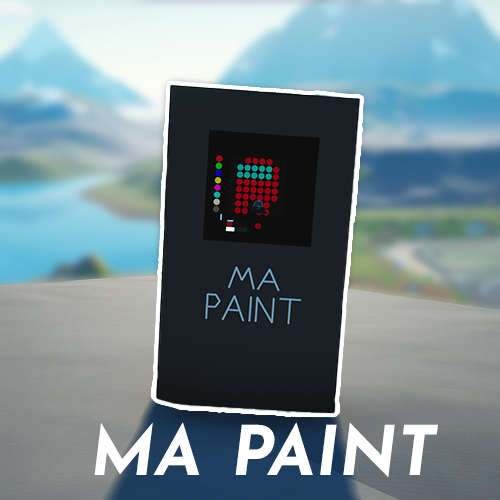
This is Main Assembly Paint the revolutionary painting program. This is how to use it: (Look around to choose paint location) Left Mouse Button - Paint Right Mouse Button - Erase Middle Mouse Button - Select color Up/Down - Edit intensity of color (Red, Green, Blue) Left/Right - Change color to edit (Red, Green, Blue) T - Toggle Color Cursor F - Toggle Camera """HOW TO USE""" Use your Left Mouse Button to paint and Right Mouse Button to Erase. To change color you can either choose one of the premade colors by doing this: Hold you cursor to the left until you are looking at the color you want to pick and look for the indicator wich shows what color you are selecting, then press Middle Mouse Button to choose the color and now you can paint with that color. To make a custom color you can use the Left/Right Arrows to choose Red, Green or Blue channel to edit. Select the channel you want to edit and then use arrow Up/Down to change intensity of the channel. The led to the bottom right shows what the color will look like. Like if you liked it :) Made by MurmelMannen
📊 Mod Details
- Game
- Main Assembly Mods
- Author
- 76561198995143182
- Version
- N/A
- Downloads
- 311
- Endorsements
- 0
- Category
- Bot
- Created
- 4/10/2021
- Updated
- 4/10/2021
🔧 How to Install Main Assembly Mods
Subscribe on Steam Workshop. Mods auto-download and install. Launch the game to activate.
📖 Full step-by-step install guide for Main Assembly →
Visit the official mod page for specific installation instructions for this mod.
🎮 Need cheat codes or console commands? Check ur gaming wiki for Main Assembly commands, item IDs, and more.
Keep browsing — more Main Assembly mods await