Custom Crosshair: Small Dot
⚪ Last updated 2016Preview
🔍 Analysis
- 👍 0.0% endorsement rate
📋 About This Mod
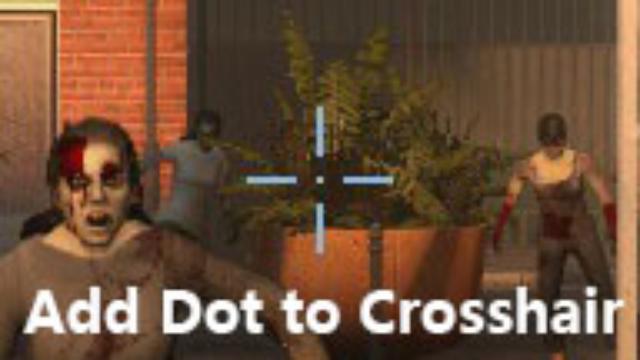
Add a small dot to the center of the screen. The dot is the same size as shotgun's. Designed for resolution of 1920*1080(the dot may not be 2x2 pixels on other resolution). The color of image in vpk is RGB(139, 183, 221), but because of image scaling, the actual color is RGB(134, 174, 212). To make it exactly RGB(139, 183, 221) is beyond my ability. I have almost fixed it. It is recommended to use it with console commands: cl_crosshair_dynamic 0 cl_crosshair_red 139 cl_crosshair_green 183 cl_crosshair_blue 221 Please make sure OPTIONS->Video->ADVANCED SETTINGS->MODEL / TEXTURE DETAIL is High or Medium, otherwise the dot will become blurred. All color: collection: http://steamcommunity.com/sharedfiles/filedetails/?id=605768819 light blue (default): http://steamcommunity.com/sharedfiles/filedetails/?id=600224638 red: http://steamcommunity.com/sharedfiles/filedetails/?id=605736771 green: http://steamcommunity.com/sharedfiles/filedetails/?id=606493010 colorblind version: http://steamcommunity.com/sharedfiles/filedetails/?id=658726730
📊 Mod Details
- Game
- Left 4 Dead 2 Mods
- Author
- 76561198059833540
- Version
- N/A
- Downloads
- 2,120
- Endorsements
- 0
- Category
- UI, Scripts
- Created
- 1/14/2016
- Updated
- 1/23/2016
🔧 How to Install Left 4 Dead 2 Mods
Subscribe on Steam Workshop. Mods auto-download and install. Launch the game to activate.
📖 Full step-by-step install guide for Left 4 Dead 2 →
Visit the official mod page for specific installation instructions for this mod.
🎮 Need cheat codes or console commands? Check ur gaming wiki for Left 4 Dead 2 commands, item IDs, and more.
Keep browsing — more Left 4 Dead 2 mods await