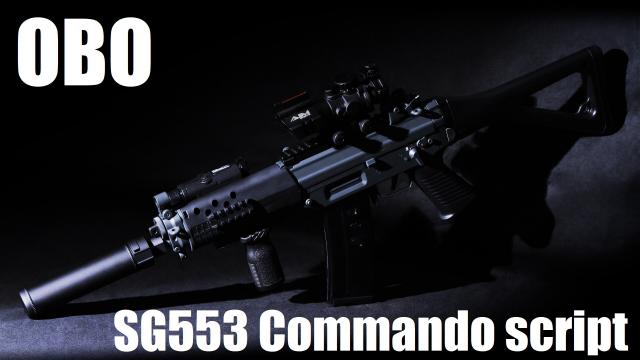
OBO: Rifle, SG553 Commando script
🟡 Updated this yearPreview
🔍 Analysis
- 👍 0.0% endorsement rate
📋 About This Mod
OBO, pronounced "oboe" (yes, like the instrument), stands for "Overall Balance Overhaul." This is a script that rebalances the SG552 / SG553 which aims to make it less of an M16 clone but with zoom, and more of its own weapon. I don't have a whole lot to say about this one, at least not yet. Further updates will be necessary to make it truly unique, but this is a start. WARNING: Weapon replacers for the CS weapons often come with a script file like this one, specifically to fix an issue that makes the gun left handed. The short version is that the script that mods come with will conflict with scripts like mine. When scripts conflict, one takes priority and overwrites the other. If the script that comes with another mod overwrites this one, your weapon will have vanilla stats. There's a pretty simple solution to this that takes minimal effort. THE QUICK SOLUTION: Simply subscribe to this mod first and then subscribe to the weapon replacer you want to use. There will still be a conflict, but mods that are subscribed to first are higher in the addon list, and take priority. If you don't mind red (conflicting) addons in your addon list, then this is all you need to do, and you can safely move on to the changelog below. THE LONG SOLUTION: If your OCD is like mine and you hate having red (conflicting) addons, then you will need to manually remove the included script in the weapon replacer you want to use, so that this mod's one is the only installed script. To do so, you will need to use the GCFScape tool to open the weapon replacer's .vpk file in your addons folder, extract the mod, delete the script it comes with, then turn it back into a .vpk again (by using the "vpk.exe" in the "bin" folder in your Left 4 Dead 2's install directory), and overwrite the old mod in your addons folder with the new one you created. You may need to install the L4D2 Authoring tools in the Tools tab in Steam for the vpk.exe file to appear. If you need more guidance, the internet is your frien
📊 Mod Details
- Game
- Left 4 Dead 2 Mods
- Author
- 76561198139166456
- Version
- N/A
- Downloads
- 2,028
- Endorsements
- 0
- Category
- Weapons, Scripts
- Created
- 9/13/2017
- Updated
- 11/22/2025
🔧 How to Install Left 4 Dead 2 Mods
Subscribe on Steam Workshop. Mods auto-download and install. Launch the game to activate.
📖 Full step-by-step install guide for Left 4 Dead 2 →
Visit the official mod page for specific installation instructions for this mod.
🎮 Need cheat codes or console commands? Check ur gaming wiki for Left 4 Dead 2 commands, item IDs, and more.
Keep browsing — more Left 4 Dead 2 mods await