KotOR 1 Remastered (AI Upscaled) Cutscenes
⚪ Last updated 2019Preview
🔍 Analysis
- 👍 2.5% endorsement rate — high engagement, a strong quality signal
- 🏆 #2 of 85 Visuals and Graphics mods in this game by downloads
📋 About This Mod
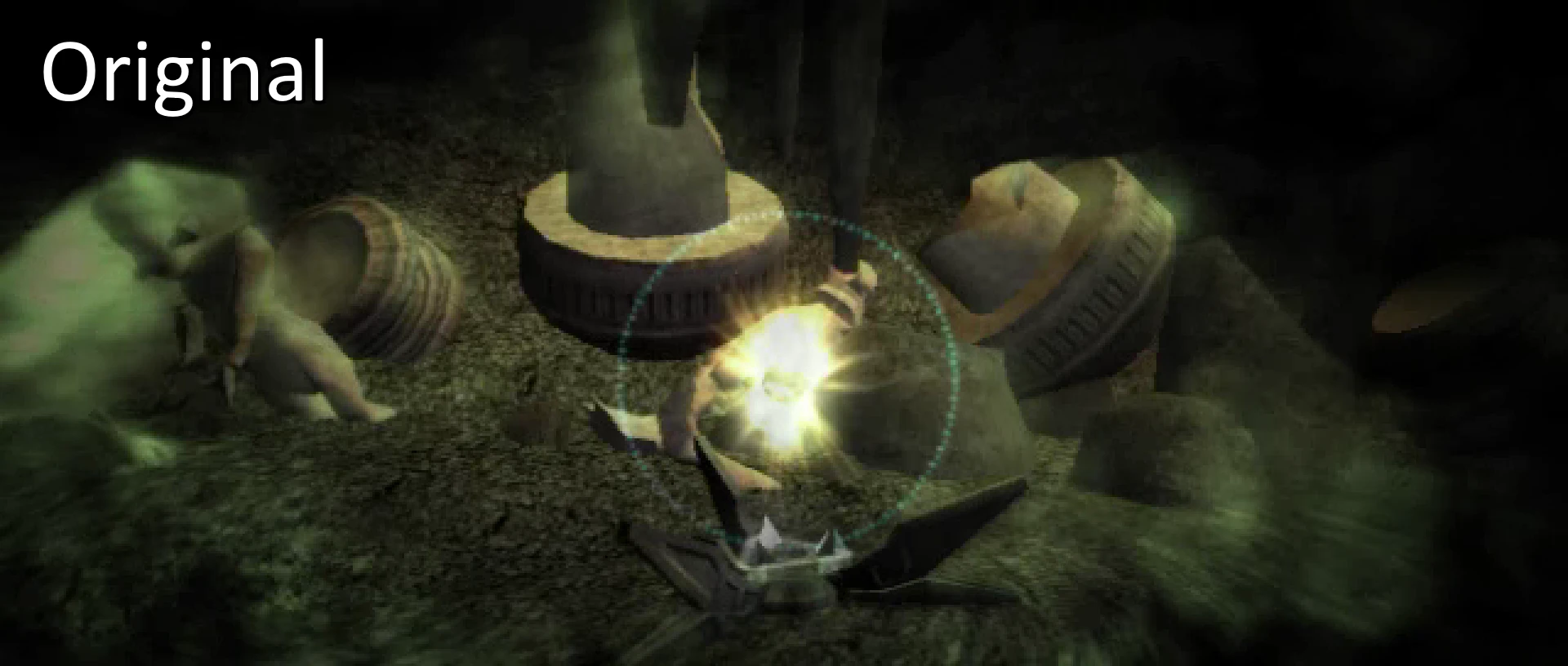
The cutscenes were upscaled using Topaz Gigapixel AI, and interpolated to 60fps using SVP Pro 4. Black bars are used to maintain the aspect ratio of the content while bringing the videos to 16:9 overall.
TO INSTALL:
-
[]Make a backup of your "Movies" folder, in your main game directory.
[
]Download the pack that matches the resolution you play at. (Available: 720p, 768p, 1080p, 1440p, 2160p)[]Extract/unzip the pack you downloaded.
[]Replace everything in your Movies folder with the extracted files. Do not place them in your Override folder.
[]Make a backup of your game's executable.
[]From here, there are two options to get them to play properly:
Use Universal Widescreen (UniWS) to patch your game to the desired resolution. Video tutorial.
Using a HEX editor, change the set of numbers in your game's executable. See below.
NOTE: 1366x768 resolution may not work, as the game has issues with that particular resolution.
If you're using the Steam version, you may need to get a replacement executable (which I can't provide here) to be able to open it with the HEX editor or UniWS, or for the correct values to appear. Other online guides may have a link to a suitable file.
To edit your executable, follow one of these two guides (skipping the parts about upscaling the cutscenes):
-
[]https://www.youtube.com/watch?v=bA5l6HVs4Y4&feature=youtu.be&t=548
[
]https://deadlystream.com/topic/4631-how-to-force-kotor-i-iis-bik-movies-to-play-in-any-resolution/You will need to change the first and last two values in this set in your exe: 80 02 00 00 75 15 81 3D D8 D1 78 00 E0 01
The new values you should use, per resolution, are:
-
[]720p: 00 05 00 00 75 15 81 3D D8 D1 78 00 D0 02
[
]768p: 56 05 00 00 75 15 81 3D D8 D1 78 00 00 03[]1080p: 80 07 00 00 75 15 81 3D D8 D1 78 00 38 04
[]1440p: 00 0A 00 00 75 15 81 3D D8 D1 78 00 A0 05
- 2160p: 00 0F 00 00 75 15 81 3D D8 D1 78 00 70 08
For another widescreen fix, check out my mod here: Widescreen Fade-In and Fade-Out Fix
-
[]720p: 00 05 00 00 75 15 81 3D D8 D1 78 00 D0 02
-
[]https://www.youtube.com/watch?v=bA5l6HVs4Y4&feature=youtu.be&t=548
This mod replaces all KotOR 1 cutscenes with AI-upscaled versions, available in resolutions from 720p to 4K and enhanced to 60fps. It's a visual upgrade for players who want sharper cinematics on modern displays, with high community support (2,838 endorsements).
✨ Key Features
📊 Pros & Cons
✅ Pros
- Huge community trust with 2,838 endorsements and over 112k downloads.
- Multiple resolution options let you match your screen without overkill.
- 60fps cinematics make the old cutscenes feel way smoother.
⚠️ Cons
- Only touches cutscenes—gameplay visuals stay original, so don't expect a full remaster.
- AI upscaling can sometimes introduce artifacts or weird details in faces.
- Last updated in 2019, so it might not be compatible with newer mod setups or patches.
For KotOR fans who replay the game on modern monitors and can't stand the blurry original cutscenes. If you're after gameplay overhauls or texture mods for the world, this isn't it—it's purely cinematic.
💡 Beginner Tips
- Pick the resolution that matches your monitor's native resolution—downscaling 4K to 1080p wastes performance.
- If you use a mod manager, let it handle the file placement to avoid overwriting other cinematic mods.
- Check the mod's forum posts for any known conflicts with widescreen or UI mods.
📊 Mod Details
- Game
- Kotor Mods
- Author
- Naelavok
- Version
- 1.1
- Downloads
- 112,265
- Endorsements
- 2,838
- Category
- Visuals and Graphics
- Created
- 11/7/2019
- Updated
- 12/3/2019
🔧 How to Install Knights of the Old Republ Mods
Download from Nexus Mods.
📖 Full step-by-step install guide for Knights of the Old Republ →
Visit the official mod page for specific installation instructions for this mod.
🎮 Need cheat codes or console commands? Check ur gaming wiki for Knights of the Old Republ commands, item IDs, and more.
Keep browsing — more Knights of the Old Republ mods await