Map Enhancement Overhaul - Dynamic Collectible Locations
⚪ Last updated 2023Preview
🔍 Analysis
- 👍 2.3% endorsement rate — high engagement, a strong quality signal
- 🏆 #1 of 122 Maps mods in this game by downloads
📋 About This Mod
After a significant hiatus, UPDATE 3. 0 of Map Overhaul is here! I bet none of you were expecting this! And to be honest, neither was I. You can effectively consider Aproydtix to be the creator of this update, which brings something I didn't think was possible: dynamic icons. Read on for details! (Yeah I have significantly trimmed down the description)
From 3. 0 on, you will be able to choose between two main versions of the mod. Don't use both at once!
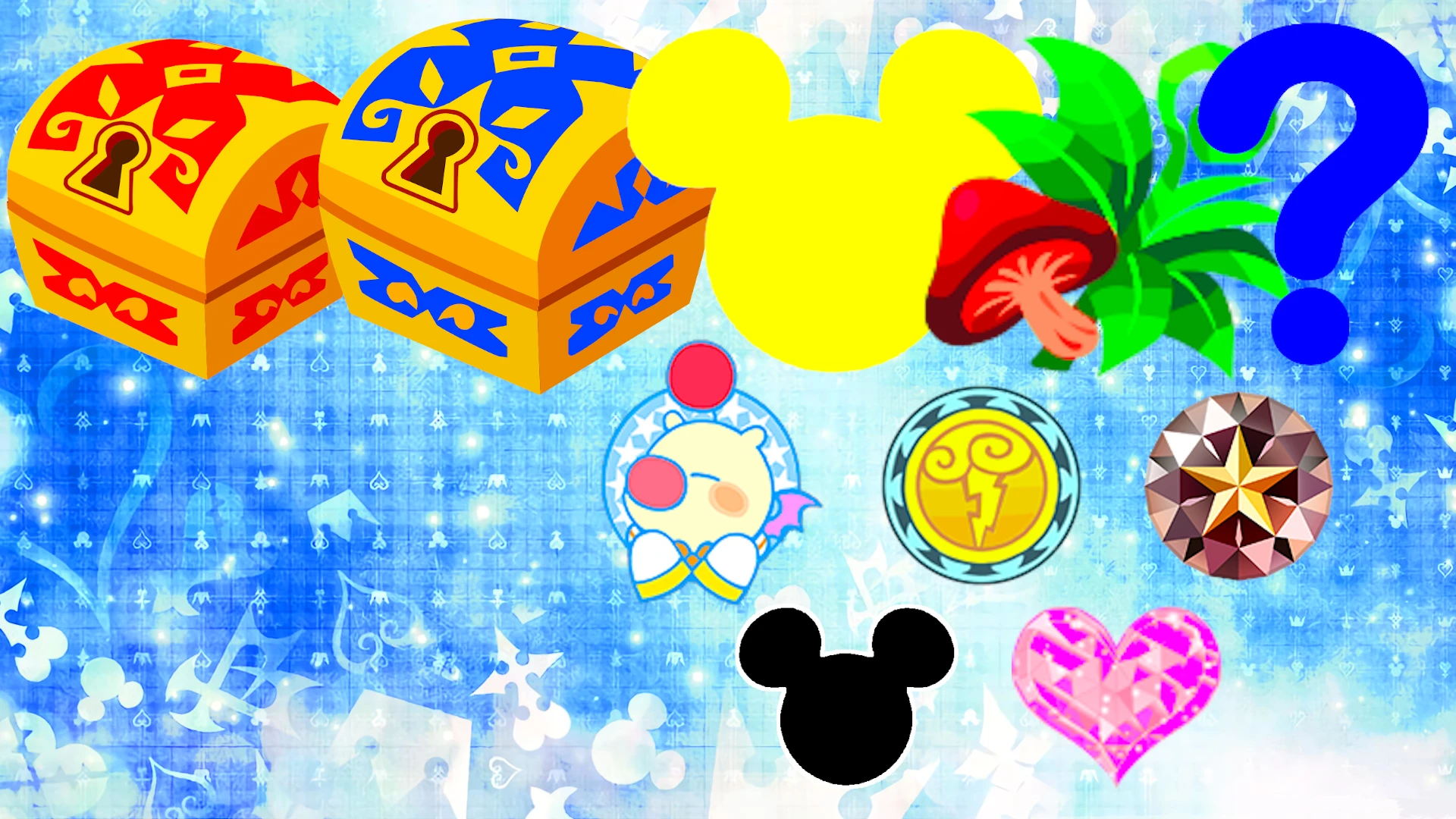
CLASSIC MAP ICONS
Red Chest Icon & Blue Chest Icon: Red Chest Icons are used for the smaller chests while Blue Chest Icons, for the large chests. The icons themselves have a slight difference in size, too!
Mickey Icon:
Herb Icon:
It marks Ingredients.Classic Mickey Icon:
Olympus Icon:
It marks the locations of all five Golden Herc statues.
Jewel Icon:
It marks the location of barrels and other objects (i.e. Kingdom of Corona flags) where Sora can perform a trick and make people drop Munny, and also all the loot from The Caribbean where you can spam Triangle/Y to get Munny.
Heart Icon:
Moogle Icon:
[]Photomissions #1 (Flamecore), #2 (Watercore) and #3 (Chief Puff): each of these missions uses a special coloured variant of the icon (red for #1,[color
Map Enhancement Overhaul - Dynamic Collectible Locations reveals all Treasure Chests and Lucky Emblems on every mini map, with optional Ingredients and more collectibles. Choose between a static texture version or a Modloader version with dynamic fading icons. A popular map mod with 832 endorsements.
✨ Key Features
📊 Pros & Cons
✅ Pros
- Community favorite with 832 endorsements and over 35k downloads.
- Flexible options: static or dynamic icons to suit your preference.
- Saves time hunting for collectibles—everything shows up on the map.
⚠️ Cons
- The Modloader version requires a mod loader, which might be extra setup.
- Dynamic icons fading might make it harder to spot collectibles at a glance.
- Compatibility with other map mods could be an issue—check your load order.
For completionists who hate missing chests or emblems and want them all visible on the map. Also great for players who want to streamline exploration without guides. Skip if you prefer the challenge of finding collectibles organically.
💡 Beginner Tips
- If you're using the Modloader version, make sure your mod loader is up to date to avoid conflicts.
- Test both versions in a new game to see which icon style you prefer before committing.
- Check if other map mods you use are compatible—this mod changes mini map behavior.
📊 Mod Details
- Game
- Kingdomhearts3 Mods
- Author
- DavidRM99
- Version
- 3.0
- Downloads
- 35,536
- Endorsements
- 832
- Category
- Maps
- Created
- 11/24/2021
- Updated
- 8/24/2023
🔧 How to Install Kingdom Hearts III Mods
Download from Nexus Mods.
📖 Full step-by-step install guide for Kingdom Hearts III →
Visit the official mod page for specific installation instructions for this mod.
🎮 Need cheat codes or console commands? Check ur gaming wiki for Kingdom Hearts III commands, item IDs, and more.
Keep browsing — more Kingdom Hearts III mods await