No GPS - Remove Player Marker on Map
⚪ Last updated 2019Preview
🔍 Analysis
- 👍 3.6% endorsement rate — high engagement, a strong quality signal
- 🏆 #37 of 44 User Interface mods in this game by downloads
📋 About This Mod
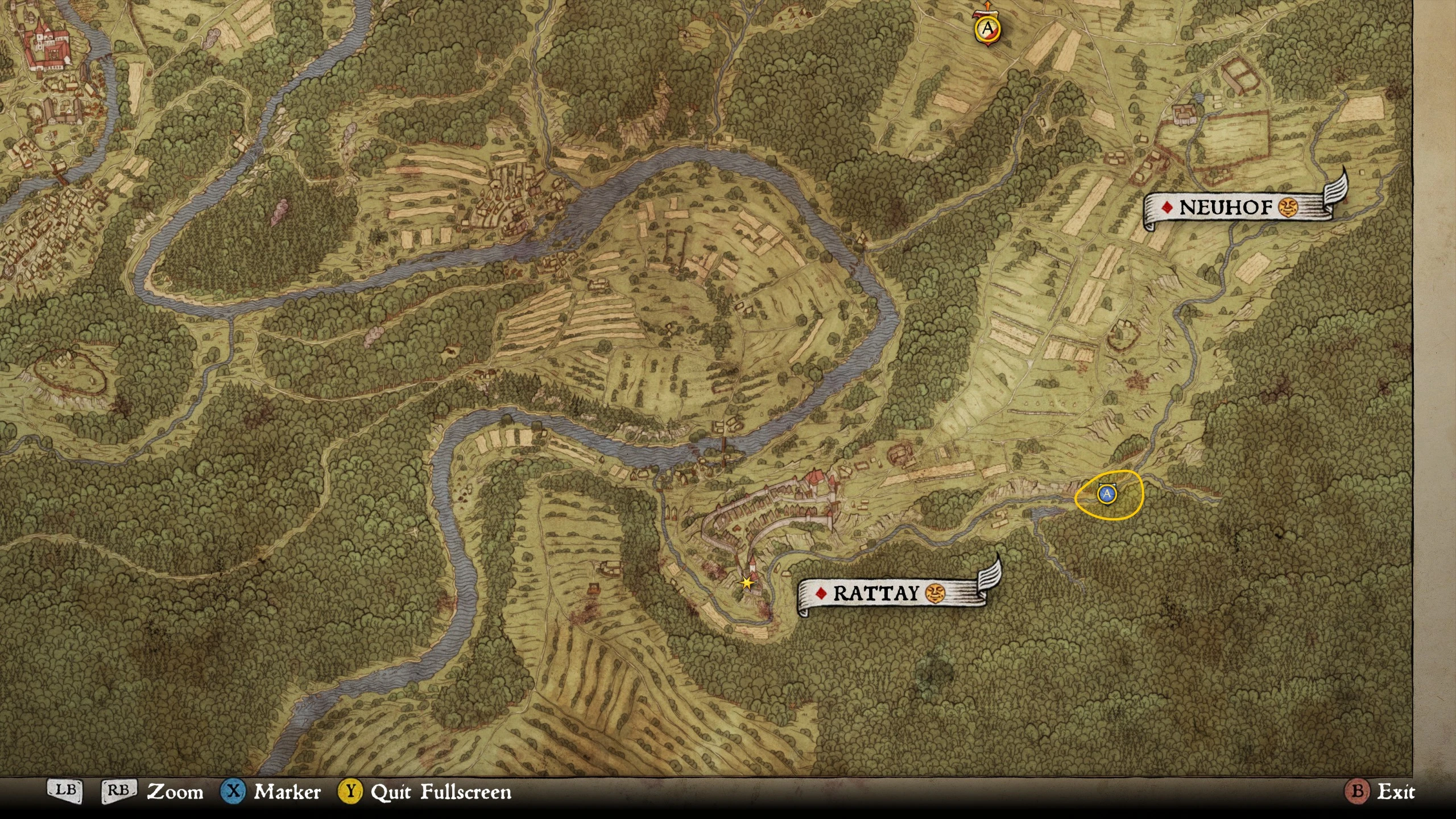
Hides the player position on the map. This makes the navigation experience more traditional and immersive. Option to disable fast travel.
No GPS - Remove Player Marker on Map
Only install one version. Do not use this mod if you play on hardcore mode.
Update 2018-06-26: Hardcore mode added to KC:D
"Hardcore mode" was released today. With this mode, Warhorse Studios have included the features of this mod! Therefore, if you are playing on Hardcore Mode, you should not use this mod. But if you are playing on Normal mode you will still need this mod in order to hide the player position.
Basic version
- []Player marker on the map is invisible[/]
Full version
-
[]Player marker on the map is invisible[/]
[]When opening the map, it will center on the checkpoint marker.[/]
[]There are two variants of the full version: one with fast travel disabled, and one with fast travel enabled. (Note: if you choose to have fast travel enabled, the fast travel animation will be a bit odd. Read more below.)[/]
Longer description of the Full version
The Basic version of this mod partly reveals the players location because when you open the map its center will be defined by the (albeit invisible) player marker. The Full version of this mod solves this by centering the map position on the most recently added checkpoint marker. Click "x" and a checkpoint marker will be placed at your cursor.
There are also two variants of the Full version, one with fast travel enabled, and one with fast travel disabled. Forced fast travel in quests should work normally.
(Note: if you pick the version with fast travel enabled, the fast travel animation will be a bit odd. During the animation, the camera will be stuck on the static checkpoint marker. You will not see the player marker moving, which you normally would. But you will still arrive at the correct location after the same amount of time, so the functionality of the fast travel feature is still the same. The reason for this behavior is that my mod fools the game into thinking that the checkpoint marker is the player marker.)
Recommended mods
Remove Compass (and more, optionally) - made by Nic0h. In combination with my mod, you will finally be able to get lost in the forest! Just remember that the sun rises in the east and sets in the west. If you only want to remove the compass (and not use the other features of Nic0h's mod), you need to do the following:
-
[]Download the main file "NoCompassAndCrosshair"[/]
[]Remove "i_No_Comp_Dot_TRANSCombat_NoblockIndi_NoEnemyHealthbar" from the Data folder of that mod[/]
[]Install the mod normally by placing it in the Mods folder.[/]
[]Download the optional file "NoCompassAndCrosshair_Textures" and copy the file "a_No_Compass" from there to Mods\NoCompassAndCrosshair\Data.[/]
[]Rename "a_No_Compass" to "zzz_No_Compass"[/]
[]Now your compass should be hidden. You should now have two PAK-files in the Mods\NoCompassAndCrosshair\Data folder. One called "__Hide_Compass_Markers" and one called "zzz_No_Compass".[/]
No Mutt Marker on Map - made by kaiserik. Hides the marker the dog companion "Mutt", which otherwise could spoil you location.
Installation
-
[]Download your preferred version (only install one version).[/]
[]Navigate to your Kingdom Come: Deliverance game folder in the Steam folder. The default is C:\Program Files (x86)\Steam\steamapps\common\KingdomComeDeliverance\[/]
[]Go to the "Mods" folder, if it doesn't exist create it.[/]
[]Move the contents of the 7Zip file you're using into your Mods folder. (You will need 7zip or something similar for this step.)[/]
[]Now you should have a folder called "NoGPS" inside the "Mods" folder. (The "NoGPS" folder should not be a 7Zip file. You can find the NoGPS folder inside the 7Zip file you downloaded.)[/]
Uninstallation
Delete the NoGPS folder in C:\Program Files (x86)\Steam\steamapps\common\KingdomComeDeliverance\Mods
Mod conflicts
- This mod will be compatible with most o
📊 Mod Details
- Game
- Kingdomcomedeliverance Mods
- Author
- Kachiun97
- Version
- 1.6
- Downloads
- 4,960
- Endorsements
- 179
- Category
- User Interface
- Created
- 3/7/2018
- Updated
- 6/13/2019
🔧 How to Install Kingdomcomedeliverance Mods
Download from Nexus Mods.
📖 Full step-by-step install guide for Kingdomcomedeliverance →
Visit the official mod page for specific installation instructions for this mod.
🎮 Need cheat codes or console commands? Check ur gaming wiki for Kingdomcomedeliverance commands, item IDs, and more.
Keep browsing — more Kingdomcomedeliverance mods await