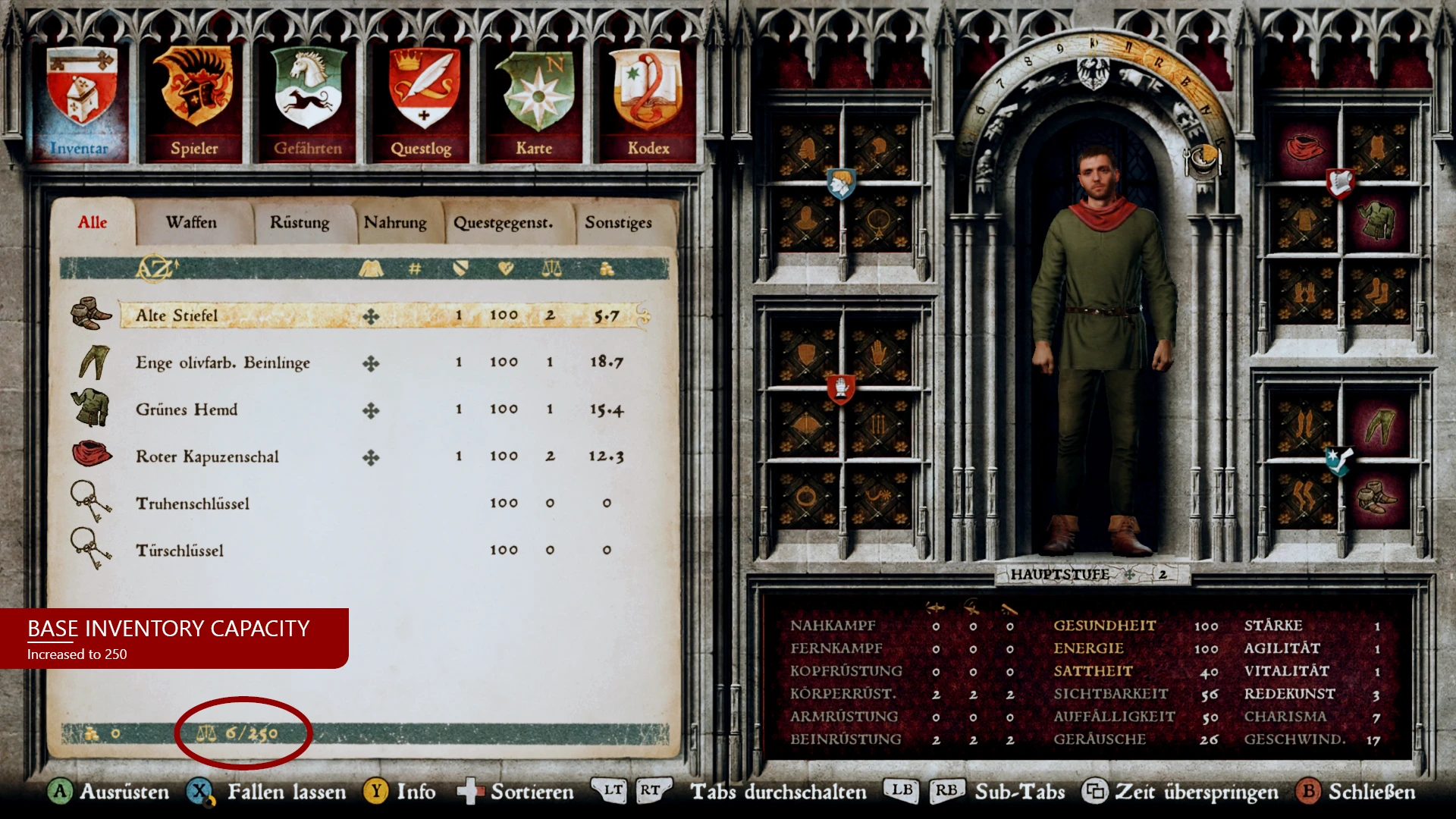
Increased Base Inventory Capacity
⚪ Last updated 2019Preview
🔍 Analysis
- 👍 3.9% endorsement rate — high engagement, a strong quality signal
- 🏆 #116 of 218 Gameplay mods in this game by downloads
📋 About This Mod
Different versions to increase the base inventory capacity to 250, 500, 750, 1000 or Unlimited.
DESCRIPTION:
This mod changes the inventory capacity. You can choose from different versions:
Activate only one mod!
INSTALLATION:
1. Download the zip file
2. Unzip the package into the 'Mods' folder: \Steam\steamapps\common\KingdomComeDeliverance\Mods\
3. That's it! Enjoy the new look!
Activate only one mod!
UNINSTALL:
Just delete the file that you put in the 'Mods' folder of your game directory.
TROUBLESHOOTING/INCOMPATIBILITIES:
Any other mod that changes the inventory stats, or multiple installed versions of this mod may cause trouble. My mod contains only the line with the base inventory value. I hope this makes this mod compatible with other mods that change the inventory stats. Just make sure this mod is loaded last. It should only override the base inventory capacity.
KNOWN ISSUES:
Q: The mod doesn't work.
A: Check if the installation, for this example the 250-version, looks like this:
'\Steam\steamapps\common\KingdomComeDeliverance\Mods\customweight_250\'
In the 'customweight_250' folder should be the 'mod.manifest' and 'data' folder. Activate only one mod!
Q: I started a new game and the inventory capacity stays at default.
A: Save your game, quit and load it. Capacity should be increased now.
Q: With the mod "Stay Clean Longer" enabled, the base capacity won't change.
A: It looks like the "Stay Clean Longer" Mod overrides the base capacity value. No fix yet. You have to select between these two mods. Sorry!
TIPP:
I recommend Joew's Kingdom Come Deliverance Mod Manager. With this tool you can just check/uncheck installed mods. No need to move or edit mod files, if you want to enable/disable them. Super easy to use.
TIPP:
Download Inventory Stone and Background Recolor Mod If you want the same stone recolor of the inventory as in the screenshots.
HOW TO EDIT THE CAPACITY VALUE:
If you have basic knowledge of text editors and zip-files, it's super easy. Trust me. For this example we use the 250 version file.
1. Click into the unziped 'customweight_250' folder.
2. Click into the 'data' folder.
3. Use 7zip to unzip the 'customweight_250.pak' file.
4. Click to '\customweight_250\libs\tables\rpg\' and open the rpg_params.xml with notepad, atom or any other text editor.
5. Change 'rpg_param_value="246" to whatever value you want.
6. Save the .xml file.
7. Go back into the main folder 'customweight_250'.
8. Make a .zip file of the lib folder. (NO 7zip file. Make it a normal .zip)
9. Rename it to 'customweight_YOURVALUE.pak'.
10. Move your pak-file to the data folder and delete the old pak-file.
📊 Mod Details
- Game
- Kingdomcomedeliverance Mods
- Author
- kingofnuthin
- Version
- 0.9.2
- Downloads
- 12,421
- Endorsements
- 485
- Category
- Gameplay
- Created
- 9/11/2019
- Updated
- 9/14/2019
🔧 How to Install Kingdomcomedeliverance Mods
Download from Nexus Mods.
📖 Full step-by-step install guide for Kingdomcomedeliverance →
Visit the official mod page for specific installation instructions for this mod.
🎮 Need cheat codes or console commands? Check ur gaming wiki for Kingdomcomedeliverance commands, item IDs, and more.
Keep browsing — more Kingdomcomedeliverance mods await