Ambient Occlusion Fix
⚪ Last updated 2018Preview
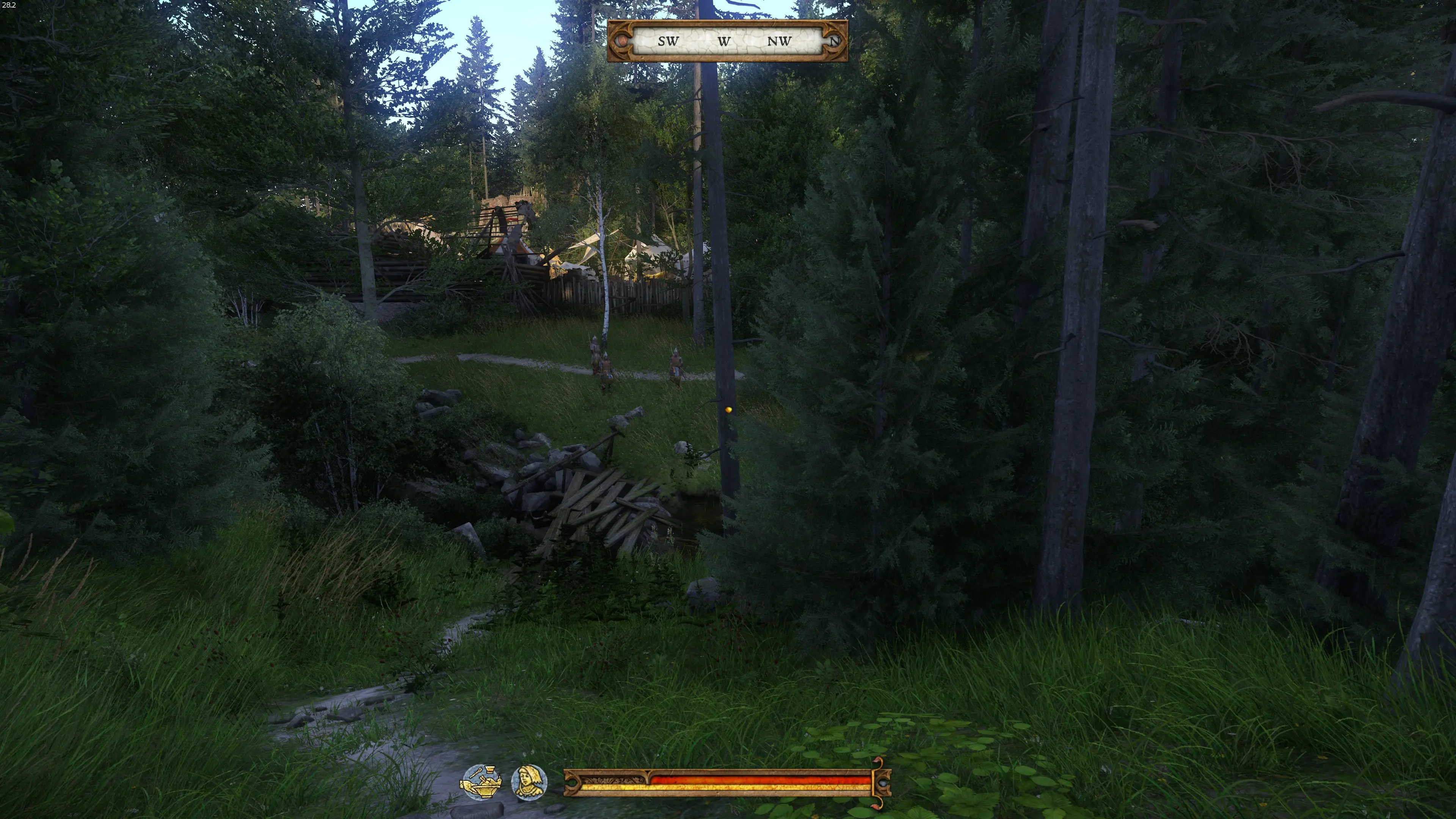
🔍 Analysis
- 👍 2.4% endorsement rate — high engagement, a strong quality signal
- 🏆 #10 of 72 Visuals and Graphics mods in this game by downloads
📋 About This Mod
Ambient Occlusion Fix: - More noticable Ambient Occlusion - More depth into graphics - Rim Light less "shiny"- Reduced textures overbright effect- SVOTI, and SSDO tweaks - 0 FPS loss
1. a) (Steam): Add "+exec user.cfg" command into Steam, by "Set Launch Options" - (without quotes).
or, b) (other than Steam): Add "+exec user.cfg" into game shortcut - (at the end of line, without quotes).
2. Download, and unpack "Ambient_Occlusion_Fix_user".
3. Put user.cfg (file) into Your main Kingdom Come: Deliverance dir - same folder, where Data and Engine folders are.
Alternative..You can use below commands in game console "~", or just place into existed "user.cfg":
Inside user cfg:
r_ssdoAmountAmbient=1. 4
r_ssdoAmountDirect=2
r_ssdoAmountReflection=4
r_ssdoHalfRes=2
r_ssdoRadius=0. 04
r_ssdoRadiusMin=0. 07
r_ssdoRadiusMax=0. 1
e_svoTI_SSAOAmount=1. 545
e_svoTI_SpecularAmplifier=0. 82
e_svoTI_TemporalFilteringBase=1
e_svoTI_MinReflectance=0. 19
e_svoTI_DiffuseAmplifier=1. 12
v. 1. 07
Recommended Mods:
This is my first upload at nexus.com..
📊 Mod Details
- Game
- Kingdomcomedeliverance Mods
- Author
- bravo16mt
- Version
- 1.07
- Downloads
- 81,890
- Endorsements
- 1,983
- Category
- Visuals and Graphics
- Created
- 3/8/2018
- Updated
- 4/22/2018
🔧 How to Install Kingdomcomedeliverance Mods
Download from Nexus Mods.
📖 Full step-by-step install guide for Kingdomcomedeliverance →
Visit the official mod page for specific installation instructions for this mod.
🎮 Need cheat codes or console commands? Check ur gaming wiki for Kingdomcomedeliverance commands, item IDs, and more.
Keep browsing — more Kingdomcomedeliverance mods await