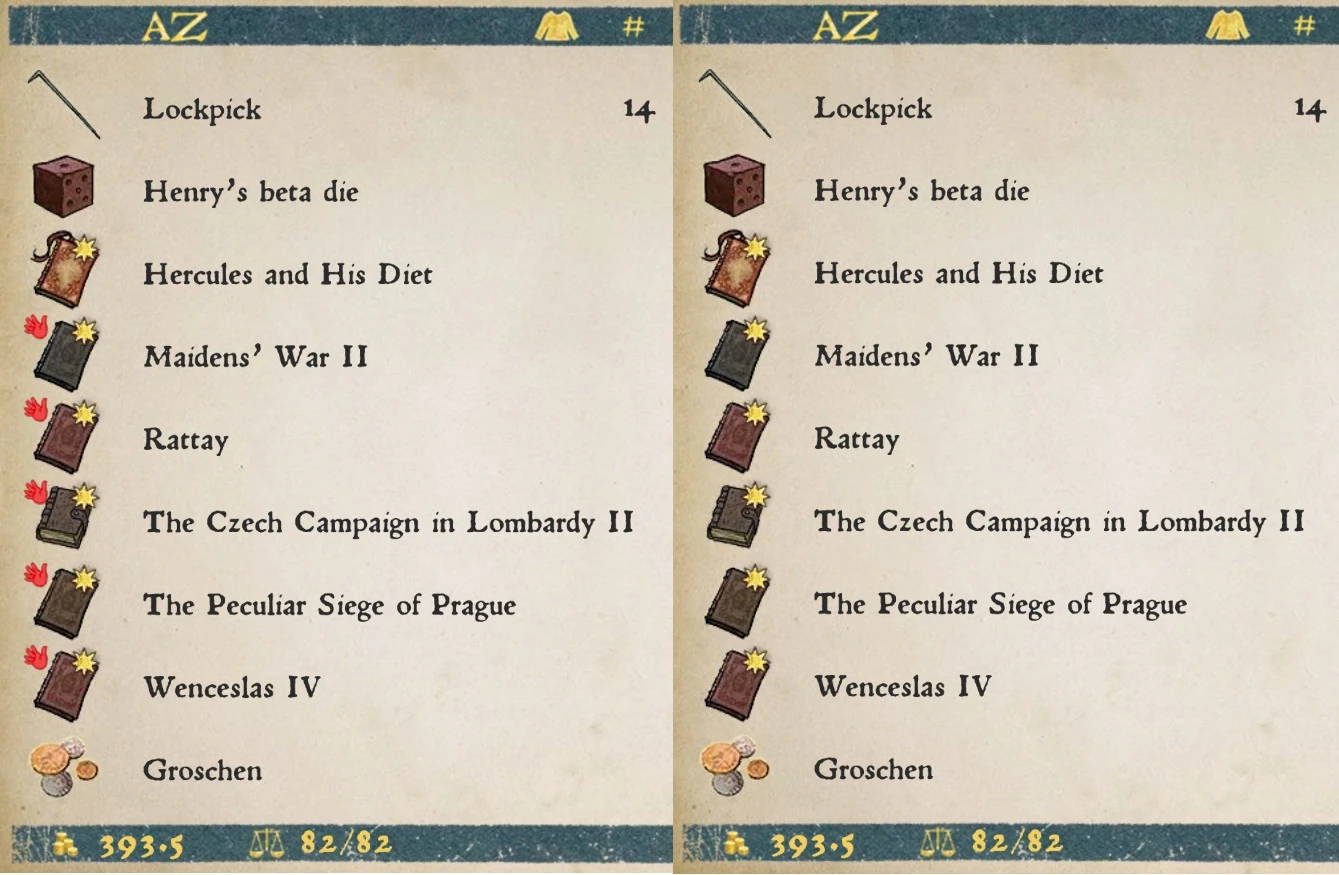
No Stolen Item Tag
⚪ Last updated 2024Preview
🔍 Analysis
- 👍 2.6% endorsement rate — high engagement, a strong quality signal
- 🏆 #112 of 219 Gameplay mods in this game by downloads
📋 About This Mod
Tested with v1. 9. 6
How exactly do NPCs know that you've stolen items without having caught you doing it? Black magic I suppose. Removes the 'stolen item' tag from items you have shamefully acquired.
This is obviously not how the game was made to be played, but for a game with such a heavy emphasis on "realism" this is a silly mechanic in my opinion.
INSTALLATION
Unzip the file into your KCD Mods folder ('.\Kingdom Come Deliverance\Mods'). If you do not have a Mods folder simply create one.
You also need to add a line to your user.cfg file. This can be found in your root installation folder (Usually 'C:\Program Files (x86)\Steam\steamapps\common\Kingdom Come Deliverance' or 'C:\Program Files (x86)\GOG Galaxy\Games\Kingdom Come Deliverance'), if you do not have one create it. You can do this by creating a new .txt file and renaming it to 'user.cfg'.
Add the following line to 'user.cfg':
wh_sys_PreferredDB = XML,TBL
If the mod is not working it is likely because the user.cfg line is not present.
Items that were stolen prior to the mod being installed should lose their stolen item tag as well.
Thanks to Imperator Gowron for explaining how to make this mod yourself in the comments of the original mod No More or Less Stolen items Tag
Removes the 'stolen item' tag from items in Kingdom Come Deliverance, making stolen goods appear as legitimate. Requires a simple file drop and a user.cfg line. Works with v1.9.6 and retroactively clears tags on previously stolen items. A quality-of-life tweak for players who find the mechanic unrealistic.
✨ Key Features
📊 Pros & Cons
✅ Pros
- Community-trusted with 339 endorsements and over 12,900 downloads.
- Works retroactively—no need to re-steal items after installing.
- Lightweight and easy to install, no extra dependencies.
⚠️ Cons
- Requires manual user.cfg edit—easy to miss if you're not careful.
- Only tested on v1.9.6, so newer patches might break it.
- Purely cosmetic—doesn't affect gameplay beyond removing the tag.
For Kingdom Come: Deliverance players who hate the stolen tag mechanic and want to sell loot without hassle. Perfect for stealth archers and kleptomaniacs who want a more forgiving experience. Skip if you prefer the challenge of managing stolen goods.
💡 Beginner Tips
- Make sure your user.cfg is in the root game folder, not the Mods folder—common mistake.
- If the mod doesn't work, double-check the user.cfg line is exactly 'wh_sys_PreferredDB = XML,TBL' with no typos.
- Back up your user.cfg before editing, just in case you need to revert.
📊 Mod Details
- Game
- Kingdom Come Mods
- Author
- Arctic0ne
- Version
- 1.0
- Downloads
- 12,939
- Endorsements
- 339
- Category
- Gameplay
- Created
- 2/5/2024
- Updated
- 2/5/2024
🔧 How to Install Kingdom Come Mods
Create /Mods/ folder in Data directory. Use Vortex for complex mods.
📖 Full step-by-step install guide for Kingdom Come →
Visit the official mod page for specific installation instructions for this mod.
🎮 Need cheat codes or console commands? Check ur gaming wiki for Kingdom Come commands, item IDs, and more.
Keep browsing — more Kingdom Come mods await