3rd Person camera switch
⚪ Last updated 2019⚠️ Install Order · 1 step
Install in this order, then this mod last — most mods fail to load without their framework and dependencies in place.
Preview
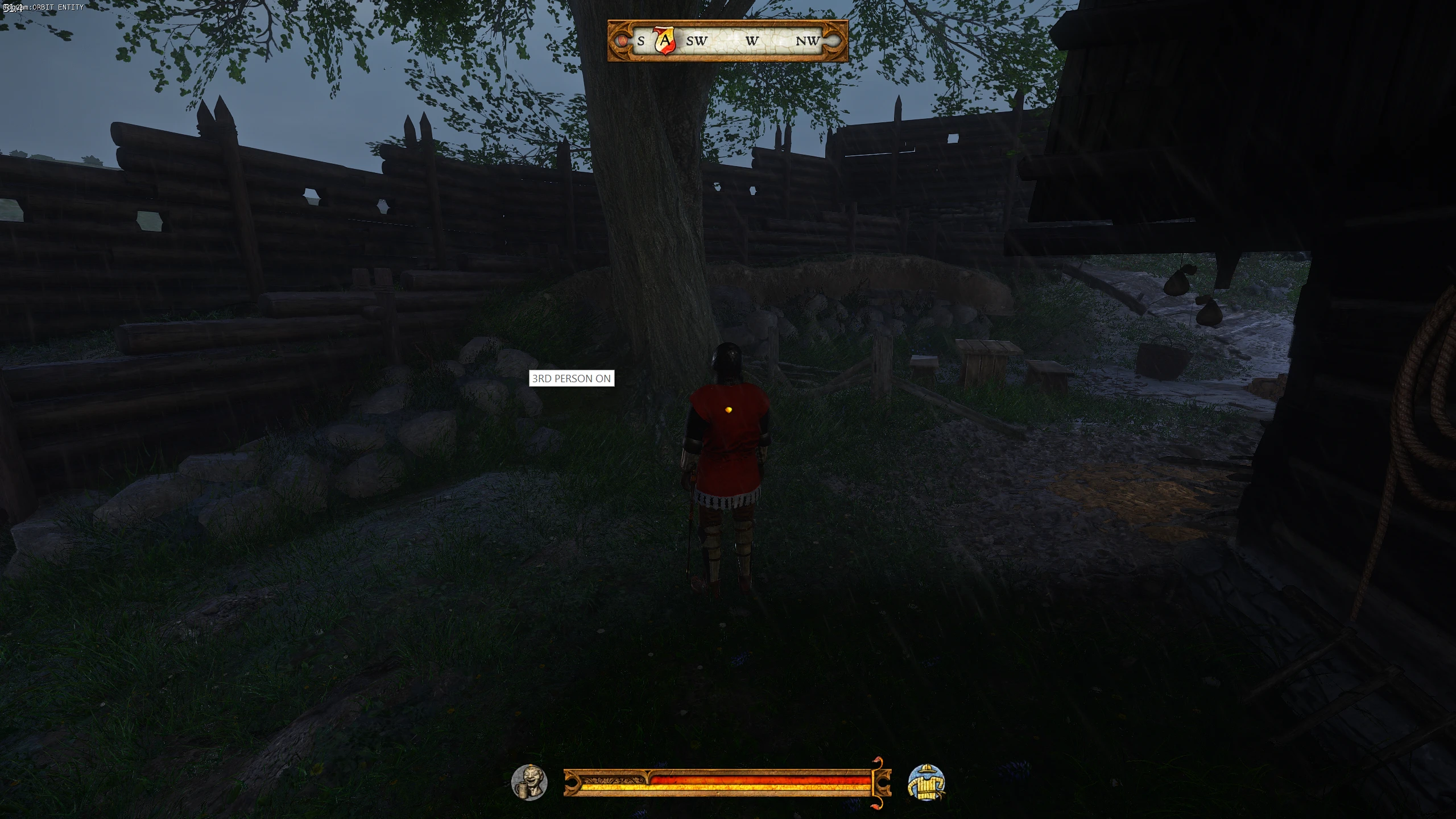
🔍 Analysis
- 👍 2.5% endorsement rate — high engagement, a strong quality signal
- 🏆 #97 of 219 Gameplay mods in this game by downloads
📋 About This Mod
-------------------------------------------------------------------------------------------------------------------------
This is a "Autohotkey" script I made for Kingdom Come Third Person Camera Mode. It makes it so you can switch views a little faster without having to press the buttons provided by the Mod.
For some reason provided by the mod author of Third Person Camera Mode. I cant seem to be able to switch to 3rd Person view when I press F5, but F7 works. Keep in mind I have the Cheats Mod for quick save at F5 so it probably conflicted. But regardless.
So I made a script that will type the console words in for you and press the F7 for you.
I have added a little bonus to the script
You dont really need a 5-button mouse for this but if you do then it'll be allot helpful for you.
Use the third person camera as reference.
-------------------------------------------------------------------------------------------------------------------------
Keybindings
-------------------------------------------------------------------------------------------------------------------------
MOUSE5 - Switchs the camera between 3rd person pov and 1st person pov (Point of View)
[ - Switches the camera to 3rd person pov
] - Switches the camera to 1st person fov
z - Makes your character auto walk/run if you already pressed CAPSLOCK to walk or run. Pressing W will stop the auto walk/run.
-------------------------------------------------------------------------------------------------------------------------
Installation:
1.) Download Third Person Camera Mode -- https://www.nexusmods.com/kingdomcomedeliverance/mods/532
2.) Follow the instructions on where to put the files from Third Person Camera Mode
3.) OPTIONAL - Download Cheats Mod (This mod is unintentional and at the time of making the script I was already using this mod. You do not have to download it. The Cheats mod was overriding the F5 Key.)
4.) Download Camera Switcher and 3rd Person Camera Keys from my mod.
5.) Place Camera switcher anywhere you want.
6a.) If you have the "A Womans Tale" DLC. Place the "3rdPersonCameraKey-Ken" in the same folder from the ThirdPersonCamera Mod and delete the old one.
6b.) If you dont have "A Womans Tale" DLC. You dont have to do anything.
7.) On Steam, Go to Game Properties, On the General Tab, Look for Launch Options and type in -devmode, close out when done.
8.) Enjoy your game.
Why is my character flying in the sky after pressing F1???
Oh, thats probably from the Cheat Mod hahaha. To go around it, press Esc and then you can press F1.
How come you didnt just press F5?
When I was making the script, I noticed my F5 wasnt working because it was overrided by the Cheat Mod to do quick saves. So thats why this script just types it in for you very quickly.
MOD REQUIREMENTS
Third Person Camera Mode - You will need to press F1 to activate the debug mode so that you can go into third person. Otherwise it would not work.
Cheats - This mod has F5 as a quicksave. You can always turn it off or not use it but this mod doesn't really change anything in your playthrough other than add convenience for you when the time comes.
Add "-Devmode" into steam launch
-When I came back to read some posts, I saw that you have to add -devmode to steam launch to make it work. I had also done the same too.
-------------------------------------------------------------------------------------------------------------------------
All credit goes to the author of the third person camera mode. All I did was make a script that will make it easier to switch.
An AutoHotkey script for Kingdom Come: Deliverance that speeds up camera switching between first and third person views, bypassing the original mod's keybind conflicts. Adds a mouse button toggle and an auto-walk/run feature. Requires the Third Person Camera Mode mod and optionally the Cheats Mod.
✨ Key Features
📊 Pros & Cons
✅ Pros
- Solves a real annoyance if you have keybind conflicts (like F5 taken by Cheats Mod)
- Adds a handy auto-walk/run feature that's not in the base game
- Simple AutoHotkey script — easy to tweak if you know basic AHK
⚠️ Cons
- Requires the Third Person Camera Mode mod as a dependency — not standalone
- Last updated in 2019 — may not work with current game patches
For Kingdom Come players who use the Third Person Camera Mode mod and find the default keybindings clunky or conflicting. Also handy if you want a quick auto-walk/run toggle. Skip if you don't use that mod or prefer vanilla controls.
💡 Beginner Tips
- Make sure AutoHotkey is installed and run the script as administrator to avoid permission issues.
- If you have the Cheats Mod, rebind its quick save key or expect conflicts — the script is designed to work around that.
- Test the script in a safe area first to get used to the MOUSE5 toggle and Z auto-walk.
📊 Mod Details
- Game
- Kingdom Come Mods
- Author
- KenichiWu
- Version
- 2.1
- Downloads
- 17,653
- Endorsements
- 449
- Category
- Gameplay
- Created
- 7/9/2018
- Updated
- 8/28/2019
🔧 How to Install Kingdom Come Mods
Create /Mods/ folder in Data directory. Use Vortex for complex mods.
📖 Full step-by-step install guide for Kingdom Come →
Visit the official mod page for specific installation instructions for this mod.
🎮 Need cheat codes or console commands? Check ur gaming wiki for Kingdom Come commands, item IDs, and more.
Keep browsing — more Kingdom Come mods await