Enhanced Global Illumination and Lighting
🟠 Updated over a year agoPreview
🔍 Analysis
- 👍 1.5% endorsement rate — high engagement, a strong quality signal
- 🏆 #4 of 293 Visuals mods in this game by downloads
📋 About This Mod
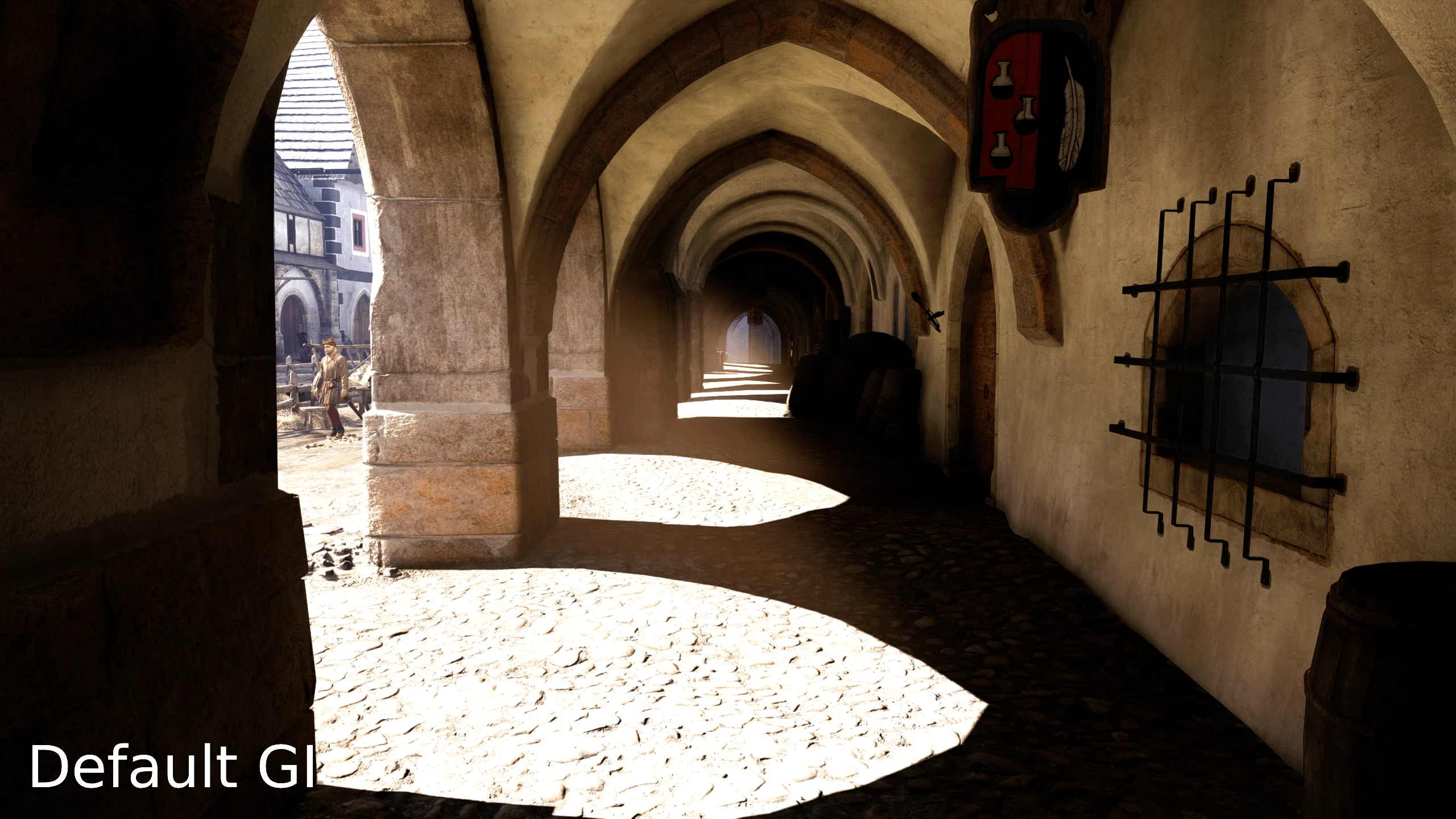
Enhances global illumination by brightening areas that are too dark, increasing vibrancy of bounce lighting and light through translucent materials, and minimizing light leakage. Now improves shadow LODs.
Enhanced Lighting Mod – Custom Tweaks
Hey! Check out Dynamic Fog - Weather - Lighting! It's compatible.
A huge thanks to nimbuI for creating the essential tools and developing this mod! With their approval, I'm sharing a version with slight adjustments to match my personal preferences. Feel free to tweak these settings further to suit your own taste.
All included screenshots were taken using settings closest to the "Strong" preset.
Interior lighting comparison, sunny day, ReaLUTy.
Installation
The mod can be installed with Vortex or manually installed by extracting the ZIP file into your mods folder.
Toggle/Cycle settings
Enhanced GI settings are applied by default when the mod is installed. To compare the changes with the vanilla lighting, disable the mod, or compare profiles, two commands are bound by default:
F6 -> Toggle Enhanced GI
F7 -> Cycle between all GI profiles (weak, balanced, strong)
Customization
For optimal results, it is recommended to set the in-game global illumination setting to Ultra.
The multiprofile version allows loading multiple e_svoTI configs by adding them with "GI_RegisterProfile" in EGI.cfg. Default profiles are located in EnhancedGI/profiles.
Change the default GI profile with GI_DefaultProfile in EGI.cfg
You can set a custom profile (or vanilla settings) to be loaded at night time with GI_NightProfile.
You can assign a keybind to load specific GI profiles. GI_SetProfile
If you want even more customization, you can bind our editor commands GI_CycleCvars and GI_ScaleCVar to adjust a profile's settings in real time. This is an advanced feature.
If you want to make your own profiles, here is all cvars we support:
e_svoTI_DiffuseConeWidth
e_svoTI_DiffuseAmplifier
e_svoTI_IndoorSkyMultiplier
e_svoTI_IndoorSunMultiplier
e_svoTI_InjectionMultiplier
e_svoTI_VoxelOpacityMultiplier
e_svoTI_PropagationBooster
e_svoTI_Saturation
e_svoTI_SSAOAmount
e_svoTI_NumberOfBounces
e_svoTI_PointLightsBias
e_svoTI_PointLightsMaxDistance
e_svoTI_PointLightsMultiplier
e_svoTI_SkyColorMultiplier
e_svoTI_SpecularAmplifier
e_svoTI_SpecularFromDiffuse
e_svoTI_MinReflectance
r_ssdoAmountAmbient
r_ssdoAmountDirect
r_ssdoAmountReflection
r_ssdoColorBleeding
r_ssdoFadeoutBegin
r_ssdoFadeoutEnd
r_ssdoHalfRes
r_ssdoRadius
r_ssdoRadiusMax
r_ssdoRadiusMin
r_ssdoSecondaryBandRadius
If these cvars are being set elsewhere, outside of a profile for this mod, they may be overwritten when the mod initializes. Set this mod earlier in load order to avoid this for now-- will fix in an update in the future.
📊 Mod Details
- Game
- Kingdom Come 2 Mods
- Author
- hartapfel
- Version
- 1.3.3
- Downloads
- 95,493
- Endorsements
- 1,412
- Category
- Visuals
- Created
- 2/24/2025
- Updated
- 9/21/2025
🔧 How to Install KCD2 Mods
Use Vortex or manual.
📖 Full step-by-step install guide for KCD2 →
Visit the official mod page for specific installation instructions for this mod.
🎮 Need cheat codes or console commands? Check ur gaming wiki for KCD2 commands, item IDs, and more.
Keep browsing — more KCD2 mods await