FNFAL - Sum Wud
⚪ Last updated 2018Preview
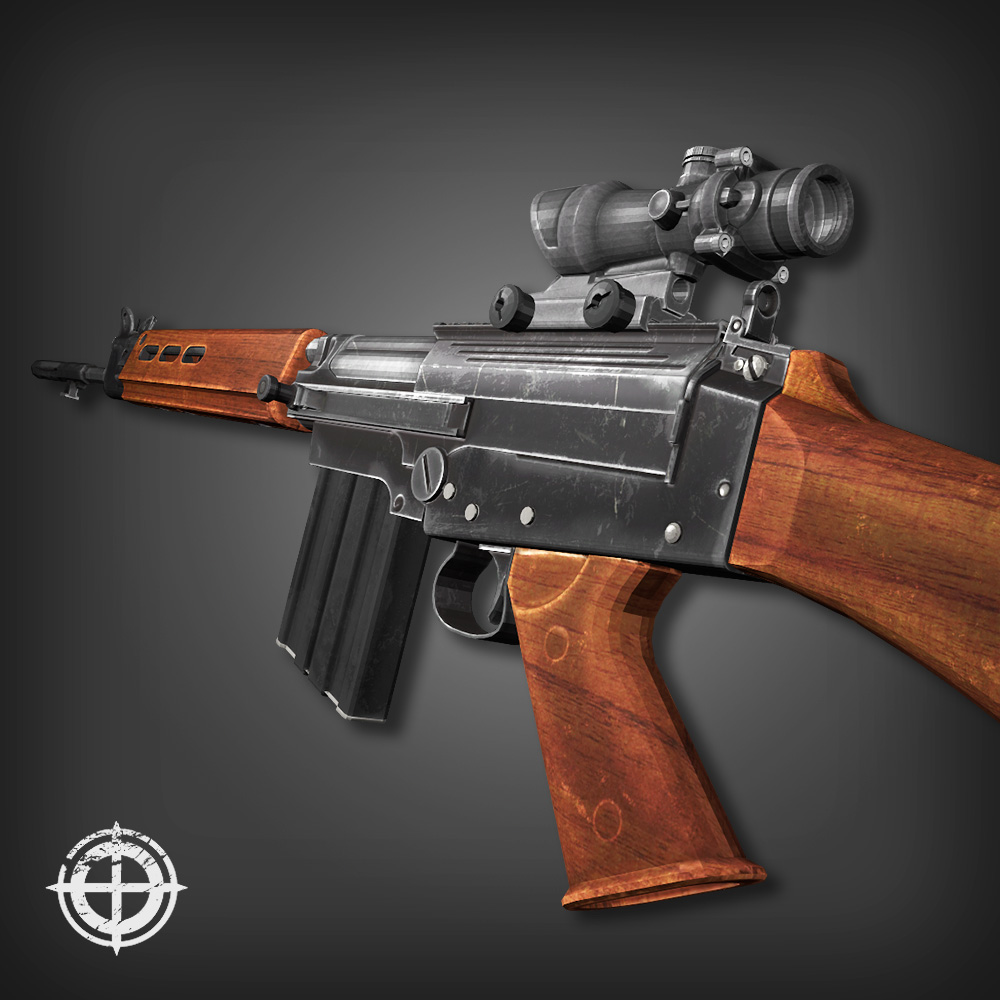
🔍 Analysis
- 👍 0.0% endorsement rate
📋 About This Mod
Working both online and offline 2ways to install and uninstall There are 6 skin files in the 1515421622 folder , they are WEP_1P_FNFAL_WOOD_TEX.upk WEP_1P_FNFAL_ROTWOOD_TEX.upk WEP_1P_FNFAL_DARKWOOD_TEX.upk Change the skin you want to Wep_1p_FNFAL_TEX.upk to use for First person view AND WEP_3P_FNFAL_WOOD_TEX.upk WEP_3P_FNFAL_ROTWOOD_TEX.upk WEP_3P_FNFAL_DARKWOOD_TEX.upk Change the skin you want to Wep_3p_FNFAL_TEX.upk to use for Third person view Method 1 : INSTALL Subscribe , restart the game and move the BrewedPC folder from Documents\My Games\KillingFloor2\KFGame\Cache\1515421622\ or SteamLibrary\steamapps\workshop\content\232090\1515421622\ To Documents\My Games\KillingFloor2\KFGame\ UNINSTALL Delete Sharpshooter's weapon folders in Documents\My Games\KillingFloor2\KFGame\published\BrewedPC\Packages\Weapons\ Method 2 : INSTALL Subscribe , restart the game and move all weapon folders from Documents\My Games\KillingFloor2\KFGame\Cache\1515421622\0\Published\BrewedPC\Packages\Weapons To D:\SteamLibrary\steamapps\common\killingfloor2\KFGame\BrewedPC\Packages\Weapons /// Remember to bacckup your files first /// UNINSTALL Just replace those skin files with your backup If something is wrong , be free to tell me Enjoy ^^ ~
📊 Mod Details
- Game
- Killing Floor 2 Mods
- Author
- 76561198335106169
- Version
- N/A
- Downloads
- 1,418
- Endorsements
- 0
- Category
- N/A
- Created
- 9/18/2018
- Updated
- 9/19/2018
🔧 How to Install Killing Floor 2 Mods
Subscribe on Steam Workshop. Mods auto-download and install. Launch the game to activate.
📖 Full step-by-step install guide for Killing Floor 2 →
Visit the official mod page for specific installation instructions for this mod.
🎮 Need cheat codes or console commands? Check ur gaming wiki for Killing Floor 2 commands, item IDs, and more.
Keep browsing — more Killing Floor 2 mods await