M99 - NEO
⚪ Last updated 2018Preview
🔍 Analysis
- 👍 0.0% endorsement rate
📋 About This Mod
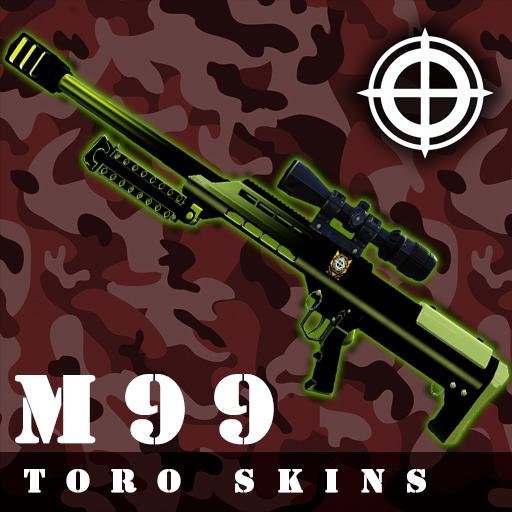
Online friendly - Only First person texture ------ Steps ------- 1 - Find the color you like, and copy it. 2 - Paste in the location, that is specified. 3 - Rename the file previously paste. Install: Step 1 Copy what do you like more: Green (WEP_1P_M99_TEX.upk) Red (WEP_1P_M99_TEX_Red.upk) Blue (WEP_1P_M99_TEX_Blue.upk) C:\Program Files (x86)\Steam2\steamapps\workshop\content\232090\1421509108\BrewedPC\Packages\Weapons\M99 Step 2 Paste: C:\Users\user\Documents\My Games\KillingFloor2\KFGame\Published\BrewedPC\Packages\Weapons\M99 Step 3 The game identified the texture of the M99 with the name of "WEP_1P_M99_TEX. UPK" So, with this in mind, you need to rename the red and the blue. Red (WEP_1P_M99_TEX_Red.upk) >>> Rename to >>> WEP_1P_M99_TEX. UPK Blue (WEP_1P_M99_TEX_Blue.upk) >>> Rename to >>> WEP_1P_M99_TEX. UPK Run the game to start the download. To uninstall just delete the folder were you paste the files. Please, rate and comment what do you think.
📊 Mod Details
- Game
- Killing Floor 2 Mods
- Author
- 76561198055084706
- Version
- N/A
- Downloads
- 606
- Endorsements
- 0
- Category
- N/A
- Created
- 6/24/2018
- Updated
- 6/24/2018
🔧 How to Install Killing Floor 2 Mods
Subscribe on Steam Workshop. Mods auto-download and install. Launch the game to activate.
📖 Full step-by-step install guide for Killing Floor 2 →
Visit the official mod page for specific installation instructions for this mod.
🎮 Need cheat codes or console commands? Check ur gaming wiki for Killing Floor 2 commands, item IDs, and more.
Keep browsing — more Killing Floor 2 mods await