VStormV's Horizon Zero Dawn Reshade
⚪ Last updated 2021Preview
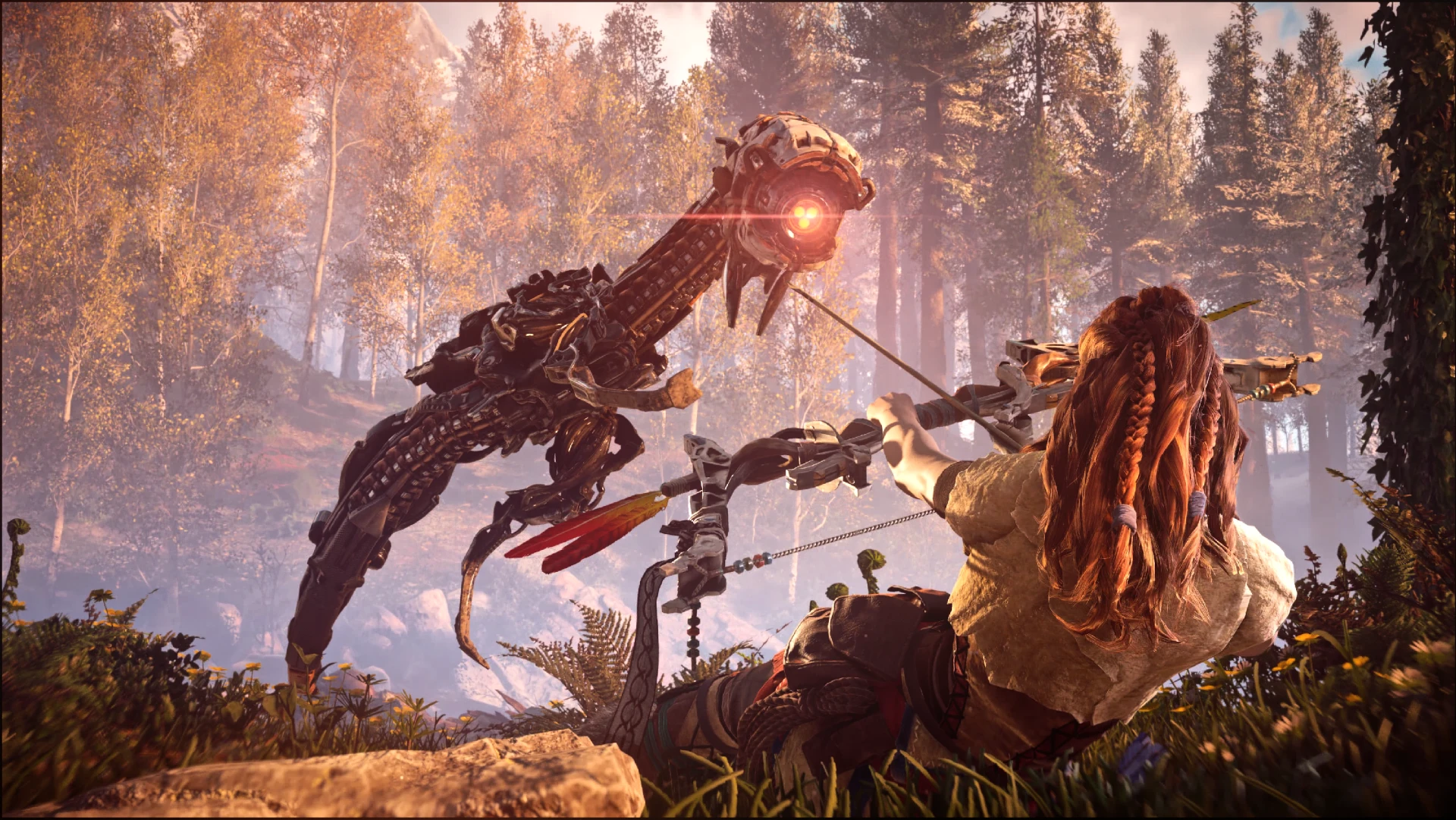
🔍 Analysis
- 👍 4.0% endorsement rate — high engagement, a strong quality signal
- 🏆 #90 of 120 Visuals and Graphics mods in this game by downloads
📋 About This Mod
Installation
The new reshade may be confusing as there are many effects to choose from. You can just choose all of the effects or you may want to use older versions (around 3. 4. 1) from here:
Reshade Repository
Then run the new version to update after installation.
1) Download preset and unzip to the same place as to where your HorizonZeroDawn.exe is.
2) Download reshade from https://reshade.me/
3) Run setup tool > Follow instructions > Close setup tool > Start game > Press Home or Shift+F2 (older version) > Select VStormV preset > Profit
Techniques=HDR,EyeAdaption,AmbientLight,BloomAndLensFlares,Clarity
Make sure there's only one HDR running.
Don't forget to set performance mode on once you're done.
This preset was meant to run on Nvidia's 50% vibrance setting. It might differ for your monitor.
For dark display issue in Windows 10, adjust your gamma, type "Colour Management" under search taskbar and follow the guide here.
This preset can also be used for other games. Try it!
Do share your screenshots and videos!! ^__^
_8ADQspdz_k
My Other Mods - Preview
=============
Mafia: Definitive Edition
Mafia II: Definitive Edition
King of Fighters XIV
Cyberpunk 2077
Red Dead Redemption 2
Watch Dogs 2
Assassin's Creed Unity
Assassin's Creed Syndicate
Assassin's Creed Origins
Assassin's Creed Odyssey
Assassin's Creed III Remastered
Assassin's Creed Black Flag
Assassin's Creed Freedom Cry
Assassin's Creed Rogue
Arkham Knight
Mass Effect 1 Legendary Edition
Mass Effect 2 Legendary Edition
Mass Effect 3 Legendary Edition
Mass Effect Andromeda
Shadow of the Tomb Raider
Detroit: Become Human
Street Fighter V Champion Edition
Tales of Arise
Grand Theft Auto 5
Final Fantasy 7 Remake
Watch Dogs Legion
My Youtube Channel
=================
Do subscribe to my Youtube channel : VStormV
My Facebook Gaming Channel
========================
Thanks to the Reshade devs, game devs, modders and nexus team for making this game awesome!!
A simple Reshade preset for Horizon Zero Dawn, created by VStormV from Malaysia. It aims to enhance the game's visuals with a straightforward configuration. With 52 endorsements and 1,310 downloads, it's a modestly popular choice for players seeking a quick visual upgrade. Last updated in May 2021.
✨ Key Features
📊 Pros & Cons
✅ Pros
- Decent community traction with 52 endorsements and over 1,300 downloads
- Simple preset—likely a plug-and-play solution for visual tweaks
- Author is active in the modding community (MCO 3.0 mention)
⚠️ Cons
- Last updated in 2021—may not be compatible with the latest game patches
- Only 52 endorsements—not a widely tested preset, so results may vary
For Horizon Zero Dawn players who want a quick, no-fuss Reshade preset to spice up the visuals without diving into complex configs. If you're a purist who needs to know exactly what's being changed, you might want to look elsewhere. Skip if you're on the latest game version and worried about compatibility.
💡 Beginner Tips
- Make sure you have Reshade installed and set to the game's executable before applying this preset.
- If the preset doesn't show up, check that the file is in the correct Reshade folder (usually the game's root directory).
- Since the mod is from 2021, consider backing up your current Reshade settings in case you need to revert.
📊 Mod Details
- Game
- Horizonzerodawn Mods
- Author
- VStormV
- Version
- 1.0
- Downloads
- 1,310
- Endorsements
- 52
- Category
- Visuals and Graphics
- Created
- 5/14/2021
- Updated
- 5/14/2021
🔧 How to Install Horizon Zero Dawn Mods
Download from Nexus Mods.
📖 Full step-by-step install guide for Horizon Zero Dawn →
Visit the official mod page for specific installation instructions for this mod.
🎮 Need cheat codes or console commands? Check ur gaming wiki for Horizon Zero Dawn commands, item IDs, and more.
Keep browsing — more Horizon Zero Dawn mods await