Vibrant Valley - Horizon Zero Dawn Reshade
⚪ Last updated 2020⚠️ Install Order · 1 step
Install in this order, then this mod last — most mods fail to load without their framework and dependencies in place.
Preview
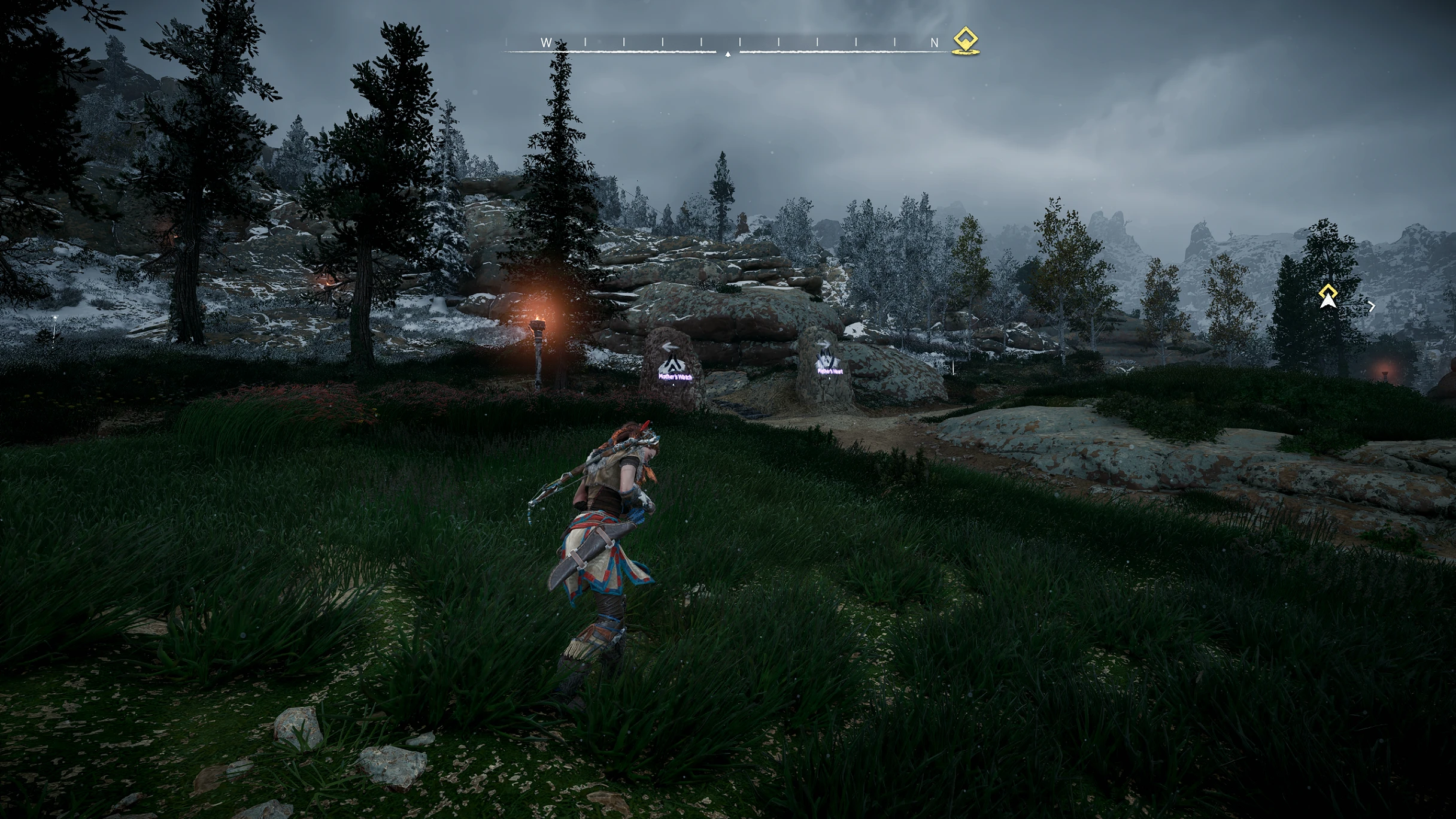
🔍 Analysis
- 👍 6.2% endorsement rate — high engagement, a strong quality signal
- 🏆 #70 of 120 Visuals and Graphics mods in this game by downloads
📋 About This Mod
A reshade for horizon zero dawn to give it a little more depth and less washed out, vibrant look.
Just playing around with reshade for the first time. If you have any suggestions to help improve this reshade preset, let me know. Is it too over-saturated? Too dark? Too Light? Something just not right? Help me fix it!
Installation:
Download Reshade from the Reshade website:
Reshade Link Here
When installing reshade, either download every shader, OR you can select only the ones i have used:
This reshade uses:
LumaSharpen
at least make sure these ones are downloaded.
Copy this preset into the main game directory, then in game press the 'home' key to open up reshade menu and select this reshade ini file from the drop down menu at the top.
A Reshade preset for Horizon Zero Dawn that enhances color depth and reduces the washed-out look, giving the game a more vibrant appearance. With 146 endorsements and 2,367 downloads, it's a community-tested visual upgrade for players seeking richer colors.
✨ Key Features
📊 Pros & Cons
✅ Pros
- Community-approved with 146 endorsements and 2,367 downloads
- Delivers on its promise: more vibrant colors and less washed-out look
- Lightweight visual mod that doesn't overhaul the game
⚠️ Cons
- Last updated in 2020 — may not work with the latest game patches
- Requires Reshade to be installed separately, which isn't included
- No before/after screenshots or detailed settings provided
For Horizon Zero Dawn players who find the original color palette too dull and want a quick visual boost. Perfect for those who prefer a vibrant, saturated look without heavy mods. Skip if you're happy with the vanilla visuals or want more comprehensive graphical overhauls.
💡 Beginner Tips
- Make sure Reshade is installed and set up for Horizon Zero Dawn before adding this preset.
- After installing, tweak the preset's intensity settings in-game to match your taste.
- Check the mod's comments for any compatibility notes with the latest game version.
📊 Mod Details
- Game
- Horizonzerodawn Mods
- Author
- MrCakehat
- Version
- 1.0
- Downloads
- 2,367
- Endorsements
- 146
- Category
- Visuals and Graphics
- Created
- 8/9/2020
- Updated
- 8/9/2020
🔧 How to Install Horizon Zero Dawn Mods
Download from Nexus Mods.
📖 Full step-by-step install guide for Horizon Zero Dawn →
Visit the official mod page for specific installation instructions for this mod.
🎮 Need cheat codes or console commands? Check ur gaming wiki for Horizon Zero Dawn commands, item IDs, and more.
Keep browsing — more Horizon Zero Dawn mods await