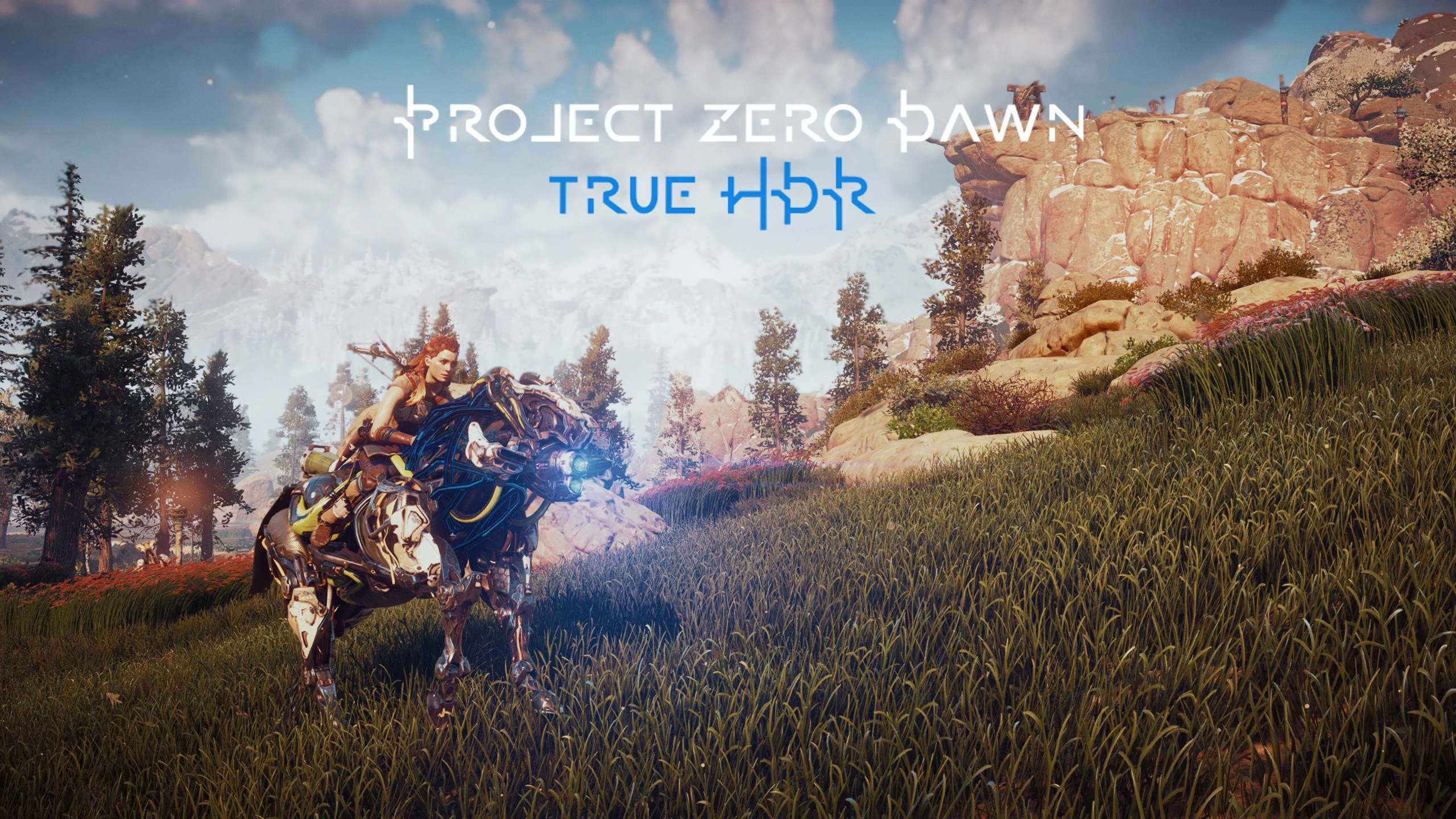
Project Zero Dawn - True HDR
⚪ Last updated 2020Preview
🔍 Analysis
- 👍 5.2% endorsement rate — high engagement, a strong quality signal
- 🏆 #18 of 120 Visuals and Graphics mods in this game by downloads
📋 About This Mod
This ReShade simulates HDR via the "True HDR" method, which first appeared in Unreal Engine 4 games and later in the ENB Series.
It's a software based method, not "Real HDR" meant for HDR monitors. There's a difference, so try not to confuse them with each other.
I used a complex array of effects that work together seamlessly, and it will add very precise depth, color, and visual effects to your game.
To make a long story short, this is not some generic ReShade put together very quickly that uses only a few effects.
Many hours of my time went into producing this ReShade, please consider clicking the Endorse button, it only takes a second.
INSTALLATION
Copy everything from the "Main files" folder to your main HZD folder.
(Where HorizonZeroDawn.exe is located)
Play your game! :)
RESHADE CONTROLS
End key to toggle main effects
PageDown key to toggle Depth of Field
Home key to open GUI
TROUBLESHOOTING
Always remove ReShade files from a previous install before installing.
Rename "dxgi.dll" to "d3d12.dll" if your game crashes at startup.
Disable Steam overlay if you have issues.
Disable third-party programs, and seek help in the forums if all else.
Project Zero Dawn - True HDR is a visual enhancement mod for Horizon Zero Dawn that adds true HDR support to the game. With over 1,200 endorsements and 23,000 downloads, it's a popular choice for players seeking improved lighting and color depth. Last updated in November 2020, it remains a go-to for HDR enthusiasts.
✨ Key Features
📊 Pros & Cons
✅ Pros
- Community-approved with 1,234 endorsements—clearly a hit among players
- Over 23,000 downloads shows it's widely used and trusted
- Simple one-line description suggests a straightforward install—just drop and play
⚠️ Cons
- Last updated in November 2020—may not be compatible with the latest game patches
- Requires a true HDR display to see any benefit—if you're on SDR, this mod does nothing for you
For Horizon Zero Dawn players with HDR-capable monitors or TVs who want to experience the game with proper high dynamic range. If you're on a standard display, skip this—you won't notice a difference. Also for modders who appreciate simple, effective visual tweaks without extra bloat.
💡 Beginner Tips
- Make sure your display and Windows settings have HDR enabled before launching the game, otherwise the mod won't have any effect.
- If you're using a mod manager, load this mod after any other visual mods to avoid conflicts.
- Check the mod's comments section on Nexus for user reports on compatibility with the latest game version, since it hasn't been updated since 2020.
📊 Mod Details
- Game
- Horizonzerodawn Mods
- Author
- Vanguard1776
- Version
- v1.4
- Downloads
- 23,735
- Endorsements
- 1,234
- Category
- Visuals and Graphics
- Created
- 8/12/2020
- Updated
- 11/26/2020
🔧 How to Install Horizon Zero Dawn Mods
Download from Nexus Mods.
📖 Full step-by-step install guide for Horizon Zero Dawn →
Visit the official mod page for specific installation instructions for this mod.
🎮 Need cheat codes or console commands? Check ur gaming wiki for Horizon Zero Dawn commands, item IDs, and more.
Keep browsing — more Horizon Zero Dawn mods await