Realistic ReSahde
⚪ Last updated 2023Preview
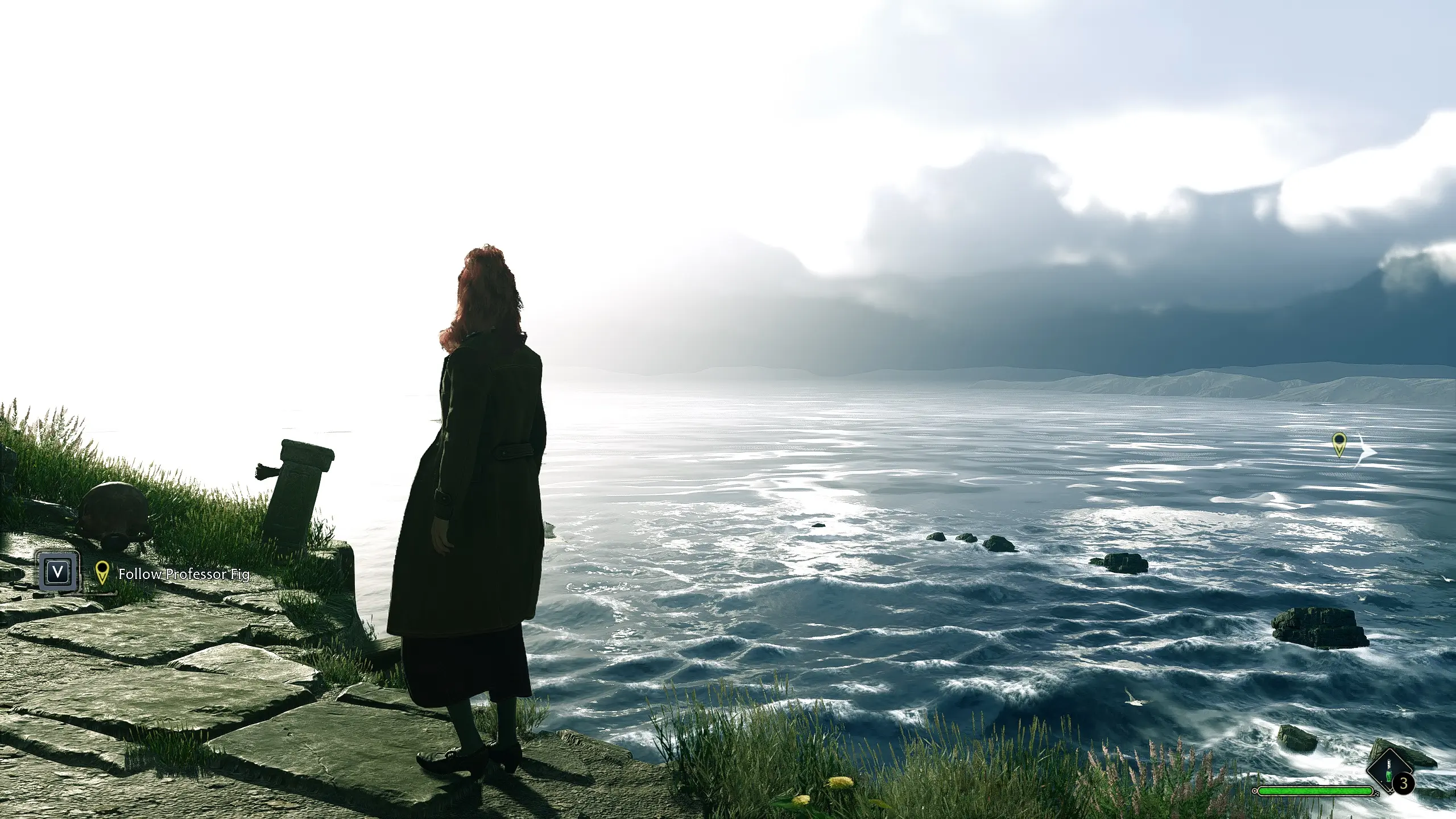
🔍 Analysis
- 👍 3.9% endorsement rate — high engagement, a strong quality signal
- 🏆 #67 of 180 Visuals mods in this game by downloads
📋 About This Mod
A ReShade to get rid of the beige tint and make the game a bit more realistic.
This mod will not be everyone's cup of tea... but for those who prefer more realistic and/or muted visuals this mod might just be what you want.
INSTALLATION:
> Download and Install ReShade.
> On the "select effect packages to install screen" select Standard Effects, SweetFX, QUINT and Legacy.
> Once that's installed, drag and drop my "RealLighting.ini" file into your game directory. (Hogwarts Legacy\Phoenix\Binaries\Win64)
> Load up the game and press HOME when prompted.
> From the ReShade menu select "RealLighting.ini"
UNINSTALLATION:
> Remove "RealLighting.ini" from your game directory.
I have no idea how this will impact the framerate on lower-end rigs. This was made using ReSahde V5. 8. 0
📊 Mod Details
- Game
- Hogwartslegacy Mods
- Author
- HowlingDakota
- Version
- 1
- Downloads
- 1,668
- Endorsements
- 65
- Category
- Visuals
- Created
- 4/18/2023
- Updated
- 4/18/2023
🔧 How to Install Hogwarts Legacy Mods
Download from Nexus Mods.
📖 Full step-by-step install guide for Hogwarts Legacy →
Visit the official mod page for specific installation instructions for this mod.
🎮 Need cheat codes or console commands? Check ur gaming wiki for Hogwarts Legacy commands, item IDs, and more.
Keep browsing — more Hogwarts Legacy mods await