First Person AND Customizable Cameras (With UI)
⚪ Last updated 2023Preview
🔍 Analysis
- 👍 1.9% endorsement rate — high engagement, a strong quality signal
- 🏆 #65 of 260 Gameplay mods in this game by downloads
📋 About This Mod
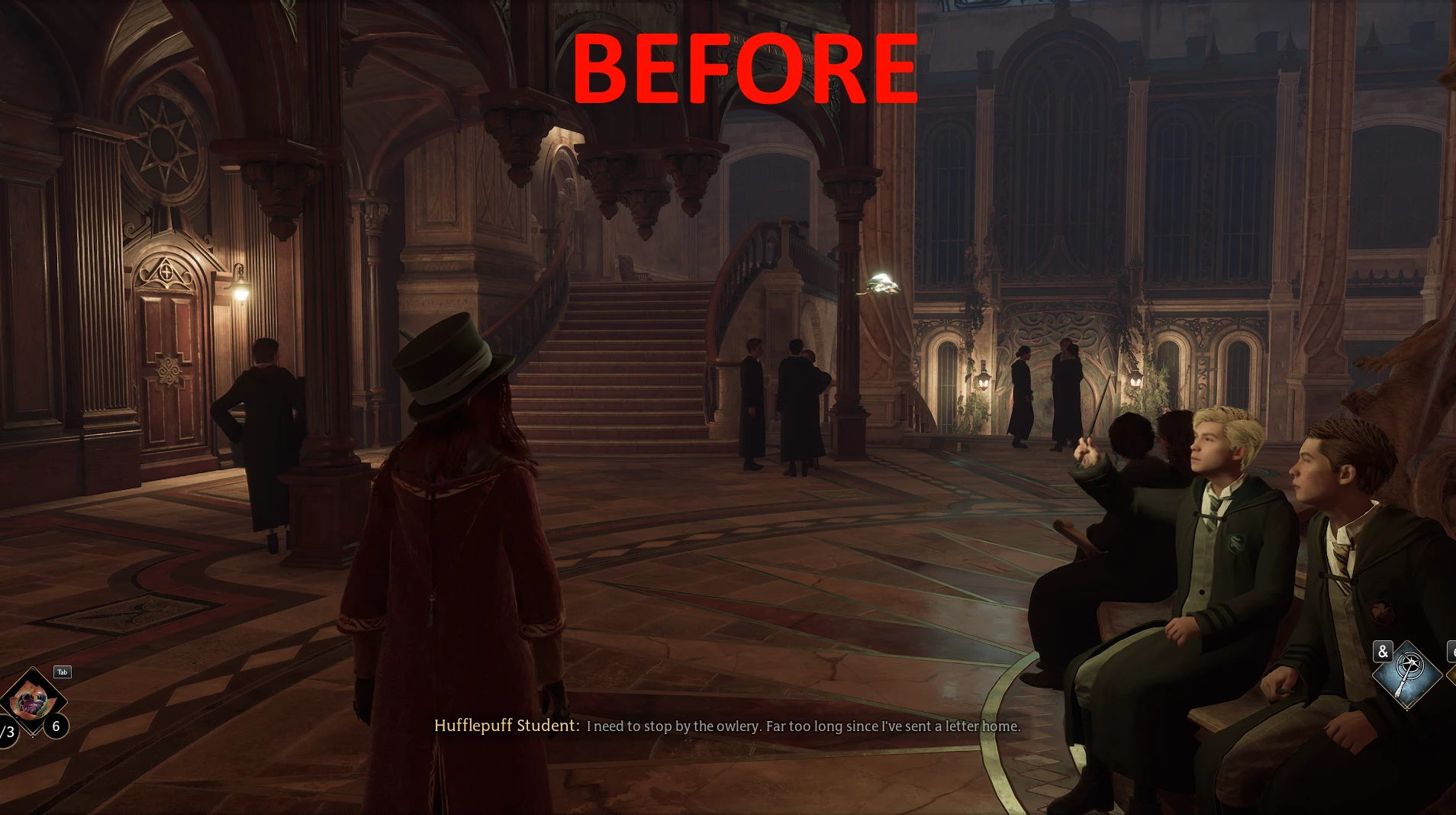
Hello everyone,Here is a quick what I can call "fix" for the camera being too close to the player. when inside a building or in a small area (likely with lots of walls).
---------- UPDATE (BIG Thanks to pinguluk) ----------------
Apply that fix to remove crashes and make mod works even after fast traveling:
https://gist.github.com/pinguluk/3e1cd20f50dec3c5e4e4c3addc3eb711
------------------------------------------------------------------------------------------------------------
(^_^) >--------- Release ---------< (^_^)
- Press F6 to open the new in-game UI to edit the cameras. (Pressing F6 again close the UI)
----> ALT+TAB Can cause the game to re-enable game inputs and loose focus on widget: Press F6 to close the UI and F6 again to open it back again
----> To close the menu: click on the "X" button on top-right. F6 doesn't close the menu for now
I Will not tolerate anybody that uses my script and just modifies it a bit for reupload. You can do it for yourself and your friends but never RE-UPLOAD others work without permission.
Be sure to have a Saved folder inside "Phoenix/Binaries/Win64", a TestCameraOffset folder inside "Phoenix/Binaries/Win64/Mods" AND 3 z_CameraUI_P files inside Phoenix/Content/Paks/~mods/
--------------------------------- INSTALL ---------------------------------
To install it, download the requirement RE-UE4SS and choose to download the xinput version (the other one will not work), then extract the zip inside
"Hogwarts Legacy/Phoenix/Binaries/Win64/". When you've done this, just extract my zip inside /Hogwarts Legacy/ next to the Phoenix folder and that' all.
Now, it also require Blueprint_Apparate to load the mod in-game UI correctly.
Use F8 to open Blueprint_Apparate menu and then type CameraUI to load the in-game UI correctly.
Then reload the game to make it work.
(This is a one-time to do)
--------------------------------- UNINSTALL (REMOVE MOD) ---------------------------------
To unistall it, remove either the whole RE-UE4SS modloader or just my mod inside mods folder called "TestCameraOffset" along with my Saved folder located in Phoenix/Binaries/Win64/Saved.
Then remove the 3 files z_CameraUI_P (.utoc, .ucas & .pak) from the "/Phoenix/Content/Paks/~mods" folder.
The "global" settings of the mod are inside Win64/Saved/Settings.json
The camera settings are in Win64/Saved/CameraSettings.json
Credit to Meltus for this:
For those not wanting to mess around with settings, here's a good base for you (only for indoor camera) <
📊 Mod Details
- Game
- Hogwartslegacy Mods
- Author
- YouYouTheBoxx
- Version
- 4.0-Release
- Downloads
- 18,569
- Endorsements
- 353
- Category
- Gameplay
- Created
- 3/3/2023
- Updated
- 3/7/2023
🔧 How to Install Hogwarts Legacy Mods
Download from Nexus Mods.
📖 Full step-by-step install guide for Hogwarts Legacy →
Visit the official mod page for specific installation instructions for this mod.
🎮 Need cheat codes or console commands? Check ur gaming wiki for Hogwarts Legacy commands, item IDs, and more.
Keep browsing — more Hogwarts Legacy mods await